
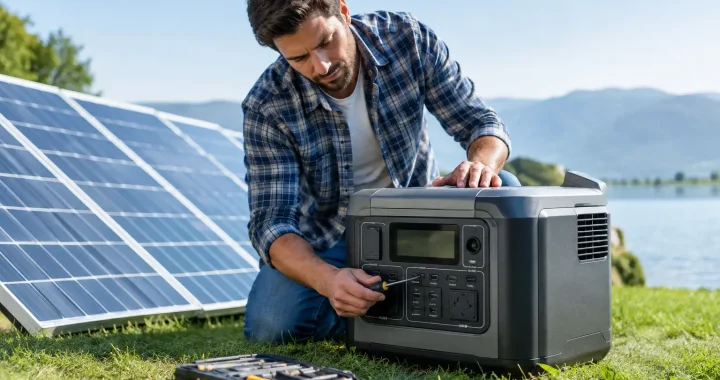
A solar generator is most valuable when the grid goes down, a storm is moving in, or you are miles from the nearest outlet. This solar generator maintenance guide focuses on the few practical habits that protect battery capacity, charging performance, and the dependable power your household or campsite may need without warning.
A typical solar generator combines a portable power station with compatible solar panels. Unlike a gas generator, it has no oil changes, spark plugs, or fuel stabilizer requirements. But its lithium battery, inverter, ports, cables, and panels still need attention. Neglect usually does not cause a dramatic failure overnight. More often, it quietly reduces available runtime or leaves a system undercharged when an outage begins.
Solar Generator Maintenance Guide for Battery Health
The battery is the core of your system. Most modern portable power stations use lithium-ion or LiFePO4 battery cells, and LiFePO4 models are especially well suited to frequent backup use because they are designed for a high number of charge cycles. Even so, all lithium batteries perform best when they are protected from heat, deep discharge, and long periods of storage at an extreme state of charge.
For regular use, charge the power station according to the guidance in its manual and avoid making 0% battery a routine stopping point. Running a unit down during a genuine outage or a long camping trip is sometimes unavoidable. The better practice is to recharge it as soon as practical afterward rather than leaving it empty in a garage or vehicle.
Storage requires a slightly different approach. If you will not use the solar generator for several weeks or months, store it partially charged rather than fully depleted. Many manufacturers recommend a charge level around 40% to 60%, although the exact recommendation for your model should take priority. Check the battery every three to six months, power it on, and recharge it if the state of charge has fallen below the manufacturer’s recommended storage range.
Heat is the battery’s long-term enemy. Keep the power station in a dry, ventilated indoor location away from direct sun, radiators, furnaces, and uninsulated sheds that become excessively hot. Do not leave it in a closed vehicle during summer conditions. Very cold weather can also reduce available output and affect charging behavior, so allow a cold unit to return to the approved operating temperature before charging it.
Keep Solar Charging Equipment Clean and Protected
Solar panels do not need complicated service, but dirt and physical damage can reduce charging when you need it most. Before an extended trip or storm season, inspect the panel surface in good light. Remove loose dust with a soft cloth, then use clean water and a non-abrasive cloth for stuck-on grime. Avoid harsh chemicals, abrasive pads, pressure washers, and sharp tools that could damage the protective surface.
A small amount of dust may have little effect on a bright day, but pollen, bird droppings, salt spray, tree sap, and mud can noticeably reduce output. This matters more with compact portable panels, where every watt of charging capacity counts. If panel output seems low, first check for shade, poor panel angle, dirty surfaces, and loose connections before assuming the panel or power station has failed.
Store folding solar panels flat or in their protective case when possible. Do not place heavy gear on top of them, bend them beyond their intended fold points, or drag connector ends through dirt and gravel. For rigid panels, periodically check mounting hardware for looseness and examine the cable entry points for weather damage.
Inspect Cables, Ports, and Cooling Vents
Power connections deserve a quick inspection before every major use. Look over solar charging cables, AC charging cords, adapter plugs, and extension cables for cuts, crushed insulation, corrosion, bent pins, or loose connector housings. Replace damaged cables instead of taping over the problem. A poor connection can interrupt charging, create heat, or damage a port.
Keep the input and output ports on the power station clean and dry. If dust collects around a port, use a soft, dry brush or a gentle burst of compressed air held at a reasonable distance. Never insert metal objects into ports, and never charge or operate the unit if water has entered a connector area. If a port is wet, disconnect all power sources and let the equipment dry completely before use.
Cooling vents matter when the system is running high-demand equipment such as a refrigerator, microwave, power tools, or a window air conditioner. Do not cover the unit with blankets, bags, or clothing, and leave space around the vents for airflow. Fan noise under heavy load is normal on many models. A fan that runs constantly at low load, unusual odors, excessive heat, or repeated shutdowns are signs to stop using the unit and consult the manufacturer’s support guidance.
Exercise Your Backup Power Before an Outage
A solar generator should not sit untouched until severe weather is already on the forecast. Test it at planned intervals so you know what it can support and so the battery management system, display, outlets, and charging inputs receive normal use.
Every few months, connect a few common household loads such as phones, a lamp, a Wi-Fi router, or a small fan. Confirm that the AC outlets, USB ports, DC outputs, and display work as expected. If your emergency plan includes a refrigerator, CPAP machine, sump pump, or medical device, verify power requirements and compatibility well before an emergency. Critical medical equipment should always have a professionally considered backup plan, because runtime and startup demand vary by device.
A controlled test also gives you realistic runtime expectations. Check the wattage shown on the power station display, then observe how quickly the battery percentage changes. Appliance labels provide a starting point, but actual consumption changes as compressors cycle, tools start, and electronics charge. A unit that powers a 100-watt load for several hours may not run a high-startup appliance without sufficient inverter capacity, even if its battery has ample watt-hours.
Use Charging Habits That Fit Your Equipment
AC wall charging is often the fastest way to restore readiness after an outage, while solar charging keeps a system useful off-grid or during longer disruptions. Use the supplied or manufacturer-approved charging equipment, and confirm that solar panel voltage and connector types are compatible with the power station’s solar input limits. More panels are not automatically better if their combined voltage exceeds the accepted range.
When using portable solar panels, place them where they receive direct sunlight without shade from branches, vehicles, roof vents, or even a narrow pole. Partial shade can sharply reduce output. Adjust the panel angle during the day when practical, especially in winter or during lower sun conditions. Solar charging rates naturally vary with weather, season, panel angle, temperature, and cloud cover, so plan conservatively for emergency use.
If your system supports expansion batteries, inspect their cables and connectors with the same care as solar input cables. Connect expansion batteries only as directed for your specific model. Compatibility, connection order, and firmware requirements can differ among product lines.
When to Stop and Get Support
Do not open a portable power station battery enclosure. Internal battery repairs are not a DIY project, and opening the case can create a safety hazard or void warranty coverage. Stop using the unit and contact qualified manufacturer support if you notice swelling, leaking, smoke, a burning smell, severe physical damage, repeated error codes, or charging behavior that is clearly abnormal.
For dependable backup power, maintenance is less about constant work and more about staying ready: store the system correctly, keep panels and connections clean, and test the equipment before you need it. A short check on a calm weekend is far easier than troubleshooting power equipment when the lights are already out.
