Pure Sine Wave Inverter Comparison for Backup Power

Pure Sine Wave Inverter Comparison for Backup Power

A power station can have a large battery and still be the wrong choice for your needs if its inverter cannot deliver clean, stable AC power. This pure sine wave inverter comparison focuses on the part of a backup power system that determines how safely and reliably it runs the equipment you depend on, from a CPAP machine and refrigerator to laptops, tools, and RV appliances.

For households preparing for outages, the goal is not simply to have electricity available. It is to have usable power when the grid is down, without the fuel, noise, and maintenance demands of a gas generator. A pure sine wave inverter helps make that possible by converting battery power into AC electricity that closely resembles the power supplied by a standard wall outlet.

Pure Sine Wave Inverter Comparison: What Changes?

An inverter converts the direct current, or DC, stored in a battery into alternating current, or AC, used by most household devices. The key difference is the shape and consistency of that AC output.

A pure sine wave inverter produces a smooth electrical waveform. This is the type of power sensitive electronics, variable-speed motors, and many modern appliances are designed to use. A modified sine wave inverter creates a stepped approximation of that waveform. It can operate some basic loads, but it may cause unwanted noise, extra heat, reduced efficiency, or unreliable performance with certain devices.

The practical difference becomes clear when power matters most. A phone charger may work on almost any inverter. A refrigerator compressor, power tool battery charger, medical device, induction cooktop, or newer TV is less forgiving. Clean power reduces the chance that your equipment runs hot, buzzes, cycles poorly, or refuses to start.

Pure sine wave output is especially valuable for these common backup and mobile-power loads:

  • Laptops, monitors, networking gear, and sensitive chargers
  • CPAP and other approved essential medical equipment
  • Refrigerators, freezers, fans, and appliances with motors or compressors
  • Cordless tool chargers, workshop equipment, and jobsite electronics
  • RV electronics, microwave ovens, coffee makers, and entertainment systems

That does not mean every device requires pure sine wave power. It means a pure sine wave system gives you fewer compatibility concerns when you are building a power plan for an outage, a road trip, or off-grid work.

Pure Sine Wave vs. Modified Sine Wave

Modified sine wave inverters are often associated with lower-cost inverter products and older power systems. They can be adequate for simple resistive loads, such as some incandescent lights or basic heating elements. Their lower price can look appealing when a buyer only compares wattage on a product page.

The trade-off is equipment compatibility. Motors may hum more loudly. Some chargers can run warmer. Audio equipment may produce interference, and digital clocks or controls may behave inconsistently. In the worst case, a device may not operate at all. When you need dependable backup power for a refrigerator, remote work setup, or family essentials, uncertainty is not much of a bargain.

Pure sine wave inverters usually cost more because they deliver a higher-quality output. For most portable power station buyers, that difference is justified. You can connect a broader range of equipment with greater confidence, especially when you do not have time to test every device during an emergency.

Compare More Than the Waveform

Pure sine wave output is a strong starting point, but it is not the whole comparison. A portable power station must also have enough inverter capacity, battery storage, surge capability, and recharge options for the job.

Continuous wattage is the operating limit

Continuous wattage tells you how much AC power the inverter can provide steadily. If your power station has a 2,000W inverter, the combined running wattage of connected devices should stay at or below 2,000 watts.

Start with the loads you actually expect to use. A laptop might use 60 to 150 watts while charging. A refrigerator may average modest wattage once running, but its compressor requires more power at startup. A microwave, space heater, hair dryer, electric kettle, and window air conditioner can each demand far more power. Adding appliance labels or manufacturer specifications gives you a more useful estimate than guessing.

Avoid sizing only for your smallest everyday device. A 300W inverter may be plenty for phones, a laptop, and LED lights. It will not provide a meaningful safety margin for kitchen appliances, refrigeration, or many jobsite tools.

Surge power helps start demanding loads

Some equipment needs a brief burst of power above its normal running draw. This startup demand is common with motors, compressors, pumps, and certain power tools. An inverter may be able to run a 700W refrigerator after startup but need substantially more capacity for the compressor to begin operating.

Check both the continuous output rating and the surge rating, if provided. If a power station is close to its limit every time a refrigerator cycles, it may shut down on overload. Choosing an inverter with headroom is a more dependable approach.

Watt-hours determine runtime

Inverter wattage answers, “Can it run this?” Battery capacity in watt-hours answers, “How long can it run it?” Both figures matter.

A 2,000Wh battery can theoretically supply 2,000 watts for one hour, but real-world runtime is lower after accounting for inverter conversion losses and changing appliance demand. The same battery could operate a 100W load for many more hours. A refrigerator’s runtime also varies with room temperature, how often the door opens, and compressor cycling.

For outage planning, prioritize the loads that protect food, communication, comfort, and health. Then choose enough watt-hours to support those loads through the time period you need. If outages in your area can last more than a day, consider a unit that supports expansion batteries or reliable solar recharging.

Battery chemistry affects long-term readiness

Many high-capacity portable power stations use LiFePO4 batteries. This chemistry is well suited to preparedness and regular use because it is built for a long cycle life and offers stable performance. A system that sits ready for storms but can also serve an RV, campsite, or home office gives you more value than equipment left unused until an emergency.

The battery and inverter work as one system. A quality pure sine wave inverter is most useful when paired with a battery large enough to support the loads you care about and a recharge method that restores power on a practical timeline.

Match the Inverter to Your Use Case

A homeowner keeping essentials running has different needs from an RVer operating appliances at a campsite. A practical comparison starts with the scenario, not the biggest specification.

For home outage backup, look for enough inverter capacity to handle refrigeration, lights, communications, and selected kitchen or comfort loads. If you need to support a window air conditioner or other high-draw appliance, verify its running and startup requirements before buying. A larger portable power station may be necessary, and battery expansion can make the difference during a longer outage.

For RV travel, pure sine wave power protects onboard electronics and supports the mix of chargers, kitchen appliances, fans, and entertainment gear that make mobile living more comfortable. Pay attention to AC outlets, 12V outputs, USB-C charging, solar input, and recharge speed. A well-matched system should fit your travel routine rather than force you to ration every device.

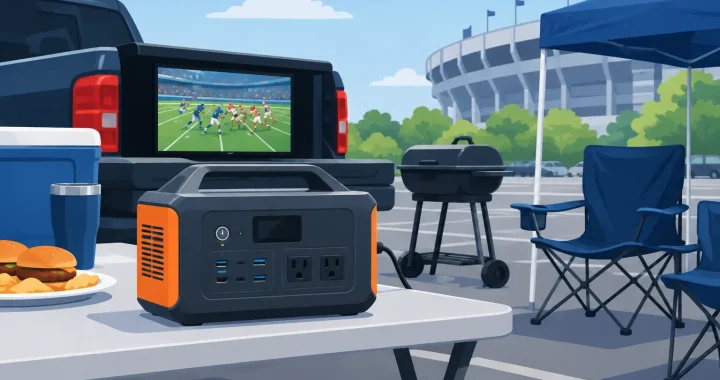
For camping and tailgating, quiet operation is often the deciding advantage. A battery power station with a pure sine wave inverter can run lights, speakers, a projector, charging stations, and small appliances without generator exhaust or constant engine noise. Here, portability and recharge flexibility may matter more than maximum capacity.

For jobsites, compare inverter output against the actual tools you use. Chargers, saws, lights, and diagnostic equipment have different demands. High-draw tools may require a larger inverter than expected, while a smaller power station can be an excellent choice for mobile charging and electronics.

Common Buying Mistakes to Avoid

The most common mistake is confusing battery capacity with inverter output. A large battery does not mean it can operate a high-wattage appliance. Check the AC output rating first, then determine whether the watt-hour capacity provides enough runtime.

Another mistake is planning around rated running watts but ignoring surge demand. Refrigerators, pumps, and air conditioners deserve extra attention because startup loads can cause an undersized unit to overload.

Buyers also sometimes choose by outlet count alone. More outlets are useful, but they do not increase the inverter’s total power limit. A station with six AC outlets still has one shared output capacity across those outlets.

Finally, do not treat solar input as an automatic solution for multi-day backup. Panel size, weather, season, shading, and available daylight all affect solar production. Solar can extend runtime significantly, but your initial battery capacity should still cover the essential loads you need overnight or through poor weather.

Choose Clean Power With Room to Grow

A pure sine wave inverter is the right choice when your power plan includes valuable electronics, appliances with motors, essential devices, or equipment you cannot afford to troubleshoot during an outage. From there, select the continuous wattage, surge capability, battery capacity, and recharge options that match your real load list.

Before storm season or your next trip, plug the numbers into a simple plan: list your essential devices, check their watts, identify startup-heavy appliances, and decide how many hours of independence you need. That preparation turns portable power from a last-minute purchase into a dependable part of your readiness plan.

Best Battery Station for Apartments, Explained

Best Battery Station for Apartments, Explained

A power outage in an apartment creates a different kind of problem than one in a house. You may not have a garage for a loud generator, outdoor storage for fuel, or permission to run cords through common areas. What you can have is quiet, indoor-ready backup power for the devices that keep your household connected, informed, and comfortable. The best battery station for apartments is not necessarily the biggest model available. It is the one that matches your essential loads, fits your space, and can recharge reliably before the next outage.

Start With What You Need to Keep Running

Apartment backup power is usually about protecting essentials, not running every outlet at once. A portable power station can keep phones, tablets, laptops, Wi-Fi equipment, lamps, fans, medical devices, and small kitchen appliances available when the grid goes down. Larger units can also support a compact refrigerator, CPAP machine, television, or certain window air conditioners, depending on their running wattage and startup demand.

Begin by separating your needs into two categories: must-run devices and nice-to-have devices. A phone, modem, light, medication cooler, and CPAP machine may belong in the first group. A gaming setup, coffee maker, hair dryer, and microwave can wait. That distinction prevents a common mistake: buying a station based on the largest appliance in the apartment instead of the equipment that truly matters during an outage.

Check the label or manual for each device’s wattage. If it shows amps instead, multiply amps by volts to get an approximate wattage. A 120-volt device drawing 2 amps uses roughly 240 watts. Add the watts of devices you expect to operate at the same time, then choose an inverter with enough room above that number.

Capacity Matters More Than Outlet Count

A power station may have many ports, but its battery capacity determines how long it can actually keep devices running. Capacity is measured in watt-hours, written as Wh. In plain terms, a 1,000Wh battery holds about one kilowatt-hour of stored energy before conversion losses.

For apartment residents, these ranges are often practical starting points:

  • 300Wh to 600Wh: Best for phones, tablets, a laptop, lights, a modem, and short CPAP use. These compact stations are easy to store in a closet and carry between rooms.
  • 700Wh to 1,200Wh: A stronger choice for overnight essentials, including Wi-Fi equipment, multiple personal devices, lighting, fans, and some medical equipment.
  • 1,500Wh to 2,500Wh: Better for longer outages and higher-demand needs, such as a refrigerator, workstation, CPAP, or a small appliance used occasionally.
  • 2,500Wh and above: A serious apartment backup option for households that need extended runtime, higher inverter output, or future expansion capacity.

Real-world runtime will always be lower than a simple watt-hour calculation suggests because the inverter and electronics use some energy. As a quick planning example, a 1,000Wh unit may run a 50-watt modem, 10 watts of lighting, and a 60-watt fan for several hours, but it will not run a 1,500-watt space heater for long. Resistive heating appliances, including space heaters, electric kettles, toaster ovens, and hair dryers, drain batteries quickly.

Choose an Inverter That Can Handle Startup Surges

Battery capacity is only half the decision. The inverter rating, measured in watts, tells you how much power the station can deliver at one time. A station with a 1,000W inverter can support devices drawing up to 1,000 watts continuously, assuming the battery has sufficient charge.

Motors and compressors complicate the picture. Refrigerators, portable air conditioners, and some medical devices can require a brief surge of power when they start. A unit may draw 100 to 200 watts while running but need substantially more for a few seconds at startup. Look for a power station with a pure sine wave inverter and a surge rating appropriate for the appliance you plan to use.

Pure sine wave output is especially valuable for sensitive electronics, modern appliances, and medical equipment. It delivers power similar to standard household electricity and helps avoid the buzzing, heat, or poor performance that can occur with lower-quality modified sine wave output.

A Note on Air Conditioners and Space Heaters

Apartment residents often ask whether a portable power station can run air conditioning. The honest answer is: sometimes, but it depends on the unit. A small, efficient window air conditioner may be workable with a large-capacity station and high-output inverter. A portable floor AC or central HVAC system is usually a much larger demand and may not be practical without an extensive expandable battery system.

Space heaters are generally a poor use of stored battery power. They commonly draw 1,500 watts and can empty even a large station quickly. During an outage, prioritize layered clothing, blankets, safe indoor warmth strategies, and power for communication over trying to heat the entire apartment electrically.

Best Battery Station for Apartments: Features That Matter

Apartment living makes a few features more valuable than they might be in a garage or RV. LiFePO4 battery chemistry should be high on the list. It is known for long cycle life, thermal stability, and dependable performance over years of regular use. For a backup system you may keep charged and ready for storm season, that durability matters.

Fast AC recharging is another major advantage. If your power returns for a short period, a station that can recharge in one to two hours can be more useful than one that needs most of the day. Review the manufacturer’s stated AC charging time and check whether fast charging requires a dedicated wall outlet.

A clear display is equally practical. You should be able to see remaining battery percentage, input watts, output watts, and estimated runtime without guessing. Consider models with an app only if remote monitoring adds real value to your routine. A display you can read during an outage is more essential than an app you may never open.

For apartments, physical details count too. Measure your storage space and consider weight before choosing a large station. A 2,000Wh model can offer meaningful backup, but it may be heavy enough that moving it alone is difficult. Wheels, sturdy handles, and a manageable footprint can make the difference between a system you use confidently and one that stays tucked away.

Recharge Options in a Rental Setting

Wall charging is the main recharge method for most apartment households. Keep the station topped up according to the manufacturer’s storage guidance, especially during hurricane season, winter storm season, or periods of unreliable local service. Many units also offer car charging, which can be useful during travel or after an evacuation.

Solar charging can add resilience, but apartment feasibility depends on your building. A portable solar panel may work on a private balcony, patio, or rooftop area where building rules permit it and where panels receive direct sun. It is not a reliable plan if the balcony is heavily shaded, faces north, or is restricted by a lease or homeowners association.

Never place panels, cords, or equipment where they block walkways, fire exits, or shared access areas. Confirm lease terms and building policies before setting up solar equipment outdoors. Solar is valuable as a recharge option, but it should complement a fully charged battery station rather than replace your outage plan.

Use It Safely Indoors

One of the strongest reasons to choose a battery power station in an apartment is that it produces no engine exhaust. Unlike gasoline generators, it can be used indoors when operated according to manufacturer instructions. That said, indoor use still requires basic care.

Set the station on a stable, dry surface with open space around its vents. Do not cover it with blankets, store it in a sealed cabinet while operating, or place it near a stove, radiator, bathtub, or sink. Use the supplied charging cable or a properly rated replacement, and avoid overloaded power strips. If you are powering a critical medical device, test the setup in advance and keep the device manufacturer’s backup guidance available.

Do not assume a station will power an entire apartment through a wall outlet. Portable power stations are designed to power devices directly from their own AC outlets, USB ports, or DC outputs. Connecting one to household wiring without appropriate transfer equipment and qualified electrical work can create a serious safety hazard.

Build for the Outage You Are Most Likely to Face

A short city outage calls for a different setup than a multiday weather emergency. If your typical concern is a two- to six-hour interruption, a compact 500Wh to 1,000Wh station may cover communications, lighting, and personal devices comfortably. If storms have left your area without power for a day or more, a 1,500Wh-plus model with fast recharge capability becomes more compelling.

Expandable battery systems deserve consideration if you expect your needs to grow. You might begin with enough capacity for a modem, refrigerator, and CPAP, then add battery capacity later instead of replacing the whole system. This approach can make sense for renters who want meaningful backup now but may move into a larger home later.

The right choice is not about buying maximum capacity for its own sake. It is about being ready to keep your essential devices operating without fuel, noise, or last-minute decisions. A carefully sized portable power station gives apartment residents a practical reserve of electricity when the building is dark, the elevators are stopped, and dependable power matters most.

How to Charge an Expansion Battery Safely

How to Charge an Expansion Battery Safely

When the grid goes down, extra stored energy is only useful if it is charged, connected correctly, and ready to work. If you are searching for how to charge expansion battery systems, the first rule is simple: treat the expansion battery and its compatible power station as one matched system. Do not assume every battery can accept power directly or that every cable with a similar connector is safe to use.

Expansion batteries are designed to increase the runtime of a portable power station. They can keep a refrigerator running longer during an outage, support overnight RV power, or give a work crew more usable energy away from the grid. Charging them correctly protects that investment and helps ensure dependable power is available when conditions are not dependable.

How to Charge an Expansion Battery: Start With Compatibility

Most expansion batteries are not standalone power stations. They typically rely on a specific compatible main unit for charging control, battery management, display information, and output power. In many systems, you charge the expansion battery by connecting it to the main power station, then charging the main station through its approved AC, solar, vehicle, or generator input.

Before connecting anything, confirm three details in the product manual: the supported power station model, the correct expansion cable, and the approved charging methods. Brand-specific expansion ports can look similar while using different communications protocols or voltage requirements. A cable that fits physically is not proof that it is compatible.

Use the expansion cable supplied with the system or an exact manufacturer-approved replacement. Inspect both ends before use. Bent pins, cracked housings, loose connectors, moisture, or dirt can interrupt charging and may damage the equipment. Keep connector covers in place when ports are not in use, especially when traveling, camping, or storing equipment in a garage.

Connect the System Before Adding a Charging Source

A reliable charging setup begins with the expansion battery disconnected from all charging sources. Place the main power station and expansion battery on a stable, dry, level surface with open airflow around their vents. Avoid charging on deep carpet, inside a sealed cabinet, in direct summer sun, or in a vehicle that can overheat.

Turn off high-draw AC and DC loads if practical. Some systems can charge while powering devices, but charging will usually take longer when the station is also running a refrigerator, microwave, power tools, or other equipment. During an emergency, pass-through charging can be useful. For routine preparation, charging with minimal load is generally easier on the system and makes it simpler to confirm that both batteries are filling properly.

Connect the expansion cable firmly between the designated battery expansion ports. Follow the connection order stated in your equipment manual, since certain models require the main station to be powered on before the external battery is recognized. Once connected, check the screen or companion app, if available, to confirm the expansion battery has been detected.

Only after the battery connection is secure should you connect the approved charging source to the main power station.

Charging From a Wall Outlet

AC wall charging is usually the simplest choice for home readiness. Plug the power station into a properly grounded household outlet using its supplied AC charging cord. The station manages charging for the connected expansion battery as part of the system.

Fast AC charging is convenient when a storm is approaching or the battery was used during a recent outage. The trade-off is heat. If your model offers a selectable charging-speed setting, a lower setting may be a sensible choice when you have time and want quieter operation or reduced heat. Use the fast setting when readiness matters more than charging gently.

Avoid lightweight extension cords, damaged outlets, or overloaded power strips. If an extension cord is necessary, use a heavy-duty grounded cord rated for the charger load and keep it fully uncoiled during use.

Charging With Solar Panels

Solar charging gives an expansion battery system a practical advantage during prolonged outages, RV travel, and off-grid use. Connect portable solar panels to the main station’s solar input, not directly to an expansion battery unless the manufacturer explicitly provides a dedicated solar input on that battery.

Check the power station’s allowed solar input voltage, current, connector type, and maximum wattage before connecting panels. Solar panels wired in series raise voltage, while panels wired in parallel raise current. An array that exceeds the station’s voltage limit can cause damage, even if its stated wattage appears reasonable.

For best results, keep panels clear of shade and reposition them as the sun moves. A small shadow across one portion of a panel can significantly reduce output. Solar production also changes with season, clouds, panel angle, temperature, and cable length, so do not expect a nameplate wattage number all day long.

Charging From a Vehicle or Generator

Vehicle charging can maintain or slowly replenish a system while driving between jobsites or campsites. It is usually much slower than AC charging, making it better for travel than for rapidly restoring a large battery bank. Start the vehicle before charging when possible so the starter battery is not depleted.

A generator can also recharge the main power station and connected expansion battery. This approach combines fuel-based generation with quiet stored power: run the generator for a defined charging window, then shut it down and operate essential loads from the battery system. Use a stable generator output and follow the power station manufacturer’s requirements for generator charging.

Watch Charging Conditions, Not Just the Percentage

Lithium battery systems have internal protections, but they still need reasonable operating conditions. Charge within the temperature range listed in your manual. LiFePO4 batteries, common in modern portable power equipment, should not be charged below their approved temperature limit unless the system includes a verified low-temperature charging protection or heating function.

A battery that was stored in a freezing garage or hot vehicle needs time to return to a safe temperature before charging. Bringing cold equipment indoors and immediately plugging it in can create condensation concerns as well. Let the system acclimate in a dry space before use.

Check the display periodically during the first charge after installation. You want to see a charging indicator, expected input wattage, and battery levels that are increasing. If the main station charges but the expansion battery percentage does not change, stop and check the connection, cable seating, compatibility, and system settings before trying again.

Stop charging and contact qualified product support if you notice a burning smell, unusual swelling, fluid leakage, repeated fault codes, excessive heat, or a damaged cable. Do not open an expansion battery case or attempt repairs yourself.

Do You Need to Charge to 100% Every Time?

For emergency preparedness, charging to 100% makes sense before severe weather, wildfire season, a planned trip, or any period when utility power may be unreliable. A fully charged expansion battery gives your household the most runtime for essentials such as communication devices, lights, medical equipment, a CPAP, or refrigeration.

For long-term storage, follow the specific manufacturer’s storage recommendation. Many lithium-based systems are best stored at a partial charge rather than left at 100% for months. Check the battery level every few months and recharge as directed. Store the equipment in a cool, dry location away from direct sunlight, flammable materials, and areas exposed to freezing temperatures.

Battery calibration guidance varies by model. Some systems benefit from an occasional full charge and discharge cycle to improve displayed state-of-charge accuracy, while others do not require regular cycling. Follow your manual instead of relying on a universal schedule.

Get More Runtime From the Battery You Already Have

An expansion battery extends capacity, not inverter output. If a main power station is rated for a certain AC wattage, adding an expansion battery allows it to run compatible loads longer, but it does not automatically allow a larger appliance to start. Check both the appliance’s running wattage and surge requirement before depending on the system.

During an outage, prioritize essentials first. A refrigerator, modem, phone chargers, lights, and medical devices usually provide more value than high-heat appliances such as space heaters, electric ovens, hair dryers, and coffee makers. Reducing unnecessary loads can preserve hours of battery runtime.

Before the next outage or trip, set up the entire system once under normal conditions. Connect the expansion battery, test your preferred charging source, and power the devices that matter most. Thundervolt Power customers often find that this simple readiness check removes the uncertainty when power is not stable and every stored watt-hour counts.

A charged expansion battery is not just extra capacity on a spec sheet. It is time: more time to keep food cold, stay connected, finish essential work, or wait safely for utility power to return.

How to Choose Portable Solar Panels for Backup

How to Choose Portable Solar Panels for Backup

A portable power station can only keep working as long as it has energy to draw from. During a multi-day outage, on an extended RV trip, or at a remote jobsite, portable solar panels turn stored battery power into a renewable supply you can replenish without fuel, noise, or a trip to the gas station. Knowing how to choose portable solar panels starts with matching the panel to what you need to power, how quickly you need to recharge, and where you will use it.

The right setup is not always the panel with the highest wattage. A larger panel can recharge a power station faster, but it may be too heavy to move often or too large for a compact campsite. A smaller panel is easier to carry and position, but it may not replace a full day of power use. The goal is dependable solar charging that fits your real situation.

Start With Your Power Needs and Battery Capacity

Choose the power station first, or at least know its battery size and solar input limits before selecting panels. Battery capacity is measured in watt-hours, or Wh. A 1,000Wh power station stores roughly 1,000 watts of energy, though actual usable energy is lower after conversion losses.

Think about what the battery will run between charging sessions. Phones, lights, laptops, fans, CPAP machines, routers, and small coolers have very different energy needs. A compact panel may be enough to maintain light electronics, while a refrigerator, power tools, or portable air conditioner can require much more solar capacity and a larger battery bank.

As a practical starting point, a 100W portable solar panel can be useful for topping up small power stations and supporting modest daily use. A 200W to 400W panel setup is better suited to larger portable power stations, longer outages, RV use, and families who need to recharge more than phones and lights. If your station accepts expansion batteries, plan for the future capacity you may add rather than sizing solar only for the battery you own today.

How to Choose Portable Solar Panels by Wattage

Panel wattage tells you the maximum power a panel can produce under ideal laboratory conditions. It is a useful comparison point, but it is not a promise of constant output in the field. A 200W panel will not produce 200 watts every hour of every day.

Sun angle, cloud cover, temperature, shade, panel direction, and cable losses all affect production. In favorable direct sunlight, portable panels often deliver a meaningful portion of their rated output. In weak winter sunlight or partial shade, output can fall sharply.

For that reason, avoid sizing a system so tightly that it only works on a perfect sunny day. If you need to put 800Wh back into a power station daily, a single 100W panel is unlikely to meet that need consistently. A larger panel array provides more charging headroom and helps recover after cloudy weather.

Estimate Daily Solar Production Realistically

A simple planning estimate is panel wattage multiplied by peak sun hours, then reduced for real-world losses. For example, a 200W panel receiving five strong sun hours has a theoretical output of 1,000Wh. After accounting for heat, positioning, conversion, and changing light, the usable result may be closer to 700Wh to 850Wh.

Peak sun hours vary by season and location. Arizona summer conditions and a cloudy northern winter are not equivalent. For emergency preparedness, build around conservative expectations, especially if storms or winter outages are part of your concern.

Match the Panel to Your Power Station’s Solar Input

Compatibility matters as much as wattage. Every portable power station has limits for solar input wattage, voltage, current, and connector type. A panel setup that exceeds the station’s allowable voltage can cause damage or fail to charge. A setup with insufficient voltage may not start charging at all.

Check these specifications before you buy:

  • Maximum solar input wattage, which sets the useful upper limit for panel capacity.
  • Solar input voltage range, including the maximum open-circuit voltage, often listed as Voc.
  • Maximum input current, particularly when connecting panels in parallel.
  • Connector type and whether the correct adapter cable is included or required.

Many portable power stations use an integrated MPPT charge controller. MPPT controllers are valuable because they adjust to changing sunlight and help draw available power more efficiently than basic controllers. Still, the controller cannot make an incompatible panel setup safe. Confirm the electrical specifications, not just that the plugs appear to fit.

If you plan to connect multiple panels, understand the difference between series and parallel wiring. Series wiring increases voltage, while parallel wiring increases current. Which approach is correct depends entirely on the power station’s stated solar input range. When in doubt, follow the power station and panel manufacturer guidance for approved configurations.

Consider Portability, Setup Time, and Build Quality

Portable solar panels come in several forms. Foldable suitcase-style panels are a strong choice for emergency kits, RV travel, camping, and tailgating because they pack down for transport and can be positioned away from the vehicle or shelter. Rigid panels are generally more permanent and better for roof or fixed mounting applications. Flexible panels can help with certain curved or weight-sensitive surfaces, but they are not automatically the best choice for every portable setup.

Look beyond folded dimensions. Check the panel’s full deployed footprint, weight, handle design, leg stability, cable length, and storage case. A 400W folding panel may provide excellent charging power, but one person may find it awkward to carry and reposition. Two 200W panels can be easier to manage, and they let you use one panel when space or weather limits the full setup.

For preparedness, durability matters. Look for weather-resistant materials, protected connectors, reinforced corners, stable kickstands, and a surface that can handle regular outdoor use. Weather-resistant does not mean the panel, cables, and power station should be left exposed in heavy rain. Keep the power station dry and use the panel according to its rated environmental limits.

Plan for Shade, Season, and Panel Positioning

Solar panels need direct sun. Even a narrow shadow from a tree branch, antenna, or roof edge can significantly reduce output, especially on a panel with cells wired in series. This is one reason portable panels are valuable: you can move them into clear sun while keeping the power station in the shade or inside a dry protected area.

For best performance, face panels toward the sun and adjust their angle during the day when practical. In the Northern Hemisphere, panels generally produce best when facing south, but the sun’s path changes by season. Flat panels may be convenient, yet adjustable kickstands usually give you more control and better output.

Cable length is also a practical consideration. A longer cable can let you place the panel in sunlight while the battery remains closer to your RV, tent, work area, or home. Do not use undersized extension cables, and avoid creating trip hazards where people are moving around the site.

Choose for the Job You Actually Need to Do

Different situations call for different solar capacity. For occasional camping, a compact folding panel paired with a small power station may be all you need for phones, lanterns, a camera, and a laptop. For RV travel, larger panels can support longer stays off-grid, especially when you are running a cooler, fan, water pump, or work equipment.

For home outage readiness, focus on recharge speed and reliability. A larger solar array paired with a high-capacity LiFePO4 power station can help sustain essentials such as communications, lighting, refrigeration, and select medical devices. It is wise to calculate device wattage and daily runtime before assuming solar can support every appliance in the house.

For contractors and mobile work crews, portability may compete with charging speed. A panel system needs to be quick to deploy, durable enough for repeated use, and capable of recovering the battery after tool use. In this case, multiple manageable panels may be more practical than one oversized unit.

Do Not Overlook the Details That Affect Daily Use

A solar panel is part of a system, not a standalone answer. Verify what cables, adapters, parallel connectors, and carrying cases are included. Check whether your power station can accept solar and AC charging at the same time if fast recovery is a priority. Consider where panels will be stored, who will carry them, and whether every person in the household can set them up safely.

Finally, treat rated solar output as potential, not guaranteed production. A well-matched setup gives you enough panel capacity to recharge meaningfully in normal conditions, with margin for the days when weather is working against you. That margin is what turns portable solar from a convenience into dependable backup power when the grid is not stable.

Off Grid Power Storage That Keeps You Ready

Off Grid Power Storage That Keeps You Ready

A storm does not wait for a convenient time to cut power. Neither does a dead vehicle battery at a remote campsite, a jobsite without an outlet, or an RV parked miles from shore power. Off grid power storage gives you a practical reserve of electricity that is ready when the grid is unavailable, unreliable, or simply out of reach.

For many households and mobile users, the goal is not to power every circuit forever. It is to keep the things that matter working: phones, lights, refrigerators, internet equipment, CPAP machines, laptops, tools, and selected appliances. The right battery system turns that goal into a plan you can use immediately.

What Off Grid Power Storage Actually Does

Off-grid power storage is a battery-based system that stores electricity for later use. It can be charged from a wall outlet before an outage, from portable solar panels while away from the grid, from a vehicle outlet, or from a compatible generator. When power is needed, an inverter converts the battery’s DC electricity into the AC power used by most household devices and appliances.

Portable power stations make this process far simpler than building a fixed battery bank from separate components. A single unit can combine the battery, inverter, charge controller, display, and output ports in one enclosed system. You can place it in a kitchen during an outage, move it to an RV, or bring it to a work area without dealing with fuel, exhaust, or generator noise.

That convenience does have limits. A portable station is not automatically a whole-home backup system, and its usable capacity must match the loads you expect to run. Planning around real wattage and runtime is what separates a reassuring backup from an expensive device that cannot carry the job.

Start With the Loads That Cannot Wait

The most useful way to size a system is to identify your priority loads before comparing models. During a short outage, that may mean a refrigerator, several lights, phones, a modem and router, and a CPAP machine. For travel, it may be a cooler, laptop, camera batteries, fan, and small cooking appliance. At a jobsite, it may be chargers, lights, and specific corded tools.

Every device has two power questions: how many watts it draws while running and how long it needs to run. Watts describe the immediate demand. Watt-hours describe stored energy and are the more useful number for estimating runtime.

A 1,000Wh power station, for example, does not usually provide a full 1,000Wh through its AC outlets. Inverter conversion and normal system losses reduce usable output. As a practical planning margin, assume you may have roughly 80 to 90 percent available for AC-powered equipment, depending on the system and load.

If a refrigerator averages 100 watts over time, a 1,000Wh station may keep it running for several hours, but the result changes with room temperature, compressor cycling, door openings, and startup demand. A laptop drawing 60 watts has a much lighter energy requirement. This is why one battery can feel oversized for electronics yet undersized for heating appliances.

Running Watts and Starting Watts Are Different

Motors and compressors often require a brief surge when they start. Refrigerators, freezers, pumps, and some power tools may draw far more power for a few seconds than their listed running wattage suggests. Your power station’s inverter must support that surge, not just the appliance’s normal draw.

Pure sine wave output is also worth prioritizing. It delivers clean AC power similar to standard household electricity and is a better fit for sensitive electronics, modern appliances, medical devices, and equipment with motors. Modified sine wave systems can cost less, but they may cause noise, heat, or poor performance with certain devices.

Choose Capacity for the Situation, Not the Biggest Number

Higher capacity generally means longer runtime, but it also adds cost, weight, and recharge time. The best system is the one you can realistically transport, recharge, and use when conditions are difficult.

For personal electronics, lighting, communications, and occasional small devices, a compact power station can provide meaningful emergency coverage. For a refrigerator, multiple family devices, internet equipment, and overnight medical needs, a larger unit in the 1,000Wh to 2,000Wh range is often a more realistic starting point. If you need to support high-demand appliances or cover longer outages, expandable battery capacity becomes especially valuable.

Expansion batteries let you begin with a manageable core power station and add stored energy as your needs grow. That approach is useful for homeowners who want basic outage coverage now but may later add solar charging, a freezer circuit, an RV setup, or longer-duration backup. Capacity can scale without replacing the entire system.

Do not confuse battery capacity with inverter output. A large battery can store plenty of energy but still be unable to run a high-wattage appliance if the inverter is too small. Likewise, a powerful inverter may run an appliance briefly but drain a modest battery quickly. Both specifications need to work together.

Solar Charging Extends Your Independence

A charged battery is useful. A battery that can recharge from sunlight is far more capable during a prolonged outage or extended off-grid trip. Portable solar panels give you a fuel-free way to replace energy during daylight hours, provided weather, panel size, and solar exposure cooperate.

Solar charging is not instant, and advertised panel ratings are best viewed as peak potential rather than a guaranteed hourly result. Clouds, shade, panel angle, temperature, and the season all affect output. A 200W panel may not produce 200 watts continuously, particularly early or late in the day.

The practical question is whether your solar input can keep pace with daily consumption. If you use 800Wh each day and your solar setup reliably returns 500Wh, the battery will slowly decline. If it returns more than you use, you have a workable cycle for continued use. For long-term off-grid power storage, this daily energy balance matters more than a single large battery rating.

Position panels in direct sun, keep them clear of shade, and move portable panels as the sun changes position when possible. Even partial shade on one section of a panel can cut output significantly. A power station with fast solar input capability can make better use of favorable sunlight, but the panels and conditions still determine how much energy is available.

Why LiFePO4 Fits Preparedness Use

LiFePO4, or lithium iron phosphate, battery chemistry has become a strong choice for portable backup power. It is valued for long cycle life, stable performance, and a safety profile well suited to repeated charging and discharging. For users who expect to keep a station ready year after year, cycle life is not a minor specification. It affects the long-term value of the system.

Lithium-based systems are also generally lighter and more energy-dense than older lead-acid alternatives. That matters when you need to carry a unit from a garage to a kitchen, load it into an RV, or set it up at a remote site. Weight still increases sharply with capacity, so consider where the unit will live and who will need to move it.

Cold weather deserves attention. Batteries can discharge in low temperatures, but charging lithium batteries below their approved temperature range can cause damage. If winter outages are a concern, store and charge equipment in a protected area and follow the manufacturer’s operating guidance.

Build a Backup Plan You Can Use Under Pressure

Equipment only helps when it is charged, accessible, and matched to the task. Keep your power station topped up according to its storage recommendations and test it before storm season. Run the devices you depend on most, including the actual cables and adapters you would use during an outage.

For a refrigerator or freezer, pre-plan where the station will sit and use an appropriately rated extension cord if needed. Avoid routing cords through doorways where they can be damaged or create a trip hazard. Never operate a fuel generator indoors, but a battery power station can be used indoors when used as directed because it produces no exhaust.

It also helps to separate essential loads from convenience loads. A microwave, coffee maker, space heater, hair dryer, and electric kettle can drain a battery rapidly. That does not mean they are forbidden. It means each use should be intentional when stored power is limited. Heat-producing appliances are often the fastest way to turn hours of backup into minutes.

For families relying on medical equipment, verify the device’s power needs with the manufacturer or care provider and maintain a backup plan beyond one battery. For contractors, check tool startup loads and consider charging tool batteries during daylight if solar is available. For RV travelers, measure actual usage over a typical day before committing to capacity.

Thundervolt Power focuses on portable, lithium-based systems because readiness should not require fuel runs, loud engine noise, or a complicated installation. The right station gives you stable power where you need it, with the option to expand as your needs change.

A Better Standard for Being Prepared

Off-grid power is not about pretending you can control the weather, the grid, or every unexpected stop along the road. It is about reducing the disruption when those things change. Choose a system around the devices you truly need, allow room for surge power and real-world losses, and add solar or expansion capacity when longer independence matters.

A fully charged power station, a clear list of priority loads, and a practiced setup can turn a stressful outage or remote workday into a manageable problem. That is the kind of readiness worth keeping close at hand.

How to Use an Expansion Battery for Backup

How to Use an Expansion Battery for Backup

A portable power station can keep essential devices running during an outage. An expansion battery changes the equation by giving that station more stored energy for longer runtimes. Knowing how to use an expansion battery correctly helps you build backup power that matches your real needs, whether that means keeping a refrigerator cold overnight, working from an RV, or supporting critical medical equipment.

An expansion battery is not usually a standalone power source. It is designed to work with a compatible portable power station, using that station’s inverter, outlets, display, and charging system. The battery adds capacity. The power station controls how that capacity is delivered.

Start With Compatibility, Not Capacity

The first rule is simple: use only an expansion battery approved for your specific power station model. Expansion batteries are not universal, even when connectors appear similar. Each brand and model may use different communication protocols, voltage requirements, firmware, and cable designs.

Check the product manual or model specifications before connecting anything. Confirm the exact power station model, the supported expansion battery model, and the maximum number of batteries the system allows. Some stations support one extra battery, while larger systems can accept two or more.

Capacity matters, but compatibility comes first. A large battery that cannot communicate correctly with the power station will not provide dependable power. Never try to adapt an unsupported battery with homemade wiring, third-party connector changes, or improvised cables. That can damage equipment and may create a fire or shock hazard.

What the expansion battery actually does

Your portable power station contains the inverter that converts stored DC battery energy into the AC power used by household appliances. It also manages the USB ports, DC outputs, charge inputs, display, and battery protection systems. The expansion battery increases the total watt-hours available to that system.

For example, a 2,000Wh power station paired with a compatible 2,000Wh expansion battery provides roughly 4,000Wh of stored energy. Actual usable energy at AC outlets will be somewhat lower because power conversion uses energy. That is normal and should be factored into your runtime expectations.

How to Use an Expansion Battery Step by Step

Set up the system on a stable, dry, well-ventilated surface. Keep both units away from direct rain, standing water, high heat, and blocked air vents. Expansion batteries are heavy, so place them where they will not need to be moved often during an emergency.

With the power station and expansion battery turned off, inspect the expansion cable and ports. Look for bent pins, debris, moisture, or damage to the cable insulation. Use the manufacturer-supplied expansion cable whenever possible. It is built for the current load and communication requirements of the system.

Connect the cable firmly to the designated expansion ports on both units. Do not force the connector. Most systems use keyed connectors that align in one direction. Once connected, turn on the expansion battery if it has a separate power button, then turn on the portable power station.

The station display should recognize the added battery. Depending on the model, you may see increased total capacity, a battery icon, or a separate expansion battery status screen. If the display does not recognize it, turn both units off, disconnect the cable, inspect the connections, and reconnect carefully. If the issue continues, stop using the system until you can verify the setup with the product documentation or customer support.

After the connection is confirmed, charge the complete system. Many compatible systems manage charging automatically and balance energy between the main unit and expansion battery. Still, the charge time will be longer because you are filling more stored capacity. A fast AC charge input can be useful before a forecasted storm, while solar charging can extend your energy supply during a prolonged outage or off-grid trip.

Size Your Battery for the Loads That Matter

An expansion battery extends runtime. It does not increase the power station’s maximum AC output unless the manufacturer specifically states that it does. This distinction prevents a common mistake.

If your power station can supply 2,000 running watts, adding an expansion battery may let it run a 200-watt refrigerator for much longer, but it will not necessarily allow it to start a 3,000-watt appliance. Check both the appliance wattage and the station’s continuous and surge ratings.

To estimate runtime, start with watt-hours. Divide your available battery capacity by the appliance’s average wattage, then reduce the estimate by roughly 10% to 20% for inverter losses, temperature, and changing appliance demand.

A 4,000Wh system powering a 100-watt average load could run for roughly 32 to 36 hours in practical conditions. A refrigerator is more complicated because its compressor cycles on and off. Its label may show a higher running wattage, but its average daily use can be lower. A watt meter is the best way to measure the actual demand of appliances you plan to support.

Prioritize loads that protect safety, food, communication, and basic comfort. During an outage, that may include a refrigerator, modem and router, phones, lights, CPAP equipment, and a small fan. High-draw heating appliances, electric ranges, clothes dryers, and central air systems can drain stored energy quickly. A window air conditioner may be workable with a properly sized power station, but startup surge and runtime should be checked before relying on it during hot weather.

Charge for Readiness and Recharge With a Plan

For home backup, keep the main power station and expansion battery charged according to the manufacturer’s storage guidance. Many LiFePO4 systems are well suited to frequent use and long-term ownership, but every battery benefits from sensible storage practices.

If severe weather is expected, fully charge the system early. Do not wait until the outage begins, when charging options may be limited. Test the setup beforehand by running your intended essentials for an hour or two. This confirms that the expansion battery is recognized and gives you a realistic view of energy use.

During an extended outage, manage charging as carefully as you manage consumption. Solar panels can provide quiet, fuel-free replenishment when sunlight is available. Panel output changes with weather, season, angle, shade, and panel size, so treat solar as a daily energy source rather than an instant replacement for wall charging.

If you use a gas generator to recharge your battery system, operate the generator outdoors and well away from doors, windows, and vents. The battery system can then provide quiet power indoors while the generator runs only when recharging is needed. This approach can reduce fuel use and overnight generator noise.

Use It Safely During an Outage or Off-Grid Trip

Portable power stations and expansion batteries are safer and quieter than traditional fuel generators in many situations, but they still require basic care. Keep them dry, avoid covering them with blankets or storage bins, and leave space around vents. Do not place heavy objects on cables or stack equipment unless the manufacturer specifically permits it.

Use appropriately rated extension cords and avoid overloading power strips. Plug essential devices directly into the station when practical. For appliances with motors or compressors, allow for startup surge and avoid switching on several high-demand devices at the same time.

If you need to power home circuits, do not plug the power station into a wall outlet to feed your house wiring. This dangerous practice, often called backfeeding, can injure utility workers and damage equipment. Use a properly installed transfer switch or power inlet installed by a qualified electrician if you want to supply selected home circuits.

For travel, secure both the power station and expansion battery so they cannot slide or tip while driving. Avoid leaving lithium battery equipment in a vehicle during extreme heat whenever possible. For camping and RV use, keep connections protected from dust and moisture, and plan a charging routine around your expected daily consumption.

When an Expansion Battery Is the Right Upgrade

An expansion battery makes the most sense when your existing power station already has enough output for your appliances but not enough runtime. It is especially useful for overnight refrigerator backup, multi-day communication and lighting, remote work setups, RV stays, and family emergency plans.

It may not be the right answer if your real limitation is output wattage. If your station cannot handle the starting or running demand of an appliance, more battery capacity alone will not solve the problem. In that case, consider a higher-output power station or reduce the loads you intend to run.

A dependable backup system is built before the emergency, not during it. Connect your compatible expansion battery, test the loads that matter most, and keep a practical recharging plan ready. When power becomes unstable, that preparation gives your household more time, more options, and greater peace of mind.

How to Run Appliances Offgrid Without Guesswork

How to Run Appliances Offgrid Without Guesswork

A refrigerator full of food, a CPAP machine beside the bed, or a window AC during a summer outage all create the same question: can your power system actually handle the load? Learning how to run appliances offgrid is less about buying the biggest battery you can find and more about matching appliance demand, battery capacity, inverter output, and charging speed.

A properly sized portable power station can deliver quiet, fuel-free electricity where a gas generator is inconvenient, unavailable, or unsafe to run. But appliances have very different power needs. A phone charger is forgiving. A coffee maker, microwave, refrigerator, or air conditioner requires real planning.

Start With Appliance Watts, Not Battery Size

Every off-grid power plan begins with watts. Watts measure the power an appliance needs while it is operating. You can usually find this number on the appliance label, in its manual, or listed as input power in the specifications.

If an appliance shows amps rather than watts, use this simple estimate:

Watts = volts x amps

For standard US household equipment, voltage is usually 120V. A device rated at 5 amps therefore uses roughly 600 watts. This is useful for estimating demand, but the label’s listed wattage is the better number when available.

There are two wattage figures to consider. Running watts are the ongoing power demand. Starting watts, also called surge watts, are the brief extra power some appliances need to start a motor or compressor. Refrigerators, freezers, sump pumps, power tools, and air conditioners commonly have a startup surge.

A refrigerator may run at 150 watts yet briefly need 1,000 watts or more when its compressor starts. If your inverter cannot meet that surge, the refrigerator may fail to start even when your battery has plenty of stored energy. Choose a power station with a pure sine wave inverter whose continuous output covers your expected load and whose surge rating can handle motor-driven appliances.

Calculate Battery Runtime in Watt-Hours

Battery capacity is measured in watt-hours, abbreviated Wh. This tells you how much energy the battery stores. A 1,000Wh power station can theoretically provide 1,000 watts for one hour, 100 watts for 10 hours, or 50 watts for 20 hours.

Real-world runtime is lower because inverter conversion, heat, and the appliance’s operating behavior use some energy. A practical planning formula is:

Estimated runtime = battery watt-hours x 0.85 ÷ appliance watts

The 0.85 factor allows for typical conversion losses. For example, a 2,000Wh battery running a steady 200-watt load would provide approximately 8.5 hours:

2,000Wh x 0.85 ÷ 200W = 8.5 hours

That calculation works best for a consistent load such as a fan, TV, or medical device. Refrigerators and air conditioners cycle on and off, so their average draw over several hours may be lower than their rated running wattage. On the other hand, hot weather, direct sun, frequent door openings, and a poorly insulated space can make them work harder.

When you plan for critical appliances, leave a margin. Do not build a system around a calculation that uses 95% of the battery on paper. A larger battery, expansion battery, or a recharge plan gives you more dependable power when conditions are less favorable than expected.

A quick example for a home outage

Suppose you need to run a 150-watt refrigerator, a 40-watt CPAP, two 10-watt lights, and a 60-watt internet modem and router. Their combined running load is 270 watts. A 2,000Wh power station could provide about 6.3 hours if everything ran continuously.

In practice, the refrigerator compressor cycles, and you may not need the lights all night. That can extend runtime. Still, if an outage may last more than a night, solar recharging, vehicle charging, or additional battery capacity becomes part of the plan.

Choose an Inverter That Can Carry the Load

The inverter converts battery power into the AC electricity used by standard wall outlets. Its continuous watt rating determines what it can run at one time. Its surge rating determines whether it can handle the momentary startup demand of motors and compressors.

Add the running watts of appliances you expect to operate at the same time. Then choose an inverter with room above that total. If your combined load is 1,200 watts, a 1,500-watt inverter may work, but a 2,000-watt unit gives you more breathing room for startup surges and changing needs.

Avoid treating every outlet as a separate power source. A power station may have several AC outlets, but all connected appliances still share the inverter’s total output. Plugging a microwave into one outlet and a space heater into another can overload a 2,000-watt inverter because those appliances together may draw more than 2,500 watts.

High-heat appliances are the fastest way to drain a battery. Space heaters, hair dryers, toaster ovens, electric kettles, coffee makers, induction cooktops, and microwaves often use 1,000 to 1,800 watts or more. They can be run off-grid with a sufficiently large system, but generally for short, deliberate use rather than all-day operation.

Build a Charging Plan for Longer Outages

Battery capacity gets you through the first hours. Recharging determines whether you can remain powered for days. Solar panels are often the most practical off-grid option because they produce energy without fuel, noise, or a trip to a gas station.

Solar output changes throughout the day. Panel ratings represent ideal laboratory conditions, not guaranteed daily production. Clouds, shade, panel angle, season, cable losses, and heat all reduce output. A 400-watt solar array may not deliver 400 watts continuously, so plan around a useful production window rather than a nameplate number.

As a rule, determine how many watt-hours you use per day, then size solar input to replace most of that energy during available sun. If your essential loads consume about 1,500Wh daily, a 400-watt solar setup receiving five productive sun hours could potentially produce around 1,400 to 1,700Wh under favorable conditions. Conditions vary, so conserving power remains part of the strategy.

Portable solar panels work best when they can be repositioned as the sun moves. Keep them free of shade, even partial shade from a roof vent or tree branch. A small shaded section can noticeably reduce output. Confirm that panel voltage and connector type are compatible with your power station’s solar input limits before connecting anything.

AC charging and vehicle charging are useful backups. Charge fully before a storm, camping trip, or remote work assignment. If utility power returns briefly, fast AC charging can restore a large battery bank before the next interruption. For travel, vehicle charging can help maintain smaller loads, though it is generally much slower than solar or wall charging.

Prioritize Appliances That Protect Comfort and Safety

Off-grid power works better when you separate essential loads from convenience loads. During an outage, protect refrigeration, medical equipment, communication, lighting, water access, and devices needed for work or weather alerts before using energy-intensive appliances.

A practical sequence is to power one major load at a time. Run the microwave for a few minutes, then turn it off before using a coffee maker. Charge phones and laptops while the refrigerator is between cooling cycles. If you need to operate a sump pump, avoid running other heavy appliances during its startup period.

For RV travel and remote campsites, the same principle applies. LED lights, phones, laptops, fans, a portable fridge, and cameras are usually manageable loads. Electric cooking and climate control require more capacity and more frequent charging. A window air conditioner can be possible with a high-output power station and adequate battery capacity, but runtime depends heavily on the unit’s wattage, thermostat setting, outdoor temperature, and solar conditions.

Use the Right Equipment Safely

Portable power stations are designed for convenient plug-in power, but they are not a substitute for permanent electrical work. Never connect a power station directly to a home’s electrical panel or wall outlet unless a qualified electrician has installed an approved transfer switch or interlock system. Backfeeding can endanger utility workers, damage equipment, and create a fire risk.

Operate equipment in a dry, ventilated location and keep cables protected from pinching, standing water, and foot traffic. Use appropriately rated extension cords for the appliance load. Do not chain multiple power strips or extension cords together, and do not cover a power station while it is operating or charging.

For medical devices, verify the manufacturer’s power requirements and test your setup before an emergency. Run the device from the power station for a normal use period, confirm estimated runtime, and establish a charging routine. Preparedness is far more reliable when the system has been tested under ordinary conditions rather than first used during a storm.

How to Run Appliances Offgrid With More Confidence

The most reliable system is sized around your actual priorities, not a single impressive specification. Start by listing the appliances you cannot reasonably go without, their running watts, likely surge watts, and the number of hours you need them each day. From there, select battery capacity, inverter output, and solar input that leave room for real conditions.

Thundervolt Power focuses on portable energy systems that make this planning more practical, from compact stations for essential electronics to expandable LiFePO4 setups for longer outages and heavier appliance loads. The right setup is the one you understand, can recharge, and can depend on when grid power is not stable.

Before you need it, plug in your essential appliances, watch the power draw, and record the results. That simple test turns an off-grid power plan from a guess into a dependable response.

Portable Backup for Medical Devices: Example Setup

Portable Backup for Medical Devices: Example Setup

A power outage is never just inconvenient when someone depends on a CPAP, oxygen concentrator, suction machine, feeding pump, or other prescribed equipment. A portable backup for medical devices example starts with one practical question: how long must the device operate safely if utility power fails? The answer determines the battery capacity, inverter rating, charging plan, and whether a portable power station is the right part of your emergency setup.

Portable battery power can provide quiet, fuel-free backup during weather outages, travel, and temporary relocations. But medical equipment has no room for guesswork. Confirm the device’s power requirements with its manual, durable medical equipment provider, or clinician before relying on any backup source.

A Portable Backup for Medical Devices Example

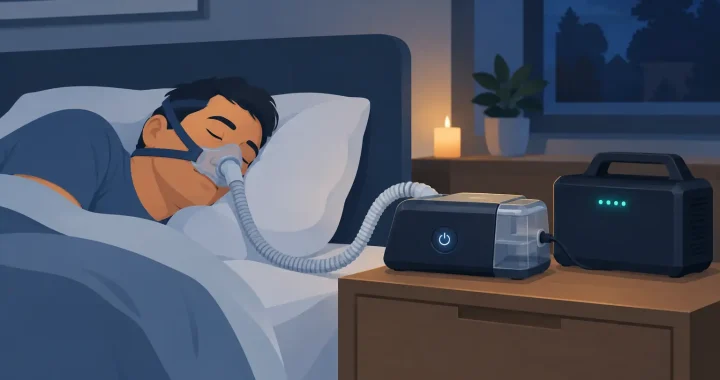
Consider a household using a CPAP machine during overnight outages. The unit’s power adapter is rated for 90 watts, but actual consumption varies widely. A CPAP running basic airflow may use far less than its adapter rating, while a heated humidifier and heated tube can raise energy use substantially.

For a conservative planning example, assume the CPAP averages 60 watts for eight hours. That is 480 watt-hours of energy use:

60 watts x 8 hours = 480 watt-hours

A power station should not be sized at exactly 480Wh. Energy is lost through AC inversion, cable use, and normal operating variation. A 700Wh to 1,000Wh LiFePO4 power station provides a more realistic margin for one overnight CPAP setup, particularly when using AC power. If the device can use a compatible DC adapter, it may consume less battery energy because the station avoids some inverter loss.

That same station may support a phone, lamp, or tablet, but critical medical equipment should receive priority. Do not base medical runtime on a product’s maximum advertised output alone. The useful figure is usable battery energy after conversion losses, combined with the actual watts the device draws in its normal settings.

Start With the Device Label, Not the Battery

Every backup plan begins at the medical device. Look for the input voltage, rated watts or amps, AC or DC requirements, and any instructions from the manufacturer about backup operation. A label might show 120V AC, 60Hz, and a wattage value. Some devices list amps instead. For a simple estimate, multiply volts by amps.

For example, a device rated at 120V and 2 amps could draw up to 240 watts. That does not necessarily mean it uses 240 watts every minute, but it tells you the power station needs sufficient continuous AC output. Devices with motors, compressors, or heating elements can also have a higher startup demand than their steady running draw.

A watt meter is especially useful for household equipment that runs from a standard wall outlet. It can show actual usage over several hours under normal settings. That measurement gives a much better runtime estimate than relying only on the maximum rating printed on an adapter.

For medical equipment, always follow the manufacturer’s approved operating conditions. Some devices may require specific power quality, grounding, battery systems, or alarm behavior. A portable power station should support the equipment, not replace the instructions that came with it.

Calculate Capacity With a Safety Margin

Battery capacity is measured in watt-hours, while the inverter output is measured in watts. Both matter. Watt-hours tell you approximately how long a device can run. Watts tell you whether the station can run the device at all.

A quick planning formula is:

Estimated watt-hours needed = device watts x hours of operation

Then add a margin for conversion losses and unexpected use. For AC-powered medical devices, planning for 20% to 30% more capacity is a sensible starting point. Conditions vary, so a larger margin may be appropriate for essential equipment, long outages, cold environments, or devices with variable heat and motor loads.

Here is a second example. An oxygen concentrator may consume 350 watts while operating. For a four-hour outage:

350 watts x 4 hours = 1,400 watt-hours

After allowing for losses and a reserve, a 2,000Wh class power station may be more appropriate than a 1,500Wh unit. However, oxygen concentrators vary significantly by model, flow setting, and startup demand. Some may need more continuous inverter output than a smaller station provides. This is exactly why the device manual and supplier guidance come first.

For extended outage coverage, expansion batteries can add valuable capacity. Solar panels can also replenish a compatible power station during multi-day events, but solar production depends on weather, panel size, season, shade, and available daylight. Solar is a recharge strategy, not a reason to start with too little stored energy.

Choose the Right Output Type and Power Quality

A pure sine wave inverter is the preferred choice for sensitive electronics and many medical devices. It produces AC power that closely resembles standard household electricity, helping compatible equipment operate more consistently than it might on a modified sine wave source.

Check the power station’s continuous AC output, not only its surge rating. A station with 500W of continuous output may be suitable for a 90W CPAP, but it may not be suitable for a concentrator that requires 700W or has a substantial compressor startup load. Higher-capacity stations often provide more inverter headroom along with more battery storage, though that also means more weight and a higher purchase cost.

If a device has an approved DC power option, it can be worth considering. Direct DC operation can improve runtime and reduce dependence on the AC inverter. The adapter must be specifically compatible with the medical device. Do not improvise with a connector that merely appears to fit.

Understand the Difference Between Backup Power and a UPS

A portable power station can be an excellent outage solution, but it is not automatically the same as a medical-grade uninterruptible power supply. Some power stations offer pass-through charging or a UPS-style mode that keeps connected equipment running while the station is plugged into the wall. The key question is transfer time: how quickly the station switches to battery when grid power drops.

Some equipment can tolerate a brief transfer. Other equipment may alarm, reset, or require a specialized UPS with a particular switching performance. Do not assume a power station will prevent every interruption unless the device manufacturer and power station specifications confirm compatibility.

This distinction matters most for equipment where even a momentary loss of power creates a serious risk. In those cases, ask the care provider or equipment supplier about an approved battery backup system and maintain any prescribed emergency plan.

Build a Practical Outage Setup

Keep the power station indoors in a dry, ventilated location, placed where cords will not create a trip hazard. Charge it well before severe weather arrives. Avoid placing it in direct heat, freezing conditions, or enclosed spaces with poor airflow.

A dependable setup includes more than a fully charged battery. Keep the correct medical-device cord or approved DC adapter with the station, label the critical outlet, and test the equipment before an emergency. Run the device from battery power for a controlled period when practical, observing its display, alarms, and operating behavior. Testing reveals issues such as an insufficient inverter, a loose plug, an unexpected power draw, or a setting that cuts runtime more than expected.

For equipment that supports life or requires continuous operation, create layers of protection. That may include a primary portable power station, an expansion battery, a backup charging method, and a plan to relocate to a powered location if an outage exceeds your available runtime. Keep phone numbers for care providers, equipment suppliers, and local emergency services accessible without internet access.

Avoid Common Sizing Mistakes

The most common mistake is buying based on outlet count rather than capacity. Ten AC outlets do not provide ten times the energy. What matters is the station’s watt-hour rating, continuous output, and the total load connected to it.

Another mistake is calculating only the device’s lowest-power setting. A CPAP may run efficiently without heat, but a user who relies on humidification should plan for normal use unless a clinician says otherwise. Similarly, an oxygen concentrator’s power needs may change with flow settings. Emergency conditions are not the time to find out that the battery estimate assumed a different setup.

Finally, do not connect nonessential loads during an outage. A refrigerator, space heater, coffee maker, or television can drain the reserve needed for medical equipment. Assign the station to its critical purpose first, then use remaining capacity only if the essential runtime is protected.

Portable power gives families more control when the grid is unstable, but the best setup is the one tested before the forecast turns severe. Size for real device use, keep a reserve, and make sure every caregiver in the home knows which battery, cable, and outlet keep essential equipment running.

Portable Solar Panel Sizing Guide

Portable Solar Panel Sizing Guide

A portable solar panel sizing guide matters most when the weather turns, the grid goes down, or you are too far from an outlet to guess your way through charging. If your panel is too small, your power station recovers too slowly. If it is too large, you may spend more than you need and still run into charging limits set by the battery itself. Good sizing is not about buying the biggest panel. It is about matching solar input to how you actually use power.

What portable solar panel sizing really means

Panel sizing is the process of choosing enough solar wattage to recharge your portable power station or run small DC loads within a realistic amount of time. The key word is realistic. A 200W solar panel does not produce 200 watts all day. Output changes with sun angle, cloud cover, temperature, shading, season, and panel orientation.

That is why sizing starts with your energy demand, not the label on the panel. You need to know how much electricity you use in a day, how much battery capacity you are trying to refill, and how quickly you want that recharge to happen. Once those three pieces are clear, the right panel size is easier to identify.

Start with the battery, not the panel

Most buyers shop panels first because they are visible and easy to compare. In practice, the battery or portable power station should set the rules. Look at three numbers: battery capacity in watt-hours, maximum solar input in watts, and the allowed input voltage and current range.

If your power station stores 1,000Wh and accepts up to 400W of solar input, pairing it with an 80W panel will work, but recharge times will be long. Pairing it with 600W of panels may not help much either if the unit can only accept 400W. The excess panel capacity is not always wasted, because real-world conditions reduce output, but there is still a practical ceiling.

As a simple baseline, many people get good results by choosing total panel wattage equal to about 25% to 50% of battery capacity in watt-hours for general use. That means a 1,000Wh power station often pairs well with 200W to 400W of solar. If fast recharge is a priority for outage backup or daily off-grid use, lean toward the higher end. If your use is occasional weekend charging, the lower end may be enough.

How to calculate your daily energy needs

The most accurate portable solar panel sizing guide always begins with what you plan to run. Add up the wattage of each device and multiply by the hours you expect to use it each day. That gives you watt-hours.

A phone charger drawing 10W for 3 hours uses 30Wh. A laptop drawing 60W for 4 hours uses 240Wh. A portable fridge averaging 50W over 10 hours uses 500Wh. If your daily total is 770Wh, your solar setup should aim to replace at least that much energy during a good solar day.

This is where people often underestimate. Appliances with compressors, heating elements, or variable draw can use more than expected. A CPAP machine, router, lights, fans, and device charging can add up quickly in an overnight outage. For preparedness, it makes sense to leave margin instead of sizing to the exact number.

Estimate solar production the practical way

Portable panels are rated under ideal lab conditions. Real output is lower. For planning, a useful rule is to assume about 70% to 80% of rated wattage in solid sun, and then multiply that by your peak sun hours.

Peak sun hours are not the same as daylight hours. In much of the US, a reasonable planning range is 3 to 5 peak sun hours per day depending on season and location. A 200W panel producing at an effective 75% output gives you around 150W in good conditions. Over 4 peak sun hours, that is about 600Wh per day.

That makes the math more grounded. If you need roughly 800Wh per day, one 200W panel may fall short. Two 200W panels, under the same conditions, could produce around 1,200Wh and give you a healthier buffer for weather or imperfect placement.

Match the panel to your use case

Outage backup at home

For home backup, speed matters. During an outage, you may need to recharge a power station between storms or during short windows of sun. If you are supporting communications, lights, a fridge, medical gear, or internet equipment, undersizing can leave you rationing power by day two.

In this case, choose as much panel wattage as your power station can efficiently accept, especially if the unit is 1,000Wh or larger. A larger solar array gives you a better chance of meaningful recharge even in mixed conditions. It also reduces dependence on wall charging when the grid is unstable.

RV travel and camping

For RV users and campers, sizing depends on whether solar is topping off the battery or serving as your primary daily recharge source. Weekend users charging phones, lights, and a small cooler may be fine with 100W to 200W. Multi-day trips with a portable fridge, laptops, fans, and regular device charging often justify 200W to 400W or more.

Portability matters here. Larger folding panels charge faster, but they also take more space, weigh more, and require more setup effort. If you move camp often, a slightly smaller panel that you actually deploy every day can be more useful than a large panel that stays packed.

Worksites and mobile business use

Contractors, remote crews, and mobile vendors should size around daily uptime, not emergency conservation. If your tools, tablets, lighting, or communications equipment must be ready every day, choose enough panel wattage to recover most of the battery during working hours. Consistency is worth more than theoretical max output.

Portable solar panel sizing guide by battery size

A quick reference helps, as long as you treat it as a starting point rather than a rule.

For power stations around 300Wh to 500Wh, a 100W panel can work for light use, while 200W gives noticeably better recharge flexibility. For 700Wh to 1,000Wh units, 200W to 400W is a practical range for most buyers. For 1,500Wh to 2,000Wh systems, 300W to 600W is often the range where solar starts feeling effective rather than supplemental. For even larger expandable systems, panel sizing should be based heavily on the unit’s maximum solar input and your expected daily load.

If your goal is one-day recharge in good sun, size more aggressively. If your goal is slow maintenance charging during trips or occasional backup, you can size lower.

Important trade-offs buyers miss

Bigger is not always better. Some portable power stations cap solar input at a level that makes oversized arrays less useful. Connector compatibility, open-circuit voltage, and charging controller limits all matter. The panel has to fit the electrical window of the power station, not just the general idea of solar charging.

Weather also changes the equation. If you live in a cloudy region or expect winter use, your panel should usually be larger than what summer math suggests. The opposite is true if you only camp in sunny conditions and your loads are modest.

Then there is the human factor. Portable solar only works when it is set up in direct sun and repositioned when needed. If convenience matters, fewer larger panels may be easier than managing several small ones. If flexibility matters, smaller panels can be easier to carry, angle, and store.

A simple sizing formula you can use

Take your daily energy use in watt-hours and divide by your expected peak sun hours. Then divide again by 0.75 to account for real-world losses. The result is the approximate panel wattage you need.

If you use 900Wh per day and expect 4 peak sun hours, 900 divided by 4 is 225. Then 225 divided by 0.75 gives 300W. That means a 300W array is a reasonable target in good conditions. If resilience matters more than minimum cost, step up to 400W for margin.

This same method works if your main goal is recharging a battery. If you want to refill a 1,024Wh power station in one good day of sun, 300W to 400W is usually a sensible planning range, assuming the unit accepts that much input.

When to size up

You should consider more solar wattage if you need faster recharge, expect frequent cloudy conditions, use power daily, or rely on critical devices. It also makes sense to size up if your battery system is expandable, since future capacity increases can make a once-adequate panel setup feel undersized.

For many buyers, this is where dependable equipment matters. A well-matched panel and power station setup gives you quiet, fuel-free charging that is practical enough to use before an emergency, not just during one.

The best system is not the one with the highest advertised numbers. It is the one that can reliably put enough energy back into your battery when you need it most. If your setup leaves room for weather, real usage, and the occasional bad charging day, you are sizing it the right way.

Can a Window Air Conditioner Battery Work?

Can a Window Air Conditioner Battery Work?

A hot room gets miserable fast when the power goes out. If you are searching for a window air conditioner battery solution, the real question is not whether a battery can run your AC at all. It is whether your battery system is sized correctly for the startup surge, the running load, and the number of hours you actually need.

That distinction matters. Plenty of people buy a portable power station based on a quick wattage estimate, only to find out their window AC trips the inverter at startup or drains the battery much sooner than expected. Reliable backup cooling takes a little planning, but it is absolutely possible with the right setup.

What a window air conditioner battery setup really means

Most window air conditioners do not have a built-in battery. In practice, a window air conditioner battery setup usually means a portable power station or external battery-backed system that can supply AC power to the unit when grid power is unavailable.

That setup includes three parts working together: the battery capacity, the inverter output, and the air conditioner itself. The battery stores energy in watt-hours. The inverter converts battery power into the 120V AC power your window unit expects. The air conditioner draws a steady amount of power while running, but it often needs a much higher burst for startup.

That startup demand is where many backup plans fail. A window AC listed at 500 or 700 running watts may briefly need far more than that when the compressor kicks on. If the inverter cannot handle that surge, the unit will not start even if the battery is full.

Can a battery run a window air conditioner?

Yes, but it depends on the size of the air conditioner and the size of the battery power system. Small window units are often realistic candidates for battery backup. Larger units can be much harder to run for meaningful periods unless you have a high-capacity power station, an expansion battery, or solar input to stretch runtime.

A compact 5,000 BTU window AC may run in the 400 to 600 watt range under typical conditions. A mid-size 8,000 to 10,000 BTU model might pull 700 to 1,200 watts. Some units start softly and behave well with inverter power. Others are more demanding, especially older models with less efficient compressor behavior.

This is why the model number and spec label matter more than general advice. Two window units with similar BTU ratings can have very different power demands.

How to size a window air conditioner battery system

Start with the data plate on the air conditioner. Look for running watts, amps, or input power. If the label shows amps at 120V, multiply amps by volts to estimate watts. For example, 5 amps at 120V is about 600 watts.

Next, account for startup surge. If the air conditioner does not list startup wattage, give yourself headroom. A power station with a pure sine wave inverter and solid surge capacity is the safer choice for compressor-based appliances.

Then calculate runtime. Battery capacity is usually listed in watt-hours. A 1,000Wh battery does not deliver the full 1,000Wh to your appliance because inverter losses reduce usable output. In real-world use, assume somewhat less than the rated capacity is available.

If your window AC uses 500 watts while running, a 1,000Wh power station may only run it for around 1.5 to 1.8 hours under favorable conditions. At 700 watts, runtime drops further. That is enough for short cooling relief, sleeping through the hottest part of a night with intermittent cycling, or bridging an outage while you manage indoor temperatures. It is not whole-day cooling unless you move into a much larger battery bank.

A simple runtime example

If your AC averages 600 watts and your battery system provides roughly 1,800Wh of usable energy, expect about 3 hours of continuous runtime. If the compressor cycles on and off because the room is insulated and already cool, you may get more time. If the room is hot, sunny, and poorly insulated, expect less.

The room itself changes the math. Cooling a shaded bedroom is a very different job than cooling a sun-facing living room in August.

Why inverter size matters as much as battery size

A lot of buyers focus only on watt-hours, but inverter output is just as important. A battery with plenty of stored energy still cannot run a window AC if the inverter is undersized.

For most small window units, you want enough continuous inverter capacity to comfortably exceed running load, plus enough surge handling for compressor startup. A unit that runs at 550 watts may behave better on a power station rated well above that, rather than one sitting right at the threshold.

This is one reason higher-quality portable power systems are worth considering for outage use. Stable inverter performance, battery management, and cleaner output all affect whether an appliance starts reliably and keeps running without nuisance shutdowns.

When a window air conditioner battery makes sense

Battery-powered cooling is most practical when you are trying to protect one room, not cool an entire house. That usually means a bedroom, nursery, home office, RV sleeping area, or a designated safe room during an outage.

It also makes sense when quiet operation matters. Gas generators still have a place in some backup plans, especially for long-duration high-load use, but they come with fuel storage, noise, exhaust, and placement constraints. A battery system is cleaner, quieter, and much easier to use indoors with appropriate ventilation around the air conditioner itself.

For overnight comfort, batteries can be especially useful if you pair them with smart habits. Pre-cool the room while grid power is available. Close blinds before peak sun. Seal air leaks around the window unit. Run only the AC and a few essentials, not every device in the room. Small efficiency gains translate directly into longer runtime.

When battery backup may not be the best fit

There are trade-offs. If you need to run a larger window AC all day through repeated outages, the battery capacity required can get expensive and heavy. If your area experiences multi-day outages during extreme heat, a battery-only plan may need solar charging, expansion batteries, or a layered backup strategy.

Older air conditioners can also be poor battery candidates. They often draw more power, start less efficiently, and waste energy compared with newer models. In some cases, upgrading the AC reduces the size and cost of the battery system needed to support it.

There is also a comfort trade-off. A battery system may keep one room livable, but it may not deliver the same whole-home experience as central air. For many households, that is still a very good outcome during a storm outage or grid interruption.

Solar charging and longer outage planning

If you want more than short-term runtime, solar becomes part of the conversation. A portable power station that accepts meaningful solar input can recharge during daylight hours and help extend your cooling plan.

This works best when expectations are realistic. Solar conditions change by weather, panel angle, season, and available sun hours. Window AC loads are heavy enough that solar may offset some consumption or recharge between cooling periods, but constant daytime AC operation still demands a substantial system.

Even so, solar can make the difference between a battery that is empty after one use and a system that recovers enough energy each day to keep a bedroom cool for key hours. For preparedness-minded households, that flexibility matters.

What to check before you buy

Before choosing a power station for a window air conditioner battery setup, verify five things: your AC’s running wattage, likely startup demand, the power station’s continuous inverter rating, surge capacity, and usable battery capacity. Fast recharging and expansion support are also valuable if this is part of a serious outage plan.

Battery chemistry matters too. LiFePO4 systems are especially attractive for backup use because they offer long cycle life, thermal stability, and dependable performance over repeated charge and discharge cycles. If your power system may be used for storms, travel, and emergency backup throughout the year, long-term durability is not a minor detail.

For many buyers, this is where a curated portable power option makes more sense than trying to piece together a system without checking compatibility. Thundervolt Power focuses on practical backup systems built for real appliance loads, which is exactly what matters when cooling is part of your emergency plan.

A practical way to think about it

A window air conditioner battery is not a magic box that makes any AC portable. It is a backup power strategy, and the strategy works best when it is built around actual numbers instead of rough guesses. Match the battery to the unit, leave room for startup surge, and be honest about how long you need cooling to last.

If your goal is to keep one space safe, sleepable, and manageable during an outage, a properly sized battery system can be a strong answer. Start with the room that matters most, and build from there.