
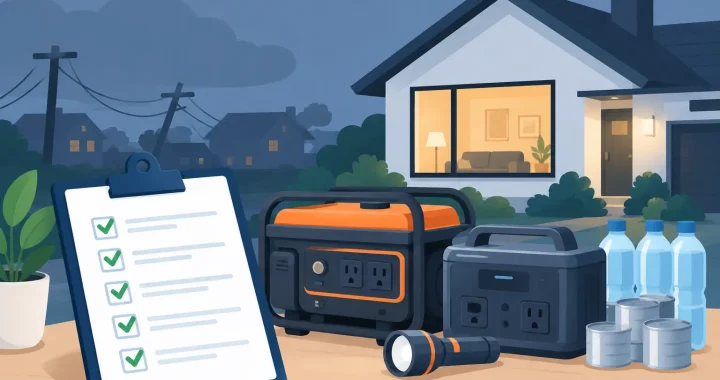
A power outage changes priorities fast. The refrigerator becomes more than an appliance, a charged phone becomes a lifeline, and every watt matters. This outage power checklist helps you prepare before weather, grid issues, or local disruptions leave your home without electricity.
The goal is not to power your entire house at any cost. It is to identify what must stay on, choose a backup power system that can handle it, and make sure your equipment is charged and ready to use. A quiet portable power station paired with solar charging can cover many essential needs without fuel storage, exhaust, or the constant noise of a gas generator.
Start With the Loads That Matter Most
Begin by separating essential devices from convenience loads. During a short outage, most homes can operate comfortably with a focused plan. During a multiday outage, that same discipline helps your stored energy last.
Your priority list will depend on your household. A family with an infant, a person using powered medical equipment, or someone working remotely has different needs than a household focused mainly on food preservation and communication. If a device is medically necessary, confirm its backup requirements with the equipment provider or clinician. Do not assume a portable battery is sufficient without verifying its runtime and power needs.
For most households, essential loads fall into four groups:
- Communication: phones, tablets, a Wi-Fi router, radios, and laptops.
- Health and safety: approved medical devices, flashlights, battery chargers, security equipment, and a garage door opener if needed.
- Food and comfort: a refrigerator, freezer, fans, a small heater where appropriate, and lighting.
- Work and mobility: computers, monitors, tool batteries, CPAP equipment, or an electric mobility device charger.
Write down the actual make and model of each priority item. Labels usually show watts, amps, or volts. If the label lists amps, multiply amps by volts to estimate watts. In a typical US household, 1 amp at 120 volts equals roughly 120 watts.
Calculate Power and Runtime Before You Buy
A backup system has two separate limits: how much power it can deliver at one time and how much stored energy it has for the full outage.
Watts measure running power. Watt-hours measure stored energy. A 1,000-watt portable power station may run a 700-watt appliance, but a 1,000Wh battery will not run that appliance for very long. A simple estimate is battery capacity in watt-hours divided by the appliance’s watt draw. Real-world runtime is lower because inverters and charging equipment use some energy.
For example, a 1,000Wh power station might run a 100-watt refrigerator for several hours of compressor cycling, but the result varies widely with room temperature, refrigerator age, door openings, and startup demand. A 60-watt laptop charger can run much longer, especially when the laptop is not drawing full power continuously.
Some appliances need extra surge power when motors start. Refrigerators, freezers, sump pumps, power tools, and window air conditioners may briefly draw far more than their listed running wattage. Check both the power station’s continuous AC output and its surge rating. Pure sine wave AC output is also the right choice for sensitive electronics and many motor-driven appliances.
Do not plan around a single optimistic number. Leave headroom. If your calculated combined load is 1,200 watts, selecting a unit rated at exactly 1,200 watts provides little margin for a compressor startup or an added charger. For larger needs, expandable battery systems can be a practical option because they let you increase stored energy without replacing the core power station.
Build an Outage Power Checklist Around Your Home
Once you know the loads, organize your setup so it can be deployed in minutes rather than searched for in the dark. Keep this outage power checklist with your emergency supplies and review it before severe weather seasons.
Before outage season
Charge every portable power station to the manufacturer’s recommended storage level, then check it monthly or on the schedule in the manual. Lithium iron phosphate, or LiFePO4, batteries are valued for long cycle life and stability, but any battery loses usefulness if it sits discharged for months.
Test the cables and outlets you expect to use. Make sure phone cords, USB-C chargers, AC adapters, DC car cables, and solar charging cables are labeled and stored together. A power station cannot help much if the one adapter your medical device or laptop needs is missing.
Place flashlights, headlamps, spare batteries, a battery radio, and a printed contact list in one known location. Headlamps are especially useful because they keep both hands free while connecting equipment, checking a breaker panel, or preparing food.
When an outage is likely
Charge phones, laptops, tool batteries, and battery banks first. Then fully charge your power station if it is safe to do so. Lower the refrigerator and freezer temperature settings, make ice, and avoid opening the doors unnecessarily once the power goes out.
Move your portable power station to a dry, ventilated indoor location where cords will not create a trip hazard. Unlike fuel generators, battery power stations produce no exhaust and can generally be used indoors as directed by the manufacturer. Keep them away from standing water, direct rain, extreme heat, and blocked ventilation openings.
If solar panels are part of your plan, inspect them before the storm. Know where they can receive clear sunlight after conditions improve, and confirm that the cable length reaches your power station without crossing a walkway or pinching in a door.
Once the power is out
Turn on only the devices you planned to support. Start with communication, lighting, and health-related needs. Add refrigerator power strategically rather than leaving every device connected around the clock. Depending on the appliance and outdoor temperature, cycling a refrigerator can conserve energy, but food safety should guide the decision.
Use DC or USB outputs for phones, lights, and small electronics when available. This can avoid the extra energy conversion involved in using an AC wall adapter. For a laptop or router, use the supplied power adapter unless the manufacturer confirms a compatible DC option.
Check the display periodically. Watch the remaining battery percentage, input wattage from solar, and total output load. If the battery is falling faster than expected, disconnect nonessential devices and reassess. A low-power fan, for example, may be worthwhile for comfort, while a space heater can drain a portable battery very quickly.
Plan for Charging, Not Just Stored Power
A battery is only one part of outage readiness. For interruptions longer than a day, your recharging plan becomes just as important as capacity.
Solar panels offer quiet, fuel-free recharging when sunlight is available. Their real output depends on weather, season, panel angle, shade, and panel rating. A 200-watt panel does not deliver 200 watts all day in every condition. Treat published ratings as a best-case reference and build in time for clouds and shorter winter days.
Vehicle charging can provide another option, particularly for smaller power stations, though it is usually slower than AC wall charging or a properly sized solar array. Never run a vehicle in a garage or enclosed space to charge equipment. For extended emergency use, follow local safety guidance and avoid wasting fuel on inefficient charging methods.
If your household needs refrigerator support, overnight CPAP use, or remote work capability for several days, expansion batteries and multiple solar panels may be more practical than trying to stretch one small unit beyond its intended role. The right system depends on your daily energy use, expected outage length, and available recharge time.
Use Power Safely During a Blackout
Portable backup power is straightforward when used within its ratings, but a few rules prevent expensive mistakes. Never overload the AC outlets or use damaged cords. Avoid daisy-chaining power strips, and use outdoor-rated extension cords only where they are appropriate.
Keep battery equipment dry and stable. Do not place a power station near a sink, open window, or damp basement floor. Let cold equipment warm gradually if it has been stored in freezing conditions, and follow the manufacturer’s temperature guidance for charging. Many lithium batteries should not be charged below a specified temperature.
A portable power station is not a whole-home transfer solution by itself. Do not backfeed power through a wall outlet or attempt to energize home circuits without properly installed, code-compliant equipment. If you want selected household circuits powered during an outage, consult a qualified electrician about an inlet and transfer switch designed for your system.
Review the Plan After Every Outage
The best checklist improves with use. After power returns, note what you actually ran, how long the battery lasted, and which items were unnecessary. You may find that a router used little energy while a refrigerator or window air conditioner determined the size of the system you need.
Recharge your equipment promptly, inspect solar panels and cables for damage, and replace missing supplies. Preparedness is not about buying the largest system available. It is about matching dependable power to the needs that matter most, then keeping that plan ready long before the lights go out.
