
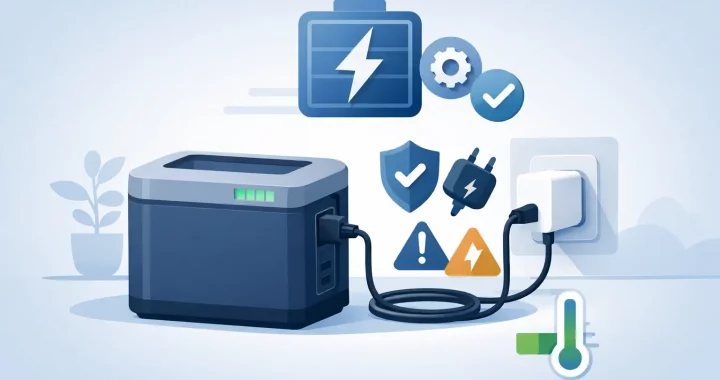
When the grid goes down, extra stored energy is only useful if it is charged, connected correctly, and ready to work. If you are searching for how to charge expansion battery systems, the first rule is simple: treat the expansion battery and its compatible power station as one matched system. Do not assume every battery can accept power directly or that every cable with a similar connector is safe to use.
Expansion batteries are designed to increase the runtime of a portable power station. They can keep a refrigerator running longer during an outage, support overnight RV power, or give a work crew more usable energy away from the grid. Charging them correctly protects that investment and helps ensure dependable power is available when conditions are not dependable.
How to Charge an Expansion Battery: Start With Compatibility
Most expansion batteries are not standalone power stations. They typically rely on a specific compatible main unit for charging control, battery management, display information, and output power. In many systems, you charge the expansion battery by connecting it to the main power station, then charging the main station through its approved AC, solar, vehicle, or generator input.
Before connecting anything, confirm three details in the product manual: the supported power station model, the correct expansion cable, and the approved charging methods. Brand-specific expansion ports can look similar while using different communications protocols or voltage requirements. A cable that fits physically is not proof that it is compatible.
Use the expansion cable supplied with the system or an exact manufacturer-approved replacement. Inspect both ends before use. Bent pins, cracked housings, loose connectors, moisture, or dirt can interrupt charging and may damage the equipment. Keep connector covers in place when ports are not in use, especially when traveling, camping, or storing equipment in a garage.
Connect the System Before Adding a Charging Source
A reliable charging setup begins with the expansion battery disconnected from all charging sources. Place the main power station and expansion battery on a stable, dry, level surface with open airflow around their vents. Avoid charging on deep carpet, inside a sealed cabinet, in direct summer sun, or in a vehicle that can overheat.
Turn off high-draw AC and DC loads if practical. Some systems can charge while powering devices, but charging will usually take longer when the station is also running a refrigerator, microwave, power tools, or other equipment. During an emergency, pass-through charging can be useful. For routine preparation, charging with minimal load is generally easier on the system and makes it simpler to confirm that both batteries are filling properly.
Connect the expansion cable firmly between the designated battery expansion ports. Follow the connection order stated in your equipment manual, since certain models require the main station to be powered on before the external battery is recognized. Once connected, check the screen or companion app, if available, to confirm the expansion battery has been detected.
Only after the battery connection is secure should you connect the approved charging source to the main power station.
Charging From a Wall Outlet
AC wall charging is usually the simplest choice for home readiness. Plug the power station into a properly grounded household outlet using its supplied AC charging cord. The station manages charging for the connected expansion battery as part of the system.
Fast AC charging is convenient when a storm is approaching or the battery was used during a recent outage. The trade-off is heat. If your model offers a selectable charging-speed setting, a lower setting may be a sensible choice when you have time and want quieter operation or reduced heat. Use the fast setting when readiness matters more than charging gently.
Avoid lightweight extension cords, damaged outlets, or overloaded power strips. If an extension cord is necessary, use a heavy-duty grounded cord rated for the charger load and keep it fully uncoiled during use.
Charging With Solar Panels
Solar charging gives an expansion battery system a practical advantage during prolonged outages, RV travel, and off-grid use. Connect portable solar panels to the main station’s solar input, not directly to an expansion battery unless the manufacturer explicitly provides a dedicated solar input on that battery.
Check the power station’s allowed solar input voltage, current, connector type, and maximum wattage before connecting panels. Solar panels wired in series raise voltage, while panels wired in parallel raise current. An array that exceeds the station’s voltage limit can cause damage, even if its stated wattage appears reasonable.
For best results, keep panels clear of shade and reposition them as the sun moves. A small shadow across one portion of a panel can significantly reduce output. Solar production also changes with season, clouds, panel angle, temperature, and cable length, so do not expect a nameplate wattage number all day long.
Charging From a Vehicle or Generator
Vehicle charging can maintain or slowly replenish a system while driving between jobsites or campsites. It is usually much slower than AC charging, making it better for travel than for rapidly restoring a large battery bank. Start the vehicle before charging when possible so the starter battery is not depleted.
A generator can also recharge the main power station and connected expansion battery. This approach combines fuel-based generation with quiet stored power: run the generator for a defined charging window, then shut it down and operate essential loads from the battery system. Use a stable generator output and follow the power station manufacturer’s requirements for generator charging.
Watch Charging Conditions, Not Just the Percentage
Lithium battery systems have internal protections, but they still need reasonable operating conditions. Charge within the temperature range listed in your manual. LiFePO4 batteries, common in modern portable power equipment, should not be charged below their approved temperature limit unless the system includes a verified low-temperature charging protection or heating function.
A battery that was stored in a freezing garage or hot vehicle needs time to return to a safe temperature before charging. Bringing cold equipment indoors and immediately plugging it in can create condensation concerns as well. Let the system acclimate in a dry space before use.
Check the display periodically during the first charge after installation. You want to see a charging indicator, expected input wattage, and battery levels that are increasing. If the main station charges but the expansion battery percentage does not change, stop and check the connection, cable seating, compatibility, and system settings before trying again.
Stop charging and contact qualified product support if you notice a burning smell, unusual swelling, fluid leakage, repeated fault codes, excessive heat, or a damaged cable. Do not open an expansion battery case or attempt repairs yourself.
Do You Need to Charge to 100% Every Time?
For emergency preparedness, charging to 100% makes sense before severe weather, wildfire season, a planned trip, or any period when utility power may be unreliable. A fully charged expansion battery gives your household the most runtime for essentials such as communication devices, lights, medical equipment, a CPAP, or refrigeration.
For long-term storage, follow the specific manufacturer’s storage recommendation. Many lithium-based systems are best stored at a partial charge rather than left at 100% for months. Check the battery level every few months and recharge as directed. Store the equipment in a cool, dry location away from direct sunlight, flammable materials, and areas exposed to freezing temperatures.
Battery calibration guidance varies by model. Some systems benefit from an occasional full charge and discharge cycle to improve displayed state-of-charge accuracy, while others do not require regular cycling. Follow your manual instead of relying on a universal schedule.
Get More Runtime From the Battery You Already Have
An expansion battery extends capacity, not inverter output. If a main power station is rated for a certain AC wattage, adding an expansion battery allows it to run compatible loads longer, but it does not automatically allow a larger appliance to start. Check both the appliance’s running wattage and surge requirement before depending on the system.
During an outage, prioritize essentials first. A refrigerator, modem, phone chargers, lights, and medical devices usually provide more value than high-heat appliances such as space heaters, electric ovens, hair dryers, and coffee makers. Reducing unnecessary loads can preserve hours of battery runtime.
Before the next outage or trip, set up the entire system once under normal conditions. Connect the expansion battery, test your preferred charging source, and power the devices that matter most. Thundervolt Power customers often find that this simple readiness check removes the uncertainty when power is not stable and every stored watt-hour counts.
A charged expansion battery is not just extra capacity on a spec sheet. It is time: more time to keep food cold, stay connected, finish essential work, or wait safely for utility power to return.
