
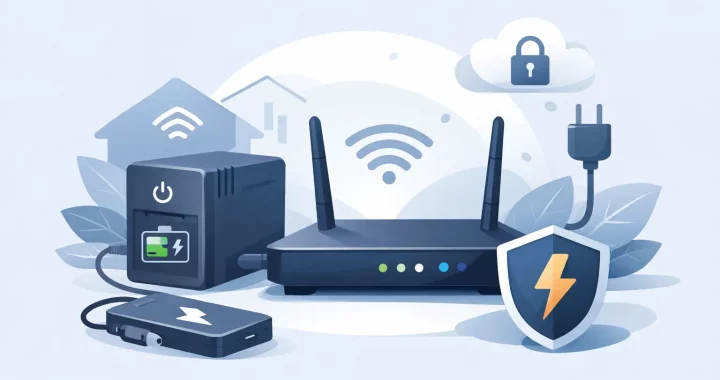
When the power drops, your router usually goes down long before the outage becomes the real problem. No Wi-Fi means no work calls, no smart home controls, no security camera access, and no easy way to check weather alerts or outage updates. If you are looking for the best backup battery for router use, the right choice is less about buying the biggest unit and more about matching battery size, output type, and runtime to how your internet setup actually works.
What makes the best backup battery for router use?
A router is a small load, but that does not mean every backup battery is a good fit. Some battery systems are oversized for the job and cost more than necessary. Others look convenient but create avoidable inefficiency because they convert power more times than needed.
The best backup battery for router setups usually does three things well. It provides stable output that your router and modem can use safely, it runs quietly for hours instead of minutes, and it is simple enough to keep ready at all times. In a real outage, convenience matters. If the battery is hard to charge, hard to connect, or easy to forget, it is not much of a backup plan.
For many households, the ideal setup is a compact lithium power station with enough capacity to run both the router and modem together. That gives you a cleaner and more flexible solution than a traditional gas generator, especially indoors where noise, fumes, and fuel storage are all problems.
Start with one question: what exactly needs backup power?
A lot of people say “router” when they actually mean the full internet chain. In many homes, that includes a modem, a router, and sometimes a mesh node or fiber terminal. If your modem loses power, your router can stay on and you still will not have internet.
That is why the first step is checking the label on each device. Most routers use surprisingly little power, often somewhere around 8 to 20 watts. Modems are often in a similar range. A combined load of 20 to 40 watts is common for a basic home internet setup.
That low power draw is good news. It means you do not need a massive battery to stay connected for several hours. But you do need to calculate based on the full setup, not just the router sitting on the shelf.
Battery size matters more than peak wattage
People often focus on watts first because that is how devices are marketed. For routers, the more useful number is watt-hours. That tells you how much energy the battery stores and gives a better sense of runtime.
If your router and modem together draw 30 watts, a 300Wh battery can theoretically run them for about 10 hours. Real-world runtime is lower because there are conversion losses and battery management overhead, especially if you are using an AC outlet on the power station. In practice, you might see 7 to 9 hours depending on the unit.
That is why a compact power station can make sense for internet backup. Even a relatively small lithium unit can keep your connection alive through a short blackout, rolling outage, or storm-related interruption. If you also want to power a laptop, phone charger, lamp, or security device, stepping up in capacity is usually worth it.
AC outlet or DC output? This trade-off matters
This is where many buyers either save money or waste battery runtime.
Most routers plug into the wall through a small AC adapter, so it seems natural to power that adapter from the AC outlet on a battery station. That works, and it is often the easiest option. But it is not always the most efficient. The battery converts stored DC power into AC, then the router adapter converts it back into DC. Each conversion costs a little energy.
If your backup battery offers a compatible DC output and your router can accept it safely, a direct DC connection may be more efficient and can extend runtime. The trade-off is complexity. You need to confirm voltage, connector size, and polarity. For many households, the simple AC connection is still the right choice because it is easy, safe, and universal.
If you want the most practical answer, choose reliability over theoretical efficiency unless you are comfortable checking electrical specs. A battery that works every time is better than a slightly more efficient setup that creates confusion during an outage.
Why lithium power stations are often the better fit
For router backup, compact lithium power stations are usually the strongest option because they are built for indoor use and frequent readiness. They are quiet, clean, and easy to recharge. You can keep one charged in a closet, home office, or media cabinet without the hassle that comes with fuel-powered equipment.
LiFePO4 battery chemistry is especially appealing for preparedness-minded buyers because it is known for long cycle life and thermal stability. If you expect to use your battery often, or you simply want something dependable over the long term, that chemistry is a strong advantage.
A well-designed power station also gives you room to grow. Today you may only need internet backup. Tomorrow you may want to keep a phone charged, run a laptop through a workday, or support a few key devices during a longer outage. That flexibility is where a compact power station starts to pull ahead of single-purpose router battery products.
How much runtime do you really need?
The answer depends on what kind of outages you are planning for.
If you deal with brief interruptions lasting 30 minutes to 2 hours, a small backup battery is usually enough. If your area sees weather-related outages that stretch into half a day, a larger unit gives you more breathing room. And if your internet service itself tends to fail during long outages, it may not make sense to overspend just to keep your equipment powered after the network upstream is already down.
A good practical target is enough battery to run your modem and router for at least 6 to 8 hours. That covers a large share of common outage scenarios and still keeps the system compact and affordable. If internet access supports work, medical communication, or home security, pushing beyond that range can be justified.
Features worth paying for and features you can skip
For router backup, pure sine wave AC output is a good feature because it delivers stable power for sensitive electronics. It is less about heavy loads here and more about clean, consistent output. Fast recharging is also useful because outages do not always happen far apart.
A clear display helps more than many people realize. Being able to see battery percentage, output status, and estimated remaining runtime makes the unit easier to manage under stress. Pass-through charging can also be valuable if you want the battery charged and ready while devices are connected.
On the other hand, extremely high inverter wattage is not a priority for this use case. Neither are large wheel kits or oversized appliance-focused features if your main concern is internet continuity. Buy for the load you have, with a little room for expansion, not for a fantasy scenario you may never use.
The best backup battery for router buyers is usually not the smallest one
Tiny battery packs built only for routers can work, but they come with limits. They may be harder to reuse for other backup needs, and they often offer less flexibility in outputs, charging options, and total runtime. If all you ever want is a short bridge through minor interruptions, that may be fine.
But many buyers are better served by a compact portable power station. It gives you a more dependable home backup tool, not just a single-purpose accessory. You can use it during storms, take it on the road, and rely on it for other low-watt devices when the grid is unstable. That kind of versatility adds real value.
This is where a retailer focused on preparedness and energy resilience has an advantage. A battery that supports a router today and broader emergency power needs tomorrow is usually the smarter buy.
How to choose with confidence
If you want a simple buying framework, look for a lithium power station with enough watt-hours to cover your modem and router for the number of hours you actually need, clean AC output for safe device support, and a form factor you will keep charged and accessible. If your setup includes only a router, you can size smaller. If you need modem, mesh, phone charging, and laptop support, size up.
It also helps to think about where the battery will live. A unit that fits neatly near your networking equipment is more likely to be used correctly than one stored across the house in the garage. Preparedness works best when the setup is simple and repeatable.
For many US households, the right answer is not the cheapest battery and not the biggest one. It is the one that keeps your connection stable, fits your real outage pattern, and gives you dependable power without noise, fuel, or guesswork.
When the next outage hits, staying online can be the difference between inconvenience and disruption. Choose a backup battery that treats your internet like the essential service it has become, and you will be better prepared when the grid is not.
