
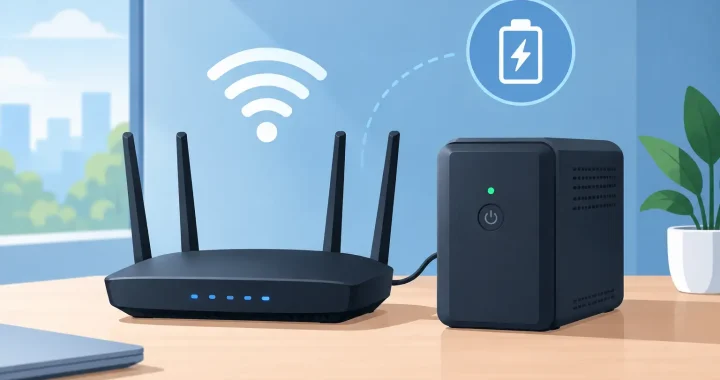
When the grid goes down, a router is often one of the lowest-power devices in the house and one of the most useful to keep running. The best battery backups for routers can preserve access to weather alerts, work systems, school assignments, security devices, and communication when cellular networks are crowded. The right choice is not always the largest battery. It is the one that supports your complete internet setup, switches over reliably, and runs long enough for the outage you are preparing for.
A router backup also needs to account for the equipment people forget: the cable modem, fiber ONT, gateway, mesh nodes, and sometimes a network switch. Keeping only the router on will not restore internet service if the device bringing service into your home has lost power.
Start With the Internet Equipment You Need to Power
Before comparing batteries, identify every device required for a working connection. A basic setup may include a router and cable modem. Fiber customers may need a router plus an optical network terminal, commonly called an ONT. Larger homes may also rely on mesh satellites, Ethernet switches, or a voice-over-IP phone adapter.
Check the power label on each device or its AC adapter. Many routers use 8 to 20 watts, while modems and ONTs commonly add another 10 to 25 watts. A typical router-and-modem setup may draw 25 to 45 watts total. Add every device together, then allow a margin for startup demand and measurement differences.
There is another limitation outside your home: your provider’s neighborhood equipment must have backup power, too. Cable, fiber, and fixed wireless networks vary by location. A battery backup can keep your equipment operating, but it cannot keep an internet connection alive if the provider’s local network is down. That is why households that depend on connectivity during severe weather often pair a router backup with a charged phone and a cellular hotspot plan.
The Best Battery Backups for Routers by Use Case
The best option depends on whether you need a few hours of coverage, all-night connectivity, or a flexible power source that can also support other essentials.
Mini DC UPS units for a single router or ONT
A mini DC UPS is a compact battery designed to power low-voltage network equipment directly. These units usually provide 5V, 9V, or 12V DC outputs and can remain connected between the wall outlet and device. When utility power fails, the battery takes over without the reboot that may happen with a standard portable power station.
This is often the most efficient choice for one router, an ONT, or another device with a compatible DC input. It avoids converting battery power to AC and back to DC through the device’s wall adapter. The trade-off is limited capacity and limited flexibility. A mini UPS may not have enough output ports or watt-hours for a modem, multiple mesh nodes, and other household devices.
Match the voltage, connector size, polarity, and required amperage exactly. A plug that fits is not proof that the electrical specification is safe. If any of those details are unclear, use the original adapter and choose an AC-powered backup instead.
Traditional UPS systems for modem-and-router setups
A conventional uninterruptible power supply, or UPS, is a practical answer for a router, modem, and small networking accessories that use standard AC plugs. It supplies immediate battery power during an outage and can provide surge protection. That fast transfer is useful because some modems and routers take several minutes to reconnect after a full reboot.
Look beyond the VA number on the box. For networking equipment, battery capacity and expected runtime matter more than a high wattage rating. A small UPS can handle the load but may only run a modem and router for one to three hours. It is well suited to brief outages, flickering power, and a clean shutdown of connected equipment, but it is not usually the best tool for an overnight outage.
Traditional UPS batteries are commonly lead-acid. They are proven and simple, but they are heavier for their capacity and require periodic replacement. Test the unit periodically, especially before storm season, because a UPS can appear normal while its aging battery has little usable runtime left.
Portable power stations for longer outages
For households that want internet through an extended outage, a lithium portable power station is usually the stronger choice. A 200Wh to 500Wh unit can run a typical modem-and-router load for many hours, while also charging phones, laptops, radios, and lights. The extra capacity makes it a practical preparedness asset rather than a single-purpose accessory.
Portable power stations work especially well when they use LiFePO4 battery chemistry, which is known for long cycle life and stable performance. A pure sine wave AC inverter is also a worthwhile feature for sensitive electronics and for broader use around the home. Unlike a dedicated UPS, however, many power stations do not transfer to battery power quickly enough to prevent a brief interruption when the grid fails. Confirm whether a model has a UPS or EPS pass-through mode and check its stated transfer time before relying on it for uninterrupted networking.
This is the best route for longer outages, remote work, RV travel, and homes that want one quiet, fuel-free backup system for several critical loads. Thundervolt Power focuses on this kind of practical energy resilience: capacity that can keep communications available while also serving the rest of your emergency plan.
Calculate Router Backup Runtime Before You Buy
Runtime comes down to watt-hours. A battery rated at 300Wh theoretically stores 300 watts for one hour, 30 watts for 10 hours, or 15 watts for 20 hours. Real-world results are lower because conversion losses, battery management, temperature, and the power station’s own operating draw use some energy.
Use this planning formula:
Estimated runtime in hours = usable battery watt-hours ÷ total device watts
For example, a modem, router, and small switch drawing 35 watts would theoretically run for about 8.5 hours from a 300Wh battery. After allowing for inverter losses, a more realistic expectation may be around 6.5 to 7.5 hours. If you power those same devices through a direct DC solution, efficiency may be better, but only if the voltage and connectors are compatible.
Do not size a backup around the router alone unless you know the modem or ONT has separate battery power. For a 12-hour target, calculate the entire network load and add 20 to 30 percent capacity margin. For a full day or more, choose a larger power station, add solar charging capability, or plan to recharge from a vehicle or generator when conditions allow.
Features That Matter More Than Marketing Claims
A router backup does not need a huge inverter, but a few features make a major difference when power is unstable. Prioritize the following when comparing options:
- Automatic switchover or UPS mode: This helps prevent your modem and router from rebooting during a blackout or brief outage.
- Enough watt-hours for your target runtime: Capacity is the main factor for overnight and multi-day preparedness.
- Appropriate outputs: Use DC output where it is compatible, or make sure there are enough AC outlets for original power adapters.
- Recharge flexibility: AC charging is standard, while solar, vehicle, and USB-C charging add options during longer emergencies.
- Clear display and low idle consumption: You should be able to check remaining battery capacity without wasting substantial power just to keep the unit on.
For portable power stations, consider whether the AC outlets remain active during pass-through charging. Some units disable or limit certain outputs under specific conditions. Review the operating instructions and test your exact setup before you need it.
Set Up and Test Your Backup Before the Next Outage
Connect your internet equipment to the backup, charge the battery fully, and then unplug the backup from wall power to simulate an outage. Watch for modem or router restarts. Check whether the internet stays online, how much battery capacity is used after an hour, and whether the power station’s auto-shutoff setting turns off low-wattage loads.
If your internet equipment restarts, a dedicated UPS or mini DC UPS may be the better front-line device, with a portable power station supporting it over longer outages. Another practical approach is to keep a power station charged and connect it as soon as an outage begins. That may cause one brief network interruption, but it can provide substantially longer runtime.
Store the backup in a dry, temperature-controlled area and keep cables labeled. During a storm, you should not have to search for the modem adapter or figure out which outlet powers the ONT. A tested battery backup turns a frustrating outage into a manageable one, keeping the connection available when your household needs reliable information most.
