Best Power Stations for Apartment Emergencies

Best Power Stations for Apartment Emergencies

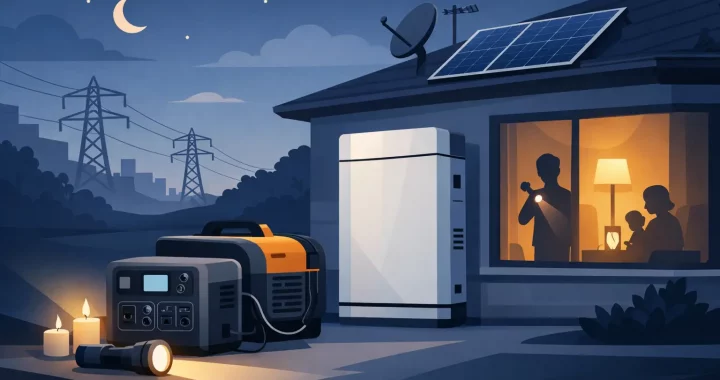
A city-wide outage changes apartment life fast. Elevators stop, building Wi-Fi drops, refrigerators begin warming, and a phone battery becomes more than a convenience. The best power stations for apartment emergencies provide quiet, fuel-free electricity inside your home, giving you time and options when the grid is not stable.

For most apartment residents, the right unit is not the largest power station available. It is the one you can store easily, lift safely, recharge quickly, and rely on for the devices that matter most. That usually means prioritizing battery capacity, inverter output, charging flexibility, and LiFePO4 battery chemistry over oversized specifications that do not fit your space or your actual emergency plan.

What Makes a Power Station Right for an Apartment?

A portable power station stores electricity in a rechargeable battery and supplies it through AC outlets, USB ports, and often 12V DC outputs. Unlike a gas generator, it produces no exhaust fumes during use. That makes a properly maintained battery power station a practical indoor backup option for apartment living. Gas generators must never be run indoors, on balconies, in hallways, or near windows because of carbon monoxide risk.

Apartment emergencies also require a different mindset than whole-house backup. You may not need to run every appliance. Your priority is keeping communication, lighting, food, work equipment, and health-related devices available until the outage ends or you can relocate.

The strongest apartment setup usually has enough capacity for a refrigerator, phones, a router, lights, and a laptop, plus enough inverter power to handle the refrigerator’s startup demand. It should also have a clear place to live between emergencies, rather than becoming a heavy box that is difficult to access or recharge.

Best Power Stations for Apartment Emergencies by Need

Best for essential devices: 300Wh to 600Wh

A 300Wh to 600Wh power station is a sensible choice for residents focused on short outages and personal essentials. This size can keep phones, tablets, rechargeable lights, a laptop, and a modem or router operating for many hours. It is generally easier to carry from a closet to a living area and easier to take along if you need to leave the building.

The limitation is appliance runtime. A compact station may run a small refrigerator for only a limited period, especially if the refrigerator cycles frequently or has a high startup surge. It is better viewed as a communications and comfort solution than a full kitchen backup system.

Look for at least 500W of AC output if you expect to connect anything beyond electronics. A pure sine wave inverter is also worth having because it delivers clean power suitable for sensitive electronics, chargers, and many modern appliances.

Best for most households: 700Wh to 1,200Wh

For many apartments, a 700Wh to 1,200Wh LiFePO4 power station is the practical sweet spot. It offers meaningful reserve power without demanding the storage footprint of a much larger system. This range can support a refrigerator for several hours, while still covering phones, a laptop, LED lights, internet equipment, and small medical devices.

Capacity alone does not determine whether it can run an appliance. Check continuous AC output and surge capability. A refrigerator may use modest wattage while running but require a brief higher surge when its compressor starts. A station with 1,000W or more of continuous output gives most apartment residents useful flexibility for a refrigerator, coffee maker, microwave in short intervals, or basic cooking appliance. Do not assume all of those can run at once.

This range is also a strong choice for people who work from home. Keeping a laptop, monitor, router, and phone charged can preserve communications and allow work to continue during a daytime outage. If your building’s internet service stays online, a small backup power station may be all that separates a disruption from a lost workday.

Best for extended outages: 1,500Wh and above

A 1,500Wh to 2,500Wh station is better suited to longer outages, households with medical-power needs, or residents who want to run a refrigerator alongside more equipment. Larger units can support higher-wattage appliances and deliver substantially longer runtime, particularly when paired with an expansion battery.

The trade-off is weight, price, and space. Some high-capacity stations are difficult for one person to move safely. Before buying, measure the storage area, check the unit’s weight, and decide where you will use it during an outage. A station that remains stuck in a crowded closet is not a dependable emergency resource.

For apartment use, expansion capacity is valuable only when you have a specific reason for it. An expandable LiFePO4 system can make sense for multi-day outage planning, remote work requirements, or powering critical medical equipment. For occasional short outages, a simpler mid-capacity station may be the better investment.

How Much Battery Capacity Do You Need?

Battery storage is measured in watt-hours, or Wh. A 1,000Wh power station theoretically stores 1,000 watts for one hour, 100 watts for 10 hours, or 50 watts for 20 hours. Real-world runtime is lower because inverter operation and charging electronics use some energy.

A practical estimate is to multiply the station’s watt-hour rating by 0.85, then divide by the wattage of the device. For example, a 1,000Wh station has roughly 850Wh of usable AC energy. A 75W router, laptop, and lighting load could run for around 11 hours. A refrigerator’s consumption is more variable because it cycles on and off, so its label wattage does not tell the whole story.

Start with the devices you would actually use during the first 12 to 24 hours. For a typical apartment emergency, that may include a refrigerator, phone chargers, a Wi-Fi router, LED lamps, a laptop, and a CPAP machine if applicable. Avoid building a plan around electric space heaters, portable air conditioners, electric ranges, or large microwave use. Those appliances consume battery capacity quickly, even when a power station has sufficient output to start them.

If staying cool is a concern, a small fan is far more realistic than a window air conditioner for most apartment battery setups. A larger station may run a window unit for a period, but air conditioning can drain even a large battery quickly. Use it as targeted relief, not an assumption of all-night cooling.

Features That Matter More Than Extra Ports

For emergency readiness, LiFePO4 battery chemistry should be high on the list. These batteries are designed for long cycle life and thermal stability, making them a strong fit for equipment that may sit charged and ready for long periods. Follow the manufacturer’s storage and charging guidance, especially if the station will be kept in a hot storage room or unconditioned area.

Fast AC recharging is another major advantage. A station that can recharge in a short window is easier to prepare before an approaching storm and easier to restore after a partial outage. If you have access to a balcony, patio, or outdoor common area that permits it, compatible portable solar panels can add useful charging resilience. Solar output depends heavily on direct sunlight, panel placement, weather, and building shade, so it should complement wall charging rather than replace it in an emergency plan.

An uninterruptible power supply, or UPS, function can be useful for a modem, router, desktop computer, or medical device. However, transfer time and compatibility vary by model. Anyone powering medically necessary equipment should confirm the device’s power requirements and consult its manufacturer or care provider before relying on any backup system.

Pay attention to outlet placement, app monitoring if available, and a display that clearly shows input, output, and remaining battery percentage. During an outage, you should be able to see what is drawing power and make decisions before the battery is depleted.

Set Up Your Apartment Backup Plan Before the Lights Go Out

A power station is most useful when it is already charged, tested, and easy to reach. Keep it in a dry, ventilated indoor location with its charging cable and any essential adapters nearby. Test it with your actual refrigerator, router, CPAP, or work setup while grid power is available. This confirms that the appliance starts correctly and shows you the real power draw.

During an outage, connect only priority loads first. Turn off unnecessary lights, avoid repeatedly opening the refrigerator, and charge devices in batches. If the outage may last overnight, preserve battery capacity for the equipment that protects food, communication, health, and safety.

For most residents, the best choice is a LiFePO4 power station in the 700Wh to 1,200Wh range with a pure sine wave inverter, at least 1,000W of AC output, and fast recharging. Compact units are excellent for essentials, while larger expandable systems are appropriate when longer runtime is genuinely necessary. The goal is not to recreate normal life on battery power. It is to keep your apartment safer, connected, and more livable until normal power returns.

Choosing a Power Station for Storm Season

Choosing a Power Station for Storm Season

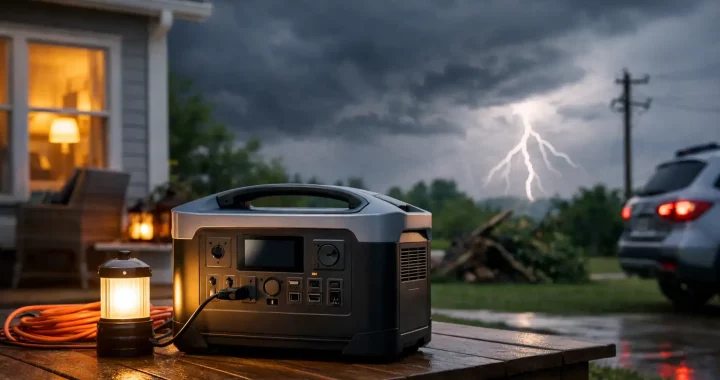
A storm warning changes the value of stored electricity fast. A power station for storm season gives your household quiet, fuel-free backup for the devices that matter when the grid goes down: phones, lights, refrigeration, internet equipment, medical devices, and more. The right unit is not simply the largest battery you can afford. It is the one that matches your essential loads, can recharge when conditions allow, and is ready before the first outage alert arrives.

Unlike a gas generator, a portable power station produces no exhaust and can be used indoors when operated according to its instructions. That makes it a practical first line of backup power for apartments, homes, RVs, and families who need a straightforward way to maintain basic comfort and communication. But preparation starts with realistic expectations about what you need to run and for how long.

Start With the Loads You Cannot Go Without

During an outage, convenience loads and critical loads are not the same thing. A television may help pass the time, but a refrigerator protecting food, a CPAP machine, a phone, or a modem can have a more immediate purpose. Begin by deciding what stays powered during the first few hours and what needs support through an overnight outage.

A practical storm-season priority list often includes a refrigerator or freezer, a few LED lights, phones, a laptop, a modem and router, a fan, and any medically necessary equipment. If your household uses a sump pump, well pump, or a window air conditioner, include those only after checking their running and startup requirements. These appliances can require far more power than their labels suggest when the motor first starts.

Write down the wattage of each device, usually found on its label, manual, or power adapter. For appliances listed in amps, multiply amps by volts to get an approximate wattage. In a typical US household, that means amps multiplied by 120 volts. This simple inventory prevents a common mistake: buying a station with plenty of battery capacity but not enough inverter output to start the appliance you need.

Power Station for Storm Season: Watts vs. Watt-Hours

Two specifications determine whether a portable power station fits your emergency plan: output in watts and battery capacity in watt-hours.

Watts tell you how much power the station can deliver at one time. If a refrigerator needs 150 running watts but briefly surges to 1,200 watts at startup, the power station needs an inverter that can handle that surge. A pure sine wave inverter is especially valuable for sensitive electronics and motor-driven equipment because it delivers cleaner AC power comparable to household electricity.

Watt-hours tell you how long the battery can run a load. A 1,000Wh power station can theoretically run a 100-watt load for 10 hours. In real use, expect less due to inverter losses, battery management, changing appliance cycles, and conversion losses. Planning for 75% to 85% of stated capacity is a sensible starting point when using AC outlets.

For example, a 1,000Wh unit may keep a modem, router, several LED lights, and phones operating for a long evening. It may also support a refrigerator for several hours, depending on the refrigerator’s cycling pattern and room temperature. It is not likely to run a central air conditioning system or an electric range. Those are whole-home loads and generally require a much larger battery and transfer setup.

Capacity should be chosen around your expected outage length. A compact unit can cover communication and lighting. A mid-size station in the 1,000Wh to 2,000Wh range can support a broader set of essentials. For multi-day outages, look at higher-capacity systems with expansion battery options, especially if refrigeration, medical equipment, or remote work must continue.

Do Not Overlook Startup Surge and 120V Requirements

Storm preparation often exposes the difference between an electronic device and a motor-driven appliance. Phones, tablets, laptops, and LED lamps draw predictable, modest amounts of electricity. Refrigerators, pumps, fans, power tools, and air conditioners can draw a brief but substantial startup surge.

Check both the continuous AC output and surge rating of a power station before connecting these loads. A unit that can supply 1,800 watts continuously may be suitable for many household essentials, while a lower-output model may be better reserved for electronics and small appliances. It depends on the specific equipment in your home, not just the category printed on the product box.

Also verify the outlet type and voltage. Most portable stations provide standard 120V AC outlets for common US household devices, along with USB-A, USB-C, and 12V outputs. A 240V appliance, hardwired furnace, central AC system, or large well pump requires specialized planning. Do not attempt to improvise connections to household wiring or backfeed power through a wall outlet. If you need selected circuits powered during an outage, work with a qualified electrician on a properly designed transfer solution.

Plan How You Will Recharge During a Long Outage

A charged power station is useful for one outage. A recharge plan makes it useful for a storm season.

AC wall charging is the fastest and most convenient way to prepare before bad weather arrives. Fully charge the station when a storm watch is issued, then keep it plugged in only if the manufacturer permits standby use. Fast-charging models can restore a meaningful amount of capacity before weather conditions deteriorate, but do not wait until the final hour if you can avoid it.

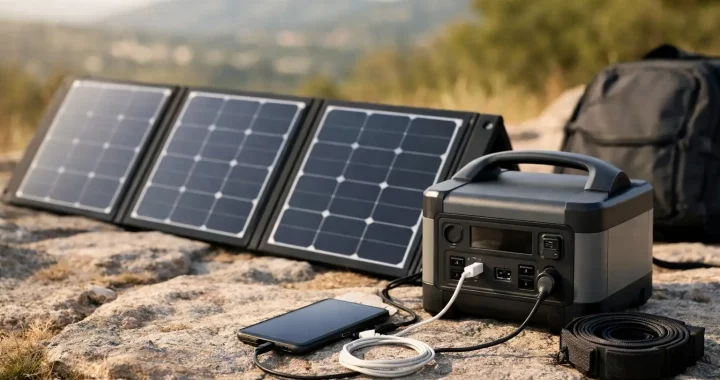
Solar charging can extend runtime during a prolonged grid outage. Portable solar panels are quiet, renewable, and particularly useful once skies clear. Their output, however, depends on direct sunlight, panel size, angle, shading, and weather. A rainy hurricane day is not the time to expect peak solar production. Treat solar as a valuable recharging option, not a guarantee that removes the need for adequate stored battery capacity.

Car charging can be helpful for smaller stations while traveling or evacuating, though it is generally slower than wall charging. Expansion batteries offer another path for households that need longer runtime without moving to a noisy fuel generator. LiFePO4 battery chemistry is especially well suited to preparedness use because it is built for long cycle life and stable performance over repeated charging.

Set Up Before the Forecast Turns Serious

A power station should not stay sealed in a box until the lights go out. Test it while conditions are normal. Plug in your modem, charge your phones, run a fan, and confirm that the refrigerator starts if that is part of your plan. This helps you identify incompatible loads, short cables, or settings you need to adjust before an actual emergency.

Keep the station in a dry, ventilated indoor location away from direct heat, moisture, and flammable materials. Do not cover cooling vents. Place it where cords will not create a trip hazard, and avoid running cables through standing water, damaged windows, or doorways that cannot close safely.

Your storm kit should also include the practical accessories that make stored power useful: compatible charging cables, a surge protector rated for the planned load, LED lights, extension cords appropriate for indoor use, and printed instructions for essential equipment. For households with medical devices, confirm the device’s power needs with the equipment provider and maintain the backup plan recommended by your clinician or provider.

Use Your Battery Capacity Deliberately

When the outage begins, run the highest-value loads first and avoid leaving unnecessary devices connected. Refrigerators do not need to be opened frequently, and many can be powered in cycles rather than continuously if food safety and the appliance manufacturer’s guidance allow. Charge phones and battery banks during the day, then reduce nonessential use overnight.

This approach is more effective than trying to recreate normal household life on a limited battery. A power station is designed to preserve stability: communication, light, temperature management for food, and the ability to operate essential equipment. Used with discipline, a properly sized system can make an outage far more manageable.

Thundervolt Power offers portable and expandable backup options for households that want dependable electricity without fuel storage, exhaust, or generator noise. The best time to choose your system is when you can compare real loads calmly, not when the forecast is already urgent.

Before the next storm arrives, charge your station, test the devices that matter, and place your backup power where it can be reached in the dark. Readiness is built one practical decision at a time.

How to Choose a Home Medical Backup Battery

How to Choose a Home Medical Backup Battery

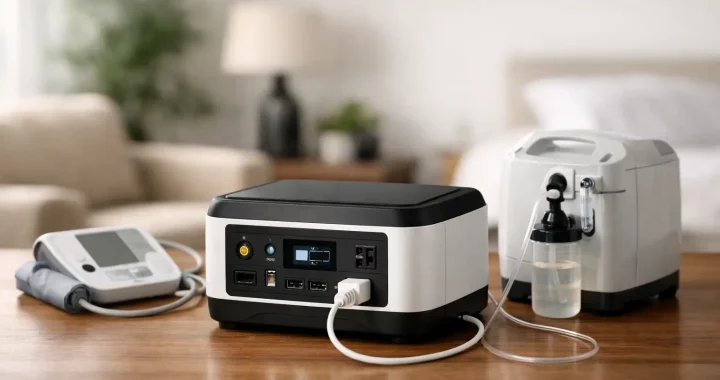
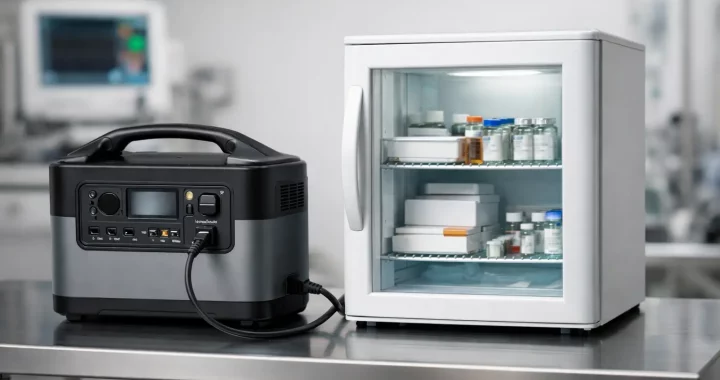
A power outage is never convenient, but it becomes urgent when a CPAP machine, oxygen concentrator, feeding pump, mobility device, or other essential equipment depends on electricity. A home medical backup battery gives your household a quiet, fuel-free source of power while the grid is down, helping protect the time you need to sleep safely, arrange assistance, recharge a device, or move to another location if necessary.

The right system is not simply the largest battery you can afford. It must match the medical device’s electrical requirements, provide enough runtime for the outage you are preparing for, and recharge in a realistic timeframe. Start with the device, then build a power plan around the person who relies on it.

Start With the Medical Device’s Power Requirements

Look at the equipment label, owner’s manual, AC adapter, or power supply. You need three numbers: running watts, startup or surge watts, and expected hours of use. If the label lists amps instead of watts, multiply volts by amps for a close estimate. For example, a device rated at 120 volts and 2 amps may draw up to 240 watts.

Running watts tell you how much power the device needs while operating. Surge watts matter for equipment with a motor or compressor, including many oxygen concentrators. A unit may use modest power once running but require a much higher burst of electricity to start. Your power station’s AC inverter must support that surge, not just the device’s regular wattage.

Do not rely on a generic estimate when the equipment is medically necessary. Settings, humidifiers, heated tubing, battery charging cycles, room temperature, and the age of the equipment can all change actual energy use. A CPAP without heat features may require far less power than one operating with a heated humidifier. An oxygen concentrator’s draw may change with flow setting and model.

If a device can run directly from DC power, ask the manufacturer which approved cable or external battery option is compatible. Avoid improvised adapters. Direct DC operation can sometimes extend runtime by avoiding AC inverter losses, but only when the device manufacturer specifically supports it.

Calculate the Battery Capacity You Actually Need

Battery capacity is measured in watt-hours, or Wh. This is the amount of energy stored, while watts describe the rate at which a device consumes energy. The basic planning formula is straightforward:

Device watts x hours of operation = watt-hours needed

A 60-watt device used for eight hours needs about 480Wh. That does not mean a 500Wh power station will reliably cover the full eight hours. AC conversion, temperature, charging accessories, and the station’s own operation use some energy. Plan for a meaningful buffer, especially for overnight use or storm-related outages that can last longer than expected.

For a device that needs 60 watts for eight hours, a battery in the 700Wh to 1,000Wh range may provide a more practical margin than a 500Wh unit. For equipment drawing 300 watts for eight hours, the energy requirement starts at 2,400Wh before accounting for losses. That is where a higher-capacity power station, an expansion battery, or a second independent unit may make sense.

Capacity planning should also account for the rest of the household’s immediate needs. A phone, lamp, internet equipment, or small fan can make an outage more manageable, but critical medical equipment gets priority. Do not size a battery based on running a refrigerator, television, and medical device together unless the power station and battery capacity can handle all of them with room to spare.

Plan for the Outage You Are Most Likely to Face

A short outage and a multiday storm call for different solutions. For a few hours, a compact portable power station may be enough for a lower-wattage device. For overnight protection, consider a larger battery with enough stored energy to cover the full sleep period without depending on a recharge.

For longer outages, recharge capability becomes part of the calculation. AC wall charging restores the battery before and after an event. Solar panels can provide valuable daytime replenishment when grid power remains unavailable. Vehicle charging can be another backup option, though it is usually slower and should not be your only plan.

Solar output depends on weather, season, panel placement, and available daylight. Treat solar as a way to extend your operating window, not as a guarantee that replaces stored battery capacity during a severe storm.

The Features That Matter in a Home Medical Backup Battery

Not every portable power station is suited to supporting sensitive equipment. A dependable setup should include the following practical capabilities:

  • Pure sine wave AC output. This produces clean electricity similar to household wall power and is the preferred choice for sensitive electronics and many medical devices.
  • Adequate continuous and surge output. The inverter must exceed the device’s running demand and accommodate any startup surge.
  • LiFePO4 battery chemistry. Lithium iron phosphate batteries are valued for long cycle life, stable performance, and practical ownership over many years.
  • Clear displays and accessible controls. In a nighttime outage, you should be able to see remaining battery percentage, input power, output load, and estimated runtime without guesswork.
  • Multiple recharge options. Wall, solar, and vehicle charging give the household more ways to restore power when conditions change.

Expansion capability can be especially useful for families who need a smaller system for routine portability but want more stored energy for severe weather. An expandable station lets you increase capacity without replacing the core unit, provided the model supports the battery configuration you need.

Do Not Assume UPS Mode Solves Every Situation

Some power stations offer UPS or pass-through charging modes, allowing connected devices to run from wall power while the station charges. When utility power fails, the station switches to battery power. This can be useful, but transfer time and compatibility vary by model and by medical device.

Before relying on this setup, review the device manufacturer’s instructions and perform a controlled test when the patient is safe and awake. Plug the equipment into the power station, charge the station from the wall, and briefly disconnect utility power to see whether the device continues operating as expected. Never conduct a test that could put someone at risk.

For equipment where even a brief interruption is unacceptable, speak with the medical equipment provider, device manufacturer, and care team. A portable battery can be a valuable preparedness layer, but it may not be an appropriate standalone solution for every life-sustaining device.

Build a Backup Plan Around the Battery

A battery is one part of readiness, not the whole plan. Keep the power station charged, store it in a dry location with moderate temperatures, and inspect it regularly. Run a scheduled test every few months so you know the actual runtime, understand the controls, and confirm every cable is where it should be.

Keep the device manual, provider contact information, and local emergency numbers in a visible location. If a family member relies on power-dependent medical equipment, ask the utility about medical baseline or outage notification programs available in your area. Your equipment provider may also offer emergency instructions, replacement batteries, or guidance on approved backup options.

Have a clear escalation plan for an extended outage. That may include a nearby family member with power, a hotel outside the outage zone, an emergency shelter that can support medical needs, or calling emergency services when the person’s condition requires immediate help. Do not wait until the battery is nearly depleted to make that decision.

Use Safe Placement and Charging Practices

Portable power stations do not produce carbon monoxide, unlike gas generators. That makes them practical for indoor use when operated according to their instructions. Still, place the unit on a stable, dry surface with open airflow around its vents. Keep cables organized to reduce trip hazards, and keep the station away from direct heat, water, children, and pets.

If oxygen is in use, follow the oxygen supplier’s safety rules carefully. Keep all ignition sources away, do not smoke, and avoid placing electrical equipment where oxygen could collect or where cables could be damaged. The battery should support the oxygen equipment only as directed by its manufacturer.

Choose for Confidence, Then Test for Reality

The best home medical backup battery is sized for your specific device, your required runtime, and the outages your household can realistically face. A low-cost unit that runs out before morning is not real preparedness. A system with adequate watt-hours, pure sine wave power, enough inverter capacity, and a practical recharge plan gives you a far stronger foundation.

Thundervolt Power helps households compare portable power stations, expansion batteries, and solar charging options built for dependable backup use. Once you choose your system, charge it, test it with the actual equipment, and make it part of a larger emergency plan. Preparedness is most valuable before the lights go out.

Solar Generator Comparison for Backup Power

Solar Generator Comparison for Backup Power

A refrigerator full of food, a CPAP machine beside the bed, and a phone that needs to stay connected all create very different backup-power demands. A useful solar generator comparison starts with those real loads, not the biggest watt-hour number on a product page. The right system gives you stable power when the grid is down, without fuel storage, engine noise, or the hassle of starting a gas generator in bad weather.

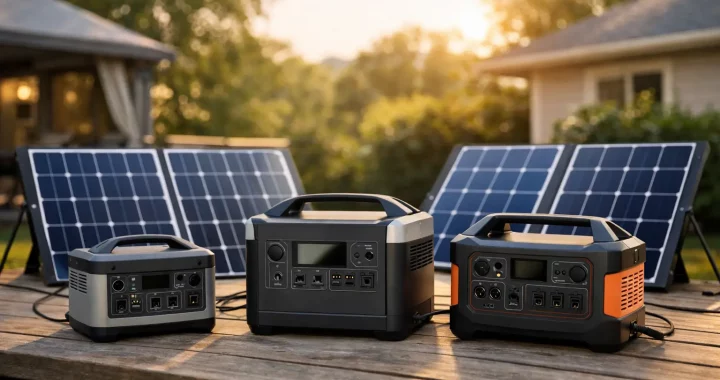
A solar generator is typically a portable power station paired with compatible solar panels. The power station stores electricity in its battery, converts it into usable AC power through an inverter, and supplies DC and USB power for smaller devices. Solar panels recharge the battery when grid power is unavailable. That combination can support emergency readiness, RV travel, jobsite work, and off-grid weekends, but only when its capacity and output match the equipment you actually plan to run.

Solar Generator Comparison Starts With Two Numbers

The first number is battery capacity, measured in watt-hours, or Wh. This is the amount of stored energy available. A 1,000Wh power station can theoretically run a 100W device for about 10 hours. Real runtime will be lower because power conversion uses energy, and some appliances cycle on and off rather than drawing a steady load.

The second number is AC inverter output, measured in watts. This tells you how much power the station can deliver at one time. Capacity determines how long a device can run. Inverter output determines whether the station can start and operate it in the first place.

For example, a 500Wh unit with a 600W inverter may be a practical choice for phones, laptops, lights, a modem, and a small fan. It may not be enough for a microwave, coffee maker, or many full-size refrigerators. A larger power station with 2,000Wh or more can provide far more meaningful outage coverage, especially if it has a 2,000W-class inverter and expansion battery support.

Do not overlook surge power. Refrigerators, pumps, air conditioners, and power tools can draw a brief burst of wattage as their motors start. A station must handle both the appliance’s running wattage and its startup demand. If the inverter cannot support that surge, the appliance may fail to start even if its listed running wattage looks acceptable.

Estimate Runtime Before You Buy

Start by listing the devices that matter most during an outage or trip. Then estimate each device’s wattage and how many hours it will run per day. A 60W CPAP used for eight hours needs roughly 480Wh before conversion losses. A refrigerator is more variable because its compressor cycles, but it can consume several hundred watt-hours to well over 1,000Wh per day depending on its size, age, room temperature, and how often the door opens.

For planning purposes, leave a margin. Avoid sizing a system to meet only the exact calculated load. Extra capacity helps account for inverter losses, cold weather, unexpected use, and a longer outage than expected. It also reduces the pressure to drain the battery to empty every day.

Compare Battery Chemistry and Expected Service Life

Most buyers looking for dependable backup power should prioritize LiFePO4 battery chemistry. LiFePO4 batteries are known for long cycle life, thermal stability, and practical durability. They are well suited to power stations that may sit charged and ready for storm season, then see repeated charging and discharging during an extended outage or off-grid trip.

Battery capacity still matters, but chemistry affects the long-term value of that capacity. A lower-priced unit with a battery that wears out sooner may not be the better preparedness purchase. Check the stated cycle-life rating, warranty terms, and the manufacturer’s guidance for storage and operating temperatures.

Cold conditions deserve special attention. Batteries can discharge in cold weather, but charging limitations may apply at low temperatures. If you expect winter outages, keep the power station indoors or in a protected area when possible, and review its temperature specifications before relying on solar charging outside.

Charging Speed Matters as Much as Stored Power

A large battery is only as useful as your ability to recharge it. Compare AC charging, solar input, and vehicle charging separately. Fast AC charging is valuable when a storm warning gives you only a few hours to prepare. A high solar-input limit becomes more important when the outage lasts beyond the first night.

Solar-panel ratings can be misleading if viewed in isolation. A 200W panel does not produce 200W all day. Output changes with sun angle, cloud cover, heat, shade, panel orientation, and time of year. In real conditions, solar charging requires patience and planning. A larger compatible solar array provides more recovery potential, but it also costs more and takes up more storage space.

When comparing systems, confirm the maximum solar input in watts and the accepted voltage range. A power station may work with multiple panels, yet still cap how much solar energy it can accept. The best arrangement balances panel output with the station’s input limit rather than paying for panel capacity the station cannot use.

Decide Whether Expansion Is Worth It

Expansion batteries change the role of a solar generator. A compact station can be ideal for weekend camping, but a system that accepts extra batteries can grow into a more serious home-backup solution. This is especially useful for homeowners who want to begin with essential loads and add storage later.

Expansion makes sense when your priorities include refrigerator runtime, overnight medical-device support, remote work during outages, or running a window air conditioner for limited periods. It is less necessary when your main goal is charging phones, lighting a tent, and keeping a small cooler running for a day or two.

Before choosing an expandable system, look beyond the maximum advertised capacity. Check how many batteries it supports, whether expansion batteries are available separately, how they connect, and whether the inverter output changes with expansion. More battery storage extends runtime, but it does not automatically increase the watts available to run an appliance.

Match Outputs to Your Equipment

A dependable power station should make daily use straightforward. Pure sine wave AC output is the right choice for sensitive electronics and motor-driven appliances because it delivers clean power similar to household electricity. Multiple AC outlets are helpful when a home outage requires a modem, lamp, fan, and refrigerator connection at the same time.

USB-C ports matter for modern laptops and tablets, while standard USB ports cover phones, headlamps, and smaller accessories. A regulated 12V output can be useful for coolers, routers, portable radios, and vehicle-oriented equipment. For RV users and contractors, outlet placement, port covers, cable length, and overall unit weight can matter just as much as the headline specifications.

Some power stations include a UPS or emergency power supply function that switches connected devices to battery power when grid electricity fails. This can be useful for a modem, desktop computer, or certain medical equipment, but switch time, load limits, and device compatibility vary. Critical medical equipment should always be tested with the selected power station before an emergency.

Compare by Use Case, Not Just Price

The least expensive unit is rarely the best value if it cannot cover the load that matters when power fails. A smaller system is often the practical choice for car camping and personal electronics. Mid-capacity models fit many RV users, remote workers, and families who want to protect food and communications through short outages. High-capacity, expandable systems are better suited to longer outages, larger appliance loads, and households building a layered emergency-power plan.

Weight is the trade-off many buyers discover late. More capacity means more battery mass. If one person must carry the unit from storage to the kitchen or RV, consider manageable form factors, sturdy handles, and whether a wheeled setup would make deployment easier. A system that is too heavy to move quickly is less useful when weather is already closing in.

At Thundervolt Power, the most practical choice is the one that gives your essential equipment enough runtime, accepts the charging options you can realistically use, and leaves room for future needs. Compare watts, watt-hours, recharge capability, battery chemistry, and expansion support together. Then choose the system you can set up confidently before the next outage puts that decision to the test.

How to Prepare Blackout Backup Power at Home

How to Prepare Blackout Backup Power at Home

A blackout changes the priorities in a home fast. Refrigerated food, phones, internet, lights, sump pumps, and medical devices can all become immediate concerns. Knowing how to prepare blackout backup power before a storm, wildfire, heat wave, or grid failure gives you time to choose the right equipment instead of settling for whatever is available after shelves are empty.

A dependable plan does not mean powering every circuit in your house. It means keeping the devices that protect your household safe, connected, and comfortable for the amount of time an outage is likely to last. Portable battery power stations, expansion batteries, and solar panels can provide quiet, fuel-free backup power when they are sized and staged correctly.

Start With the Loads That Matter Most

The first question is not, “What is the biggest power station I can buy?” It is, “What must keep running?” Make a short, practical list of essential devices and separate them by priority.

Your first tier may include a CPAP machine, home medical equipment, a phone, essential lighting, a refrigerator, or a sump pump. The next tier might be a Wi-Fi router, laptop, fan, television, or coffee maker. High-draw comfort appliances such as portable air conditioners, space heaters, electric ranges, and clothes dryers require much more energy and may not be realistic for a compact backup system.

Look at each device label or power adapter for its running wattage. Watts measure how much power a device needs at one moment. A 10-watt LED lamp uses far less power than a 1,200-watt microwave. Some motor-driven appliances, including refrigerators, freezers, pumps, and certain power tools, also need a higher starting surge when they turn on. Your power station inverter must support both the appliance’s running watts and its surge demand.

For critical medical equipment, confirm the device’s power requirements with its manufacturer or care provider. Keep the prescribed backup plan in place and do not assume every portable power station is appropriate for every medical use.

Size Blackout Backup Power by Watt-Hours

Once you know what you need to run, estimate how long you need to run it. This is where watt-hours matter. Watt-hours, shown as Wh, measure stored battery capacity.

A simple estimate is:

Device watts x hours of use = watt-hours needed

For example, a 60-watt refrigerator that averages eight hours of actual compressor run time over a day may use roughly 480Wh. A 10-watt router running for 24 hours uses 240Wh. Four 8-watt lights used for five hours add 160Wh. Together, those essentials require about 880Wh before accounting for inverter losses and real-world variation.

Plan extra capacity rather than sizing to the exact total. Battery power is affected by appliance cycling, ambient temperature, conversion losses, and the fact that usage often increases during a long outage. A 1,000Wh power station can be a sensible starting point for communications, lighting, and selected small appliances. For refrigerator backup, pumps, multiple family devices, or overnight use, higher-capacity systems and expansion batteries provide a more practical margin.

Do not confuse a power station’s battery capacity with its AC output rating. A unit with a 2,000Wh battery may have a 2,000-watt inverter, but those specifications answer different questions. Capacity tells you approximately how long it can run equipment. Output tells you what it can operate at one time.

Choose Equipment That Fits the Outage Scenario

A portable power station is often the most straightforward blackout solution for apartment residents, homeowners, RV travelers, and anyone who needs clean indoor-safe power. Unlike a gas generator, a battery power station produces no exhaust and runs quietly. It can be used indoors as directed, making it useful for bedrooms, kitchens, workspaces, and sheltered areas during severe weather.

Look for a pure sine wave inverter for sensitive electronics and common household devices. Multiple AC outlets, USB-C ports, USB-A ports, and 12V outputs make it easier to run a mix of devices without a pile of adapters. LiFePO4 battery chemistry is also a strong fit for preparedness because it is designed for long cycle life and stable performance over repeated use.

For outages that may stretch beyond one night, expandability changes the equation. An expansion battery can increase stored energy without requiring a completely separate system. That can be especially useful for a household that begins with communications and refrigeration backup, then later adds capacity for a freezer, workstation, or portable air conditioner.

Solar charging adds another layer of resilience. A compatible portable solar panel can recharge a power station during daylight, extending your available runtime when utility power is still unavailable. Solar is not instant backup after dark, and output varies with weather, panel angle, shade, and season. Still, it can be the difference between rationing power on day two and maintaining essential loads for several more days.

Build a Realistic Charging Plan

Your battery is only as ready as its state of charge. Keep your primary power station charged according to the manufacturer’s storage guidance, and check it on a regular schedule. A monthly readiness check is a practical habit: confirm the charge level, inspect cables, test outlets, and make sure the unit is easy to access.

Plan more than one charging method when possible. AC wall charging is the normal starting point. Car charging can help during travel or evacuation, though it is generally slower. Solar charging provides an independent daytime option during extended grid outages. If your system supports fast AC charging, it can also be valuable when a storm warning gives you only a few hours to prepare.

Store solar panels where they can be deployed quickly, but protect them from damage and moisture. Before you need them, practice placing the panels in direct sun, connecting the correct cables, and checking charging input on the power station display. A solar setup that has never been tested is not yet part of your backup plan.

Prepare the Home, Not Just the Battery

Backup power works better when your household has already reduced unnecessary demand. Use LED lighting, charge phones and battery banks before bad weather arrives, and set refrigerators and freezers to colder settings when an outage is expected. Keep refrigerator doors closed as much as possible once the power goes out.

Place the power station in a dry, ventilated location with enough clearance around it. Avoid leaving it in direct rain, extreme heat, or a place where cords create a tripping hazard. Use properly rated extension cords for the equipment you intend to connect. Never attempt to power household wall outlets by plugging a power station into an outlet. That dangerous practice can backfeed electricity and requires a professionally installed transfer solution if whole-home circuits are the goal.

It also helps to organize a small outage kit beside your backup system. Include charging cables, a flashlight, spare batteries, a printed contact list, a weather radio, surge-protected power strips if appropriate, and clear instructions for other household members. Label the cords and outlets you use most often. During a nighttime outage, simple organization saves time.

Test Your Plan Before Weather Forces It

A blackout plan should be tested under normal conditions. Run your refrigerator from the power station for a few hours. Charge phones, operate lights, and verify that the router stays online. If you intend to run a sump pump, check its starting wattage and test it carefully when conditions are safe.

Testing reveals the details that product specifications alone cannot: whether a cord reaches, whether a device pulls more power than expected, whether your family knows what to unplug, and how quickly your battery capacity declines. It also helps you decide whether a larger station, an added battery, or solar input is worth adding.

Thundervolt Power focuses on practical, portable systems because readiness should not depend on fuel runs, noise, or last-minute guesswork. Start with the essential loads, give yourself capacity margin, and practice using the equipment while the grid is still on. When the lights go out, a prepared power plan gives your household a calmer next step.

Backup Power for Well Pump During Outages

Backup Power for Well Pump During Outages

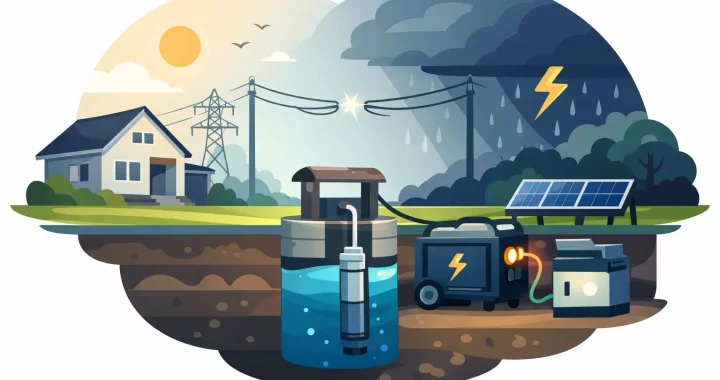
A power outage changes quickly when your home depends on a private well. Faucets may run briefly while the pressure tank still has water, but once that stored pressure is gone, the pump cannot refill it without electricity. Backup power for well pump systems is not just about keeping one appliance running. It is about protecting access to drinking water, toilets, handwashing, livestock water, and basic household routines when the grid is down.

The right setup depends on your pump voltage, horsepower, starting surge, and how long you need to operate between recharges. A portable power station can be a quiet, fuel-free answer for some well systems. For others, especially 240V pumps with high starting demands, a larger generator or professionally designed battery system may be the better fit. The key is sizing for the actual pump, not guessing from the size of the house or pressure tank.

Start With Your Well Pump’s Electrical Requirements

The pump label, control box, or installation paperwork should identify the information that matters most: voltage, horsepower, running amps, and sometimes starting amps. If the label is inaccessible, an electrician or well-pump technician can confirm the specifications before you buy equipment.

Many residential submersible well pumps run on 240V. Others, particularly smaller shallow-well or jet pumps, may run on 120V. This distinction is critical. Most portable power stations provide standard 120V household outlets only. Even if the station has plenty of watt-hours, it cannot operate a 240V pump unless it is specifically designed to provide the required 240V output through a compatible connection.

Horsepower alone does not tell the whole story. A 1/2 HP pump and a 1 HP pump can have very different electrical behavior depending on pump design, wire length, water depth, and the control equipment installed. The motor also needs a brief but substantial burst of power to start.

Running Watts Are Only Half the Equation

A pump may use 800 to 1,500 watts while running, yet require several times that amount for a fraction of a second at startup. This is called starting surge or inrush current. If an inverter cannot supply it, the power station may shut down on overload even though its continuous watt rating looks adequate on paper.

For a well pump, look for a pure sine wave inverter with a continuous output rating that exceeds the pump’s running demand and a surge rating that can handle motor startup. A practical planning range is often three to six times the running load, but the motor’s actual specifications should always take priority.

Soft-start equipment can reduce the surge demand of certain pump motors. That may make battery backup more realistic, but it is not a universal solution. Compatibility, installation, and local electrical requirements should be reviewed by a qualified professional.

Size Backup Power for a Well Pump by Both Watts and Watt-Hours

Watts determine whether the equipment can start and run the pump. Watt-hours determine how long the battery can support it. Both numbers matter.

A pressure tank makes well-pump backup more manageable because the pump does not need to run continuously. It cycles on only when tank pressure drops. A properly sized pressure tank may provide several gallons of usable water before the pump starts again, allowing a battery system to run the pump in short intervals rather than for hours without stopping.

For example, if a 120V well pump draws 1,000 watts and runs for a total of 20 minutes over several hours, it uses roughly 333 watt-hours of energy before accounting for inverter losses. A 2,000Wh battery power station may provide multiple pump cycles, but real runtime varies with pump efficiency, startup surge, battery temperature, other connected loads, and the station’s usable capacity.

Do not size the system to the pump alone if you plan to power other essentials. A refrigerator, lights, modem, medical device, phone chargers, sump pump, or freezer can quickly change the battery calculation. Decide whether the goal is water only or a broader home-outage plan, then reserve enough capacity for the loads that matter most.

Portable Power Station or Generator?

For a compatible 120V well pump, a high-capacity portable power station offers clear advantages. It runs quietly, produces no exhaust, can be used indoors in a dry, ventilated location, and requires no gasoline storage. Lithium iron phosphate battery systems are especially well suited to preparedness because they are designed for long cycle life and can be kept charged for outage readiness.

Portable power also works well when outages are short or when solar charging is available. A solar panel array can replenish the battery during daylight, extending water access without a fuel run. Solar production changes with weather, season, panel placement, and shade, so it should be treated as a recharge source rather than a guarantee during a major storm.

A fuel generator may be more practical for a larger 240V pump, a high-horsepower motor, or extended outages with heavy household loads. The trade-offs are noise, maintenance, fuel storage, carbon monoxide risk, and the need to operate it outdoors well away from doors, windows, and vents.

For many households, the strongest plan is layered: stored water for the first hours, a battery system for quiet essential loads, and a properly sized generator or 240V-capable backup system for longer outages and larger pump demands.

Connect the System Safely

Never plug a power station or generator into a wall outlet to energize household circuits. This dangerous practice, known as backfeeding, can damage equipment, create a fire risk, and endanger utility workers.

If you want backup power to operate a hardwired well pump through your home’s electrical system, use a properly installed transfer switch, interlock, or dedicated inlet designed for the application. A licensed electrician can verify conductor sizes, breaker requirements, neutral bonding, grounding, and whether the selected power source is appropriate for the pump circuit.

Some homeowners can power a plug-in 120V jet pump directly from a portable power station. Even then, keep the station dry, use appropriately rated cords, avoid undersized extension cords, and protect connections from rain and standing water. For a submersible pump connected through a control box or pressure switch, the installation is usually more involved and deserves professional guidance.

Build Water Resilience Before the Storm

Backup electricity is only one part of the plan. Store drinking water before severe weather arrives, and keep enough non-potable water for flushing and basic cleaning when possible. A simple water reserve reduces pressure on the backup system and gives you time to troubleshoot if the pump does not start as expected.

Test your setup before an emergency. Confirm that the power station is fully charged, the inverter can handle startup, the correct outlets and cords are available, and everyone in the household knows how to use the system safely. A test run also reveals whether the pump cycles normally and how much battery capacity it uses in real conditions.

Check battery charge levels monthly, especially during storm season. If you use solar panels, practice setting them up and identify a sunny location before you need them. If your system supports expansion batteries, consider whether added capacity would cover a full day of water use instead of only a few pump cycles.

When a Battery System Makes the Most Sense

Battery backup is often a strong choice for homes with a smaller 120V pump, moderate water demand, and a need for quiet operation. It is also useful for cabins, RV properties, remote structures, and households that want to avoid running a generator late at night for a short pump cycle.

For large 240V well pumps, long-duration outages, or whole-home ambitions, the solution may require more than a standard portable station. That does not make portable power less valuable. It can still keep communications, refrigeration, lighting, and other essentials operating while a larger pump-capable system handles the well.

The most dependable backup power for well pump planning starts with accurate pump data and a realistic picture of your household’s water needs. Prepare before the outage, test before the storm, and choose equipment built to deliver stable power when the grid cannot.

Portable Solar Panel Review for Reliable Power

Portable Solar Panel Review for Reliable Power

A portable solar panel can turn a power station from a limited battery into a practical backup system that recharges while the grid is down. This portable solar panel review focuses on what matters when you need dependable power for an outage, an RV trip, a remote jobsite, or a weekend away from hookups: real output, setup speed, durability, and the right match for your battery capacity.

The best panel is not automatically the one with the biggest wattage printed on the box. A large panel can collect more energy, but it also takes more space, weighs more, and may be less practical to move into direct sunlight several times a day. The right choice depends on what you need to keep running and how quickly you need your portable power station ready again.

Portable Solar Panel Review: What to Evaluate First

Start with rated wattage. This is the maximum power a panel can produce under controlled test conditions with ideal sunlight, panel temperature, and angle. A 200W portable solar panel is capable of collecting more energy than a 100W panel, but actual results outdoors are often lower. Cloud cover, haze, tree shade, dirty surfaces, panel angle, cable loss, and high heat all reduce production.

For planning purposes, treat rated wattage as the ceiling, not a promise. A quality 200W folding panel in good, direct sun may produce useful charging power for much of the day, but the output will rise and fall with weather and the sun’s position. That is normal. A reliable solar setup is built with enough capacity to account for those changing conditions.

The next number is your power station’s battery capacity, measured in watt-hours, or Wh. A 1,000Wh power station stores roughly one kilowatt-hour of energy. If your panel averages 150W of usable solar input, restoring that battery from low charge may take most of a sunny day. If you are powering devices while charging, the recharge time extends because incoming solar energy is serving both the active load and the battery.

This is why panel and battery sizing should be considered together. A small panel attached to a large expandable power station may be useful for maintaining phones, lights, and small electronics, but it may not restore enough energy for serious outage use. Conversely, an oversized panel array can be unnecessary if you only need to recharge a compact station for camping.

The Solar Panel Size That Fits the Job

For light-duty use, a 60W to 100W portable panel can be a practical choice. It is easier to carry, easier to position, and well suited to topping up a small power station used for phones, tablets, lights, cameras, fans, and laptops. It is also a sensible second panel for travel when cargo space is limited.

A 120W to 200W panel is often the stronger all-around option for campers, RV users, and households preparing for short outages. This range can provide meaningful daytime charging for medium-capacity power stations, especially when paired with efficient devices and a realistic power plan. It gives you more room to run communication equipment, a refrigerator intermittently, a CPAP machine, lighting, or work equipment without relying entirely on stored battery power.

Panels rated at 300W or more are built for users who need faster solar recovery or who operate larger power stations. They make sense for extended outages, off-grid work, or RV setups with higher daily energy use. The trade-off is simple: more solar collection usually means a larger folded package, more weight, and more care needed when placing the panel in windy conditions.

Before choosing a size, check the maximum solar input of your power station. Its solar charging limit may be lower than the panel’s rated output. Also check the permitted input voltage and connector type. A panel that physically connects is not necessarily a panel that operates within the station’s safe charging range.

Real-World Charging Conditions Matter More Than Marketing Photos

Portable panels perform best in full, direct sunlight with the panel facing the sun as closely as practical. Laying a foldable panel flat on the ground is quick, but an adjustable kickstand can improve output by allowing a better angle. Repositioning the panel every few hours may seem minor, yet it can make a noticeable difference over a full day of charging.

Shade is especially disruptive. Even partial shade from a branch, vehicle, antenna, or lawn chair can reduce output sharply. Set the panel in a clear area and keep the surface free of leaves, dust, snow, and standing water. Do not assume a bright day equals strong solar charging. Overcast conditions still produce energy, but often at a much lower rate than direct sun.

Heat is another factor. Panels need sunlight, but extreme surface temperatures can reduce efficiency. This is not a reason to avoid sunny locations. It is a reason to expect variable output and avoid making emergency plans that depend on perfect production every hour.

A good portable solar system gives you options. Store enough battery energy to carry overnight loads, then use solar to replenish during daylight. For critical needs such as medical devices, refrigerated medication, communications, or essential lighting, keep a larger energy reserve than your daily estimate suggests. Solar extends runtime, but weather can change without notice.

Portability Is More Than Folded Dimensions

A portable solar panel should be easy to deploy when conditions are not ideal. During an outage, that means you can carry it outside, unfold it, connect it correctly, and move it as the sun changes. On a campsite, it means the panel fits your vehicle, does not monopolize your usable space, and can be secured from wind.

Look closely at panel weight, folded size, handle placement, kickstand design, cable length, and connector storage. A panel that is technically portable but awkward for one person to carry may sit unused. Lighter panels are easier to reposition, while heavier high-wattage models may be worth the effort when charging speed is the priority.

Durability also matters. Portable panels live a harder life than roof-mounted systems. They are packed, unpacked, set on uneven ground, exposed to dust, and occasionally caught in changing weather. Weather-resistant materials, reinforced corners, stable kickstands, protected ports, and a sturdy carrying design are practical features, not cosmetic upgrades.

That said, weather resistance does not mean a panel should be left outside indefinitely. Bring it in during severe weather, secure it before wind picks up, and keep connectors dry and clean. Careful storage will protect both the panel and the charging cable when you need them most.

Build a System, Not Just a Solar Purchase

A solar panel is only one part of dependable portable power. The power station determines how much energy you can store, what appliances you can run, and how many devices you can connect at once. Pure sine wave AC output, battery chemistry, surge capability, charging speed, and expansion options all influence whether a system can support your actual needs.

For example, a family may use solar to keep a power station charged for phones, Wi-Fi equipment, lights, fans, and a refrigerator during a weather-related outage. An RV traveler may prioritize a panel that can recharge the station between driving days. A contractor may need enough solar input to support tool batteries and mobile devices without running a loud gas generator. Each use case calls for a different balance of panel size, stored capacity, and portability.

This is also where compatible accessories matter. Verify whether your power station supports parallel solar connections, what adapter is required, and whether its built-in charge controller accepts the panel voltage. Using manufacturer-approved or properly specified cables helps prevent setup problems and protects your equipment.

At Thundervolt Power, the practical goal is simple: choose a portable power system that provides useful energy under the conditions you are likely to face, not just ideal conditions on a clear day.

A Better Way to Choose

Estimate your daily energy use before selecting a panel. Add up the wattage of the devices you expect to run and multiply each by the number of hours you expect to use it. This gives a working estimate in watt-hours. Then consider how many days you may need power, how much battery capacity you have, and whether clear sunlight is likely where you will use the system.

If you need dependable backup rather than occasional convenience, favor extra capacity. A larger panel or a second compatible panel can help restore energy faster when sunlight is available. More battery capacity gives you a larger margin overnight and during poor weather. The right answer is rarely the smallest system that works on paper. It is the system that still supports your priorities when the forecast, location, and schedule are less than perfect.

Set up and test your panel before the emergency. Learn how it connects, observe its output in your yard or campsite, and practice placing it in direct sun. When the power goes out or the road takes you beyond the nearest outlet, that preparation turns solar from a promising feature into power you can count on.

What Appliances Need Pure Sine Wave Power?

What Appliances Need Pure Sine Wave Power?

A power outage is the wrong time to find out that a device hums, overheats, or refuses to start on backup power. Understanding what appliances need pure sine wave power helps you choose a portable power station that protects the equipment your household, RV, or jobsite actually depends on.

Pure sine wave electricity closely matches the smooth AC power supplied by a standard wall outlet. It gives sensitive electronics, variable-speed motors, and modern control boards the stable waveform they were designed to use. Modified sine wave power is less smooth and can run some basic loads, but it may create extra heat, noise, poor performance, or error codes in certain equipment.

What Appliances Need Pure Sine Wave Power?

The short answer is that most modern electronics and many motor-driven appliances perform best with pure sine wave power. Some devices may operate on modified sine wave output, but pure sine wave removes the guesswork and provides cleaner power for equipment you cannot afford to damage or lose during an outage.

Devices that are especially likely to need, prefer, or benefit from pure sine wave power include:

  • CPAP and BiPAP machines, oxygen concentrators, and other approved medical equipment
  • Laptops, desktop computers, monitors, routers, modems, and network storage devices
  • TVs, game consoles, audio equipment, cameras, and battery chargers
  • Refrigerators, freezers, window air conditioners, fans, and dehumidifiers
  • Microwaves, coffee makers, blenders, and other appliances with electronic controls
  • Power tools, chargers, pumps, and appliances with variable-speed or brushless motors
  • Furnace blowers, pellet stoves, garage door openers, and modern home systems with control boards

That list does not mean every item will fail on modified sine wave power. A basic incandescent lamp or simple resistive heater generally does not care much about waveform quality. The practical question is not only whether an appliance turns on. It is whether it runs efficiently, quietly, and reliably for the duration of the backup event.

Why a Smooth Waveform Makes a Difference

Household AC power alternates direction in a smooth, repeating wave. Pure sine wave inverters reproduce that shape closely. This matters because many appliances use electronic circuits to regulate voltage, manage battery charging, control speed, or communicate with sensors.

Modified sine wave inverters produce a stepped approximation of AC power. That lower-cost approach can work for uncomplicated loads, but the sharp transitions can make transformers buzz, motors run warmer, and electronics behave unpredictably. A device may also draw more power than expected, reducing useful runtime from your battery.

For preparedness, clean output is as valuable as high battery capacity. A large battery cannot solve a compatibility problem caused by an inverter waveform. When your backup plan includes a refrigerator, CPAP machine, laptop, or furnace blower, pure sine wave output is the practical baseline.

Electronics and chargers

Most current electronics use switching power supplies that convert AC power into the DC power used inside the device. Many are designed to tolerate a range of input conditions, but they still operate more cleanly on pure sine wave power. Laptop adapters, USB charging bricks, television power supplies, and professional camera chargers are common examples.

With modified sine wave power, you may hear a charger buzz or notice that it runs unusually warm. In some cases it will work normally. In others, it may charge slowly, cycle on and off, or fail to operate. For expensive electronics and communication gear, there is little reason to accept that uncertainty.

Appliances with motors and compressors

Motors are one of the biggest reasons to choose pure sine wave power. Refrigerators, freezers, fans, pumps, air conditioners, and many power tools use motors that need a strong surge of power to start. Compressor-based appliances are especially demanding because their startup wattage can be several times higher than their running wattage.

Pure sine wave output helps these motors start and run with less noise and heat. It does not eliminate the need for adequate inverter capacity or battery storage, however. A 150-watt refrigerator may briefly need 800 watts or more when its compressor starts. A window air conditioner can require an even larger surge.

Before relying on a power station, check both the appliance’s running watts and starting watts. If the label lists amps instead of watts, multiply volts by amps for an estimate. In the US, most standard household devices use approximately 120 volts. A 5-amp appliance therefore uses roughly 600 watts while running, though motor startup can still be much higher.

Medical and comfort equipment

For many families, the question is not convenience. It is continuity of care. CPAP and BiPAP machines commonly recommend pure sine wave power because their motors and electronic controls are designed around utility-grade AC. A pure sine wave portable power station can support overnight use when sized correctly, but runtime depends on pressure settings, humidifier use, heated tubing, and the machine’s actual draw.

Always check the manufacturer’s power requirements and follow its guidance for medical devices. If an appliance is critical to health or safety, test your setup before an emergency and maintain an appropriate backup plan. Do not assume that a power station, extension cord, or adapter is suitable without confirming the equipment specifications.

Appliances That Usually Do Not Require Pure Sine Wave

Simple resistive loads are generally less sensitive to waveform quality. These include traditional incandescent bulbs, basic electric heaters, toasters, hot plates, and some simple coffee makers. They turn electrical energy into heat or light without relying heavily on electronic controls or motors.

Even so, “can run” is different from “should be part of your backup plan.” Heating appliances consume a great deal of energy and can drain a portable power station quickly. A 1,500-watt space heater may be compatible with a large inverter, yet it can use 1,500 watt-hours of battery capacity in about an hour before accounting for conversion losses. That is rarely the best use of limited emergency power.

Choose backup loads by priority. Keep food cold, maintain communication, run lights, charge tools, and support necessary medical or comfort equipment first. High-draw heat appliances are better reserved for systems with enough battery capacity and recharge capability to support them safely.

Pure Sine Wave Is Only One Part of the Sizing Decision

A pure sine wave inverter is essential for clean power, but it is not the whole specification. The right power station must also supply enough continuous watts, surge watts, battery capacity, and usable outlets for your plan.

Start by listing the appliances you expect to run at the same time. Add their running wattage, then compare that total with the station’s continuous AC output. Next, identify the highest startup surge from a refrigerator, pump, air conditioner, or power tool. The inverter must handle that surge without shutting down.

Battery capacity is measured in watt-hours. A 1,000Wh power station could theoretically run a 100-watt load for about 10 hours, but real-world runtime is lower due to inverter losses, changing appliance cycles, and environmental conditions. Refrigerators cycle on and off, while a CPAP machine may draw differently with humidity or heated tubing enabled.

For longer outages, consider recharge speed and expansion options. Solar panels can restore energy during daylight, while vehicle charging and AC charging provide additional flexibility. Expandable battery systems are especially useful for households that need to cover overnight essentials and recharge the next day.

A practical outage example

A compact outage setup might power a refrigerator, Wi-Fi router, several LED lights, and phone chargers. All of these benefit from clean pure sine wave output, but the refrigerator’s startup surge determines the minimum inverter size. The total battery capacity determines how long the system can keep those essentials running.

An RV setup may add a coffee maker, induction cooktop, TV, vent fan, or portable air conditioner. A jobsite may add battery chargers, laptops, radios, and corded tools. The loads change, but the planning method stays the same: verify waveform compatibility, calculate running demand, account for startup surge, then match battery capacity to the time you need.

When Pure Sine Wave Is the Safer Default

If you are buying a portable power station for emergencies, travel, or off-grid use, pure sine wave is the safer default even when your first use is only charging phones. Your needs tend to grow when conditions change. A station that can safely support electronics, appliances with motors, and sensitive control boards gives you more options when grid power is not stable.

Thundervolt Power focuses on portable energy systems built for that reality: quiet, fuel-free backup power that can move from a home outage to an RV campsite or remote work location without changing how you protect your essential equipment.

Before the next storm or trip, test the appliances that matter most with your planned power station. A few minutes of real-world testing can confirm startup behavior, runtime, and outlet needs while power is still available – not when you need your backup system most.

Battery Expansion Systems That Grow With You

Battery Expansion Systems That Grow With You

A power station that runs a refrigerator for six hours may be enough for a brief outage. It is not enough when a storm delays repairs, an RV trip stretches past a weekend, or critical devices need support through the night. Battery expansion systems address that gap by letting you add stored energy to a compatible portable power station instead of replacing the entire setup.

For households, travelers, and mobile workers, that flexibility matters. You can begin with a practical power station for daily use, then add capacity as your backup needs, appliances, or time away from the grid increase. The right system delivers quiet, fuel-free power without forcing you to pay upfront for capacity you may not need yet.

What Battery Expansion Systems Actually Do

An expansion battery is an external battery pack designed to work with a specific compatible power station. It increases the system’s watt-hour capacity, which is the amount of energy available to run devices over time. The power station still supplies the AC outlets, USB ports, inverter, display, and charging controls. The expansion battery supplies more energy for those functions to draw from.

That distinction prevents a common buying mistake. More battery capacity does not automatically mean more appliance power. If a power station has a 2,000-watt AC inverter, adding an expansion battery may let it run a 1,500-watt microwave or refrigerator longer, but it does not turn it into a 4,000-watt inverter. Output wattage and battery capacity solve different problems.

Think of wattage as the size of the load your system can handle at one time. Think of watt-hours as how long it can handle that load. A homeowner facing overnight outages may need both: enough inverter output to start a refrigerator or window air conditioner, plus enough expanded capacity to keep essential loads operating for many hours.

Why Expandable Power Makes Sense

Backup planning is rarely fixed. A family may first want power for phones, lights, a modem, and a CPAP machine. Later, they may decide to support a refrigerator, a sump pump, or a workspace during extended outages. An RV owner may start with weekend trips and eventually spend weeks traveling off-grid.

Expandable systems make that progression more manageable. Rather than buying the largest system immediately, you can match the initial purchase to your current needs and reserve room for future capacity. This is especially useful when storage space, budget, and power needs are all changing at the same time.

There is also a practical reliability benefit. Lithium-based portable power is quiet and produces no exhaust at the point of use, making it suitable for indoor backup applications when operated according to the manufacturer’s instructions. You avoid gasoline storage, engine maintenance, and the noise associated with conventional generators. For many outage scenarios, that means power can stay close to where it is needed: in the kitchen, bedroom, home office, RV, or enclosed jobsite area.

Size the System Around Your Real Loads

The best battery expansion system is not necessarily the largest one. It is the one that supports your priorities for the amount of time you need. Start by identifying the loads that matter when grid power is unavailable. For an emergency setup, that may include refrigeration, communication devices, lighting, medical equipment, and a fan. For travel, it may include a portable fridge, water pump, laptops, cameras, and a coffee maker.

Check each device’s running watts and, for motor-driven appliances, its startup or surge watts. Refrigerators, freezers, pumps, and air conditioners can draw significantly more power when they first start. Your power station must have enough continuous and surge output for those demands, even if you add several expansion batteries.

Next, estimate runtime with watt-hours. If your essential devices average 300 watts and you have 3,000Wh of usable stored energy, the simple estimate is about 10 hours. Actual runtime will be lower because inverters consume some energy and appliance loads cycle on and off. A refrigerator may not run continuously, while a space heater often does. Use estimates as a planning tool, not a guarantee.

A few questions usually clarify the right capacity:

  • Do you need overnight coverage or multi-day outage support?
  • Are you powering small electronics, high-draw appliances, or both?
  • Will solar panels be available to recharge during an outage or while traveling?
  • Do you need a system that is easy to move, or can the battery remain in a dedicated location?

The answers determine whether a single power station is sufficient or whether expansion capacity is the smarter long-term choice.

Compatibility Comes Before Capacity

Expansion batteries are not universal accessories. They generally use brand- and model-specific communication ports, cables, charging logic, and battery management systems. Before purchasing, confirm that the expansion battery is explicitly compatible with your exact power station model. Also verify how many batteries the unit supports and whether the system requires a specific connection order or firmware version.

This is where a complete system specification matters more than a single headline number. Review the base station’s AC output, total expandable capacity, solar input limits, AC charging speed, battery chemistry, and supported expansion modules. A large battery bank is less useful if the system cannot recharge quickly enough for your situation.

LiFePO4 battery chemistry is a strong consideration for preparedness-focused buyers because it is widely valued for long cycle life and thermal stability. Still, chemistry is only one part of the decision. The enclosure, operating temperature range, warranty coverage, port selection, and support for your intended loads all deserve equal attention.

Plan for Recharging, Not Just Runtime

Stored power is only as useful as your ability to replenish it. During a one-night outage, a fully charged expanded system may be all you need. During a longer event, recharging becomes part of the plan.

AC charging is usually the fastest option when grid power is available before or after an outage. Solar charging gives you more independence during camping, RV travel, or daylight outage conditions, but panel output changes with weather, shading, panel angle, and season. Do not assume a solar panel’s rated wattage will be available all day. Build in margin, especially if refrigeration or medical devices are part of your plan.

Vehicle charging can be helpful while traveling, though it is typically slower than AC or a properly sized solar array. Some users combine methods: charging the power station before departure, using solar during the day, and adding vehicle charging while driving. The right approach depends on where you will be and how quickly your battery bank must recover.

Use Expanded Capacity Wisely During an Outage

When the power goes out, battery capacity can disappear quickly if every appliance stays connected. Prioritize loads that protect health, food, communication, safety, and work. A refrigerator, modem, lights, phone chargers, CPAP machine, and laptop usually deliver more value than a high-wattage heater, electric range, or clothes dryer.

Pay attention to standby draw as well. Devices that appear off may still consume small amounts of power. Turn off unused AC outlets if your power station allows it, and avoid leaving unnecessary chargers, entertainment equipment, or countertop appliances connected. These small decisions can add meaningful runtime over a long night.

For high-demand appliances such as window air conditioners, confirm both the startup rating and the expected duty cycle. An expanded system can make air conditioning practical for a limited space or a limited time, but runtime varies sharply with outdoor temperature, insulation, thermostat settings, and the unit’s efficiency. It depends on the conditions, so test the setup before severe weather arrives.

Placement, Storage, and Readiness

Expansion batteries add weight. Plan where the system will live before you need it. A garage shelf may be convenient for storage but inconvenient during an outage if the power station must be carried up stairs. Many households keep their main station in an accessible interior location and store additional modules nearby, protected from moisture, extreme temperatures, and physical damage.

Keep cables organized with the system, and periodically check the battery level and connection points. If your setup supports app monitoring or an onboard display, review it before storm season and after long storage. Run a short test with the appliances you expect to use. That is the time to find an undersized cable, an unexpected surge demand, or a missing adapter – not after the lights go out.

Thundervolt Power customers often choose expandable configurations because readiness does not have to be all-or-nothing. A properly matched power station, expansion battery, and charging plan can support the essentials now and leave room for the needs that come next.

Start with the loads you cannot afford to lose, size for the hours that matter most, and choose a compatible system with a clear path to add capacity. Preparedness becomes much more practical when your power can grow with your life.

Portable Generator Alternative for Indoors

Portable Generator Alternative for Indoors

When the power goes out, a gas generator may seem like the obvious answer. But it cannot be used in a house, garage, basement, shed, or enclosed porch. Carbon monoxide can build up quickly and create a deadly emergency. A portable generator alternative for indoors is a battery power station: stored electricity that delivers quiet, fume-free backup power where your family actually needs it.

For homeowners, RV travelers, and anyone preparing for unstable weather, the question is not whether battery power can replace every generator. It cannot. The better question is what you need to keep running, for how long, and how quickly you need to recharge. A correctly sized portable power station can handle essential electronics, lighting, communication, refrigeration support, work equipment, and many medical devices without fuel storage, engine maintenance, or generator noise.

Why Gas Generators Do Not Belong Indoors

Conventional portable generators burn gasoline, propane, or diesel to make electricity. Their exhaust contains carbon monoxide, an odorless gas that can be fatal. Opening a window, placing the unit near a door, or running it in an attached garage does not make it safe. A generator must operate outside, well away from doors, windows, and vents.

That limitation matters during a storm, overnight outage, or winter emergency. You may need power inside for a CPAP machine, modem, phone charger, lamp, refrigerator, or laptop. Moving fuel, managing extension cords, and monitoring a running engine in bad weather can add stress when the priority should be keeping your household safe and comfortable.

Battery power stations create electricity from stored energy instead of combustion. They have no exhaust and no fuel tank, so they are suitable for indoor use when operated according to the manufacturer’s instructions. They also run quietly, which is valuable in apartments, campgrounds, shared homes, and any situation where generator noise would be disruptive.

The Best Indoor Alternative: A Portable Power Station

A portable power station combines a lithium battery, inverter, charging system, and multiple outlets in one portable unit. Plug in devices directly through AC outlets, USB ports, or 12V outputs. Recharge the station from a wall outlet, vehicle outlet, solar panels, or sometimes a compatible generator.

Most serious backup systems use a pure sine wave inverter. This produces power that is appropriate for sensitive electronics, including laptops, televisions, networking equipment, and modern appliances. For long-term preparedness, look for LiFePO4 battery chemistry. LiFePO4 batteries are known for long cycle life, stable performance, and a useful balance of capacity and safety for home backup applications.

A portable power station is not simply a large phone charger. Higher-capacity models can support a refrigerator, microwave, coffee maker, power tools, or a window air conditioner, depending on the unit’s output rating and the appliance’s startup demand. Some systems also accept expansion batteries, allowing you to begin with practical daily backup power and add more stored energy as your needs grow.

How to Choose a Portable Generator Alternative for Indoors

The right unit depends on watts, watt-hours, and the equipment you consider essential. These ratings answer different questions, and confusing them is one of the fastest ways to buy too little power.

Start With Running Watts and Surge Watts

Watts measure the amount of power a device needs at a given moment. A 60-watt lamp needs far less than a refrigerator compressor, microwave, or air conditioner. Check the label on each device or appliance and add the running watts for items you expect to use at the same time.

Then account for surge power. Motors in refrigerators, sump pumps, and air conditioners can draw a higher burst of electricity when starting. A power station may have enough continuous output for an appliance but still fail to start it if its surge rating is too low. This is why a 300-watt unit can be excellent for phones and laptops yet unsuitable for a refrigerator, even if the refrigerator’s average running draw appears modest.

For a basic outage kit with phones, lights, a router, and a laptop, lower output may be enough. For kitchen essentials, a full-size refrigerator, or a jobsite tool, step up to a unit with substantially higher AC output and adequate surge capacity.

Size the Battery by Watt-Hours

Watt-hours, shown as Wh, measure stored energy. Think of watts as speed and watt-hours as the size of the fuel tank, except the energy is stored in a battery.

A 1,000Wh power station could theoretically run a 100-watt load for 10 hours. Real-world runtime is lower because inverters use some power and appliance demand changes as compressors cycle on and off. A practical estimate is to use about 80 to 90 percent of the stated capacity for AC-powered devices.

If your priority is keeping a router, phones, lights, and a laptop available through an evening outage, a compact unit may be sufficient. If you need refrigeration support overnight or want to run multiple household essentials, 1,000Wh to 2,000Wh is often a more realistic starting range. Extended outages may call for expansion batteries, solar input, or a plan to recharge from a vehicle or outdoor generator.

Match the Charging Plan to the Emergency

Stored energy is only as useful as your ability to replenish it. Wall charging is ideal before a storm and for everyday readiness. Fast AC charging can bring a large unit back to usable capacity quickly when grid power returns or when you have access to a compatible outdoor power source.

Solar charging adds resilience during multi-day outages, camping, and off-grid travel. Output depends on panel size, weather, sun angle, and time of year, so treat solar as a recharge strategy rather than a guaranteed instant replacement for grid power. A portable solar panel can still make the difference between a battery that lasts one night and a system that supports essential devices for days.

Vehicle charging is another useful backup option, especially for travelers. It is typically slower than wall charging, but it can keep communication devices and smaller loads available while you are on the road.

What an Indoor Battery System Can and Cannot Replace

Battery power stations are especially effective for quiet, essential loads. They can keep phones charged, maintain internet equipment, power LED lights, run laptops, support a CPAP machine, and help preserve food by powering a refrigerator in intervals. They are also a practical choice for tailgates, remote work, RV use, and outdoor recreation where a fuel generator would be excessive.

The trade-off is runtime under heavy loads. Electric space heaters, electric dryers, central air conditioning, electric water heaters, and full-home electric ranges consume large amounts of power. A portable battery station can sometimes run a small window air conditioner or microwave, but not necessarily alongside other high-draw appliances for long. For whole-home loads or extended operation of major HVAC equipment, a permanently installed backup system or carefully managed outdoor generator setup may be more appropriate.

That does not make a battery system less valuable. It means planning around essentials. During an outage, use the refrigerator, communication gear, medical equipment, and lighting first. Avoid wasting stored energy on resistive heating appliances and nonessential loads. This approach turns a portable power station from a convenience device into a dependable part of an emergency plan.

Use It Safely and Get More From Every Charge

Even though battery power stations do not produce exhaust, they still need sensible operation. Keep vents clear, place the unit on a dry, stable surface, and protect it from direct rain or standing water. Use undamaged cables and avoid overloading the AC outlets. If you are powering a medical device, confirm the device’s electrical requirements and speak with the equipment provider about an appropriate backup plan.

Test your setup before storm season. Plug in the devices you expect to use, watch their actual power draw, and measure how long they run. This is far more reliable than guessing from appliance labels alone. Keep the station charged to the manufacturer’s recommended storage level, and recharge it after each use.

For households that need more than a compact unit can deliver, consider an expandable system from a specialist such as Thundervolt Power. Expansion capacity, fast charging, pure sine wave output, and solar compatibility are not luxury features when an outage stretches from hours into days.

Preparedness works best when it is specific. Choose the devices that matter most, calculate the power they need, and build an indoor battery setup around that real-world plan. When the grid is unstable, quiet stored power can keep the essentials within reach without bringing exhaust or fuel concerns into your home.