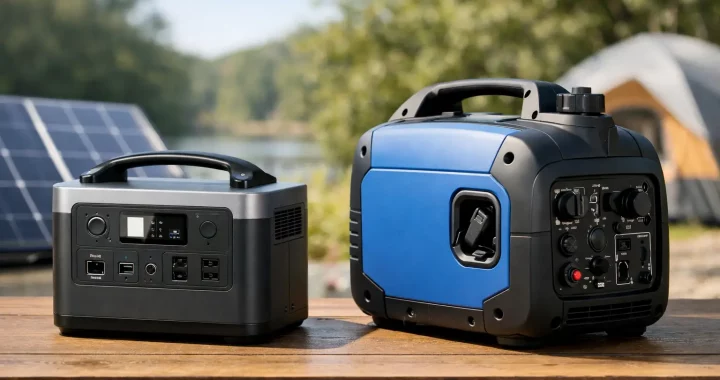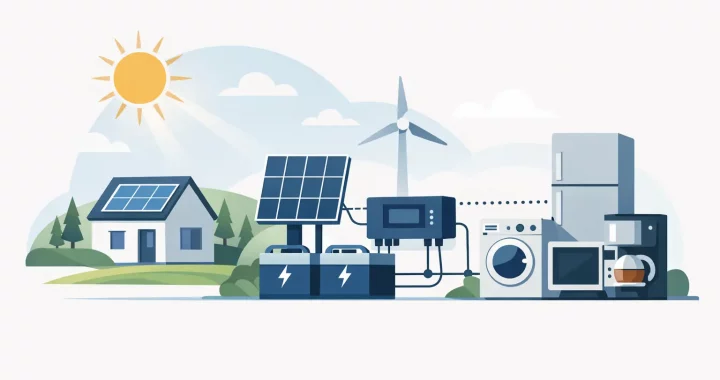
What Can a 2000 Watt Power Station Run?

What Can a 2000 Watt Power Station Run?

When the grid drops, the real question is not whether you have backup power. It is what can a 2000 watt power station run when you need it most. For many households, campers, RV owners, and jobsite users, 2000 watts is the range where portable power starts covering more than phones and lights. It can support serious everyday equipment – but only if you understand the limits.

A 2000 watt power station is often strong enough to run a refrigerator, microwave, coffee maker, TV, router, CPAP machine, power tools, and many other common devices. That said, the exact answer depends on three things: the running wattage of the device, the startup surge, and the battery capacity of the unit itself. Two power stations can both have 2000 watts of inverter output and still deliver very different runtimes.

What can a 2000 watt power station run in real life?

The easiest way to think about it is this: a 2000 watt power station tells you how much power can be delivered at one time, not how long it will last. If your appliance needs 1500 watts to operate, a properly designed 2000 watt unit can usually run it. If that same appliance runs for an hour, your battery needs enough stored energy to keep up.

In practical terms, a 2000 watt power station can usually handle low-draw essentials all at once, or one larger appliance plus a few smaller items. That makes it a strong fit for outage readiness, RV use, van travel, tailgating, and off-grid work where quiet power matters.

Devices it commonly runs well

Most 2000 watt models can easily support phones, tablets, laptops, Wi-Fi routers, modems, LED lights, fans, portable monitors, and camera gear. These are light loads, so the bigger concern is runtime rather than whether the unit can power them.

It is also a good match for TVs, gaming consoles, desktop computers, and many home office setups. If your goal during an outage is to keep communications, work, and lighting online, 2000 watts is usually more than enough.

Appliances it can often handle

A 2000 watt power station can often run a full-size refrigerator, a microwave, a coffee maker, an electric griddle, a blender, or a toaster – but not always all at the same time. A refrigerator may only draw 100 to 800 watts while running, but the compressor can spike higher at startup. A microwave may run around 1000 to 1500 watts. A coffee maker can sit in a similar range.

This is where quality matters. A unit with a pure sine wave inverter and strong surge capability is much better positioned to start compressor-based appliances and sensitive electronics safely.

Tools and outdoor equipment

For contractors, DIY users, and mobile crews, 2000 watts is often enough for many saws, drills, battery chargers, work lights, and smaller air compressors. It can also run some electric coolers, pellet grills, and portable cooking gear at campsites or tailgates.

Still, motor-driven tools can be tricky. A circular saw may have acceptable running wattage but pull much more at startup. The same applies to certain pumps and compressors. On paper, the tool may look compatible. In practice, the surge can trip the inverter if the power station is undersized.

What a 2000 watt power station usually cannot run

There are some loads that sit outside the comfortable range for most 2000 watt units. Central air conditioning systems, electric dryers, electric water heaters, full-size space heaters on high, and electric ovens are generally too demanding. These appliances either need too much continuous power, too much startup surge, or both.

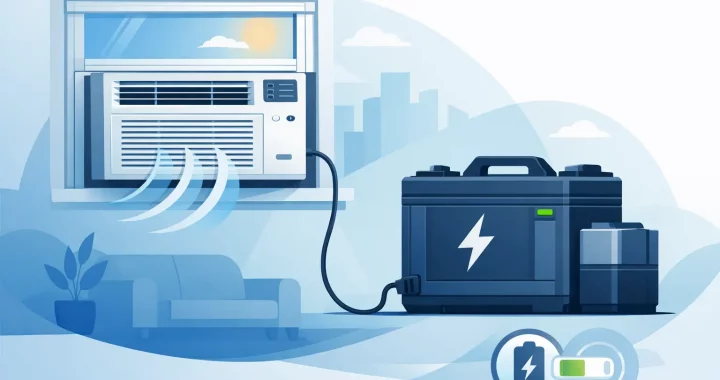
Window air conditioners and portable AC units fall into the maybe category. Some smaller and more efficient models work fine. Others do not. If the label says 700 to 1200 running watts, that sounds manageable, but startup demand can still be the deciding factor.

If your backup plan depends on cooling, refrigeration, or medical support, it is worth checking exact appliance specs instead of guessing.

Why battery capacity changes the answer

This is the part many buyers miss. If you are asking what can a 2000 watt power station run, wattage is only half the story. Battery capacity, measured in watt-hours, tells you how long it can run those devices.

For example, a 2000 watt power station with a 2048Wh battery can theoretically run a 100 watt device for about 20 hours, though real-world runtime will be lower because of inverter losses and usage patterns. That same unit might run a 1000 watt appliance for about 2 hours, again depending on efficiency.

A refrigerator is a good example of why this gets more nuanced. It does not pull full power nonstop. It cycles on and off. So a 2000Wh-class battery may keep a fridge going for several hours, or potentially much longer depending on ambient temperature, how often the door opens, and the fridge size. A microwave is the opposite. It draws heavy power, but usually only for short bursts.

Output capacity vs runtime

Think of output as the ceiling and battery capacity as the fuel tank. You need both. A power station may be strong enough to run your appliance, but if the battery is too small, the runtime may not meet your needs. That matters more during overnight outages, road travel, or remote work where recharging is limited.

This is also why expandable systems are gaining traction. They give you the inverter strength to run larger loads and the option to add battery capacity for longer coverage.

Common use cases for a 2000 watt power station

For home backup, this size is often the practical middle ground. It can keep a refrigerator cold, charge phones, run lights, support internet equipment, and power a TV or laptop setup. That covers the basics for many families without the noise and fuel storage requirements of a gas generator.

For RVs and overlanding, 2000 watts is a useful step up because it supports more than convenience charging. You can run induction cooktops, coffee makers, fans, portable fridges, and many onboard electronics. If your setup includes solar input, you can extend runtime substantially during multi-day trips.

For emergency preparedness, this range is especially attractive because it supports critical devices without much setup. CPAP machines, communication equipment, rechargeable medical devices, and lighting loads are well within reach. If resilience is the goal, a 2000 watt power station gives you meaningful capability instead of bare minimum backup.

How to tell if your device will work

The most reliable approach is to check the appliance label or manual for running watts or amps. If amps are listed, multiply amps by volts to estimate watts. In most US household applications, that means amps x 120V.

Then compare that number to the power station’s continuous output rating. After that, look at surge capacity if the device uses a motor or compressor. Finally, estimate runtime by comparing the battery’s watt-hour rating to your device’s power draw.

Leave yourself some margin. Running a power station right at its maximum output is rarely ideal, especially for devices with unpredictable startup loads.

A quick reality check on multiple devices

Yes, a 2000 watt power station can run several devices at once. But the combined draw matters. A refrigerator at 600 watts, a microwave at 1200 watts, and a coffee maker at 1000 watts might all work individually, but not together. The total load would exceed the inverter limit.

That is why smart load management matters during outages. Run the microwave, then let the fridge cycle. Brew coffee, then switch to charging devices and lights. Portable backup power works best when you treat wattage like a budget.

Is 2000 watts enough for your needs?

For a lot of people, yes. It is enough to move from basic charging to real backup power. You can support kitchen essentials in short bursts, keep key household systems online, and cover travel or outdoor power needs with far more flexibility than a smaller unit.

But if your priority is heavy heating, whole-home cooling, or multiple high-draw appliances at once, 2000 watts may feel limiting. In that case, you may need a higher-output model, added battery expansion, or a more deliberate plan for rotating loads. Thundervolt Power focuses on exactly this kind of practical fit – matching output, battery size, and charging options to how people actually use backup power.

The best power station is not the one with the biggest number. It is the one that keeps the right devices running when conditions are not stable and time matters most.

How to Choose a Backup Battery Generator

How to Choose a Backup Battery Generator

Power usually fails at the worst possible moment – during a storm, in the middle of the night, or right when you need to keep a fridge cold, a CPAP running, or a phone charged. That is why more households and mobile users are looking at a backup battery generator instead of relying only on gas. The appeal is simple: quiet operation, instant power, no fuel storage, and a much easier setup when time matters.

A backup battery generator is not the same thing as a traditional generator, even though people often use the terms interchangeably. In most cases, it refers to a portable power station or battery-based power system that stores electricity and delivers AC and DC output when the grid goes down or when you are away from an outlet. Some systems can also recharge from solar panels, wall power, or a vehicle, which makes them useful for both emergency backup and everyday portable power.

What a backup battery generator actually does

At its core, a battery backup system stores energy in lithium battery cells and sends that energy through an inverter so you can power common devices and appliances. Better systems use pure sine wave inverters, which provide stable output for sensitive electronics like laptops, routers, monitors, and medical devices.

The practical advantage is speed and simplicity. You do not need to pull-start an engine, keep gasoline on hand, or deal with fumes in a garage. When the power goes out, you press a button and start powering what matters. For apartment residents, homeowners, RV users, and anyone who needs indoor-safe backup power, that difference is significant.

Still, battery systems have limits. Runtime depends on battery capacity, and output depends on inverter size. A compact unit can keep small electronics running for hours, but it will not handle a full house. A larger high-capacity system may support refrigerators, freezers, power tools, and even some air conditioning loads, but only if the wattage and surge ratings line up with what those devices actually need.

Backup battery generator vs gas generator

The right choice depends on how you plan to use it.

If your priority is quiet, indoor-safe power with minimal maintenance, a backup battery generator is usually the better fit. It is especially practical for overnight outages, suburban neighborhoods, campsites, tailgates, RV travel, and any setting where noise and fumes are a problem. It also makes sense for people who want power ready at a moment’s notice without worrying about stale fuel or engine upkeep.

A gas generator still has an edge in long-duration, high-draw situations if you have enough fuel and a safe place to run it outdoors. That matters for extended outages where you need to keep larger loads running continuously. But fuel availability, noise, emissions, and maintenance are real trade-offs. Many buyers now prefer battery systems because they cover the most common outage needs with far less hassle.

For some households, the smartest answer is not either-or. It is matching the system to the risk. A battery unit can handle immediate essentials cleanly and quietly, while a larger fuel-based setup may serve as a secondary option for major outages.

How to size a backup battery generator

This is where many people either overspend or buy too small.

Start with what you need to power, not the biggest number on the product page. A phone, modem, lights, and laptop require very little compared with a refrigerator, microwave, sump pump, or portable AC. You need to check two numbers: running watts and starting watts. Running watts are what a device uses during normal operation. Starting watts matter for anything with a motor or compressor, because the initial surge can be much higher.

Battery capacity is measured in watt-hours. This tells you how long the system can run your devices. Inverter output is measured in watts. This tells you how much it can power at one time. Both matter.

For light essentials during an outage, a smaller unit may be enough to cover phones, routers, LED lights, a TV, and laptop charging. For more serious backup, especially if you want to support a refrigerator or multiple appliances, you will need more battery capacity and a stronger inverter. If your goal is to run high-demand equipment or maintain comfort during a longer outage, expandable battery capacity becomes much more valuable.

A simple way to think about it is this: output handles the moment, capacity handles the duration. If either one is too small, the setup falls short.

Features that matter more than marketing

Not every portable power system is built for real backup use. Some are designed mainly for charging electronics on the go. Others are much better suited for emergencies, job sites, or off-grid setups.

Battery chemistry is one of the first things to check. LiFePO4 batteries are popular for good reason. They offer long cycle life, better thermal stability, and dependable performance for repeat use. If you plan to use your system often, not just store it for emergencies, this matters.

Recharging speed also deserves attention. A unit that takes all day to recharge may be frustrating during repeated outages. Fast AC charging helps you get back to full capacity quickly, and solar charging support adds another layer of resilience when the grid stays down.

Output options should match your real devices. AC outlets matter for appliances and household electronics, but DC ports, USB-A, USB-C, and even RV-ready outputs may be equally important depending on how you travel or work. If you plan to keep a system in an RV or use it for mobile work, flexibility matters.

Expandability is another major factor. A fixed-capacity unit can be perfect for short outages or weekend trips. But if you want a system that can grow with your needs, expansion batteries give you a more practical path than replacing the whole unit later.

Best use cases for a backup battery generator

For home backup, these systems are often used to keep essentials online and preserve food. That usually means the fridge, freezer, internet, phones, lights, and a few medical or comfort devices. For many families, that is enough to turn a stressful outage into a manageable inconvenience.

For RV travel and camping, battery generators solve a different problem. You get quiet power without campground noise complaints or generator restrictions. You can charge devices, run small appliances, and pair the system with solar panels for longer stays off-grid.

For job sites and mobile work, battery-based systems are useful when you need clean, dependable power without hauling fuel. Contractors, event crews, and remote workers often value the portability and simplicity more than raw maximum output.

For emergency preparedness, they are one of the easiest backup tools to own because they do not require the same maintenance routine as a gas generator. Keep the unit charged, test it periodically, and store it where you can reach it fast.

Common mistakes buyers make

The biggest mistake is shopping by battery size alone. A large battery does not help if the inverter cannot start your appliance. The second mistake is focusing only on wattage and ignoring runtime. A unit may technically run a device, but only for a short period.

Another issue is assuming solar charging will solve every outage scenario. Solar can be a major advantage, but recharge speed depends on panel size, sun conditions, season, and weather. It works best when the system and panels are matched properly.

Some buyers also underestimate how their needs change over time. What starts as storm backup for phones and lights often grows into a need for refrigeration, workspace power, or off-grid flexibility. That is where a well-built, expandable system often proves its value.

What to look for before you buy

A good buying decision comes down to a few practical questions. What must stay on when the power goes out? How long do you need it to run? Will you use the system only for emergencies, or also for travel, outdoor use, and everyday convenience? Do you want something compact and portable, or something larger that can serve as a serious household backup asset?

If you answer those questions honestly, the field narrows quickly. You can then compare units based on usable capacity, inverter strength, recharge speed, battery chemistry, number of outputs, and whether expansion is available. That is a much better approach than buying the cheapest option or chasing a single oversized spec.

For buyers who want clean, quiet, practical backup power, a well-matched battery system is often the most useful solution. The best one is not the biggest unit on the market. It is the one that keeps your critical devices running, fits how you actually live, and is ready before the next outage tests it.

How Many Watts Does CPAP Use?

How Many Watts Does CPAP Use?

When the power goes out, CPAP users usually ask the same question fast: how many watts does CPAP use, and will my backup power run it all night? That question matters more than most appliance estimates because this is not about convenience. It is about dependable overnight therapy, whether you are at home during an outage, traveling in an RV, or sleeping off-grid.

The short answer is that most CPAP machines use about 30 to 60 watts during normal operation, but that number can climb to 70 to 100 watts or more when a heated humidifier and heated hose are turned on. The exact draw depends on your machine, pressure settings, comfort features, and whether you are using AC power through a wall adapter or DC power from a battery system.

How many watts does CPAP use in real life?

Nameplate ratings can be misleading. Many CPAP power bricks show a higher maximum wattage than the machine actually uses while you sleep. For example, a power supply might be rated for 90 watts, but the machine may only draw 35 to 50 watts most of the night without heat.

That difference matters when you are planning backup power. A CPAP does not always run at one fixed wattage. It ramps up and down as pressure changes, and accessories can dramatically increase demand. If you want a practical estimate, think in ranges rather than one exact number.

A basic CPAP without heated humidification often lands around 30 to 40 watts. An APAP or BiPAP can vary more depending on pressure delivery, but many still stay in a manageable range if heating features are off. Turn on the humidifier and heated tube, and power use can jump significantly. That is why two people using similar machines can get very different runtimes from the same battery.

Why CPAP wattage changes so much

The blower motor itself is usually not the biggest power draw. The comfort features are. Heated humidifiers warm water throughout the night, and heated hoses help reduce condensation. Both are useful, especially in dry climates or colder environments, but they consume far more electricity than the airflow system alone.

Pressure settings also play a role. Higher pressures can increase draw, though usually not as dramatically as the humidifier. Mask leaks may make the unit work harder, and altitude compensation can affect performance in some cases. Even your method of powering the machine matters. Running a CPAP from a portable power station through the standard AC adapter can waste some energy in conversion. Using a compatible DC setup is often more efficient.

That is the trade-off. Comfort settings improve therapy for many users, but they reduce runtime. If backup duration is the priority, lowering or disabling heat features can make a major difference.

CPAP watts vs watt-hours

If you are shopping for backup power, watts tell you how much power the machine needs at a given moment. Watt-hours tell you how much stored energy you need to keep it running over time.

This is where many people get tripped up. A CPAP using 40 watts for 8 hours needs roughly 320 watt-hours of energy. If the same machine averages 80 watts with heated features on, 8 hours becomes roughly 640 watt-hours. Real-world battery planning should also account for inverter losses, adapter losses, and a little reserve instead of draining a system to the edge.

So if your goal is one full night, a small power station may be enough for a low-draw setup. If your machine runs with humidity and heat, or if you want two nights of backup, you will need much more battery capacity.

Typical overnight CPAP energy use

For preparedness, it helps to think in overnight ranges instead of only device wattage.

A CPAP with humidifier and heated hose off may use roughly 240 to 400 watt-hours over 8 hours. With heated humidification on, that same overnight use may rise to around 500 to 800 watt-hours or more. Some setups fall outside those ranges, but they are a useful starting point for planning.

That means battery size should match your actual therapy setup, not just the machine model. If you need your CPAP every night, guessing is not a solid plan.

A simple example

Let’s say your machine averages 45 watts without heat. Over 8 hours, that is 360 watt-hours. Add conversion loss and a reserve margin, and you may want a battery system with at least 500 watt-hours of usable capacity for a dependable overnight buffer.

Now assume the same machine uses 85 watts with the humidifier and heated hose active. Over 8 hours, that becomes 680 watt-hours before losses. In that case, a larger power station is the safer choice, especially if you want backup beyond a single night.

How to find your CPAP’s actual power draw

The best answer is not a generic chart. It is your machine’s real consumption.

Start with the label on the power supply and the user manual, but do not stop there. The adapter rating shows the maximum it can deliver, not always what the CPAP continuously uses. If your manual lists operating power with and without humidification, that is better data.

For the most accurate number, measure it. A plug-in watt meter can show AC power draw from the wall or from a portable power station’s AC outlet. If you are using a DC connection, an inline meter can provide even better battery-side data. Check power use in the setup you actually sleep with, not a stripped-down test mode you would never use overnight.

If you rely on CPAP for medical support during outages, real measurement is worth the effort. It helps you size backup power correctly the first time.

How many watts does CPAP use from a battery backup?

This is where efficiency matters. If you plug your CPAP’s AC adapter into a power station’s AC outlet, the battery’s DC power is converted to AC, then often converted back to DC by the CPAP adapter. Every conversion step wastes some energy.

A direct DC connection, when approved for your machine, is often the better route. It reduces losses and can extend runtime from the same battery. That does not mean AC is wrong. It just means AC may require a larger battery to deliver the same overnight result.

For people building a backup setup around medical devices, this is one of the easiest ways to improve efficiency without changing the therapy itself.

What size power station do you need for a CPAP?

There is no single answer because one night is different from a weekend, and emergency backup is different from everyday off-grid travel. Still, a few practical ranges help.

If your CPAP runs without heated humidity, a compact power station may cover one night. If you run heated humidity or want extra margin for outages, a mid-size unit is usually more realistic. For multi-night backup, especially if recharging conditions are uncertain, a larger battery system offers more dependable coverage.

This is also where battery chemistry and long-term reliability matter. A higher-quality lithium system with stable output and good cycle life is better suited to repeated CPAP use than a bargain backup that looks adequate on paper but falls short under real conditions.

For customers planning around outages, RV travel, or off-grid sleeping setups, Thundervolt Power focuses on practical battery capacity, clean power delivery, and scalable options because runtime is what actually matters at 2 a.m., not just a label on a box.

Common mistakes when planning CPAP backup power

The biggest mistake is assuming the wattage on the adapter is the machine’s normal draw. The second is forgetting that heated humidifiers can double power use. The third is buying for perfect conditions instead of real ones.

If you are preparing for storms or unstable grid conditions, leave room for inefficiency and longer runtimes than expected. Batteries lose some performance in cold weather. Charging may not be available right away. And if your therapy depends on comfort settings you know you will use, plan for them honestly.

Another mistake is focusing only on watts and ignoring surge-free, stable output. CPAP machines are sensitive electronics. Reliable backup power should provide consistent delivery, not just enough advertised capacity.

So, how many watts does CPAP use?

For most users, the practical answer is 30 to 60 watts without heated features and 70 to 100 watts or more with humidification and heated tubing. Overnight energy use often falls between 240 and 800 watt-hours depending on your settings, machine type, and power method.

That range is wide, but it tells you something useful: CPAP backup planning is less about a generic number and more about matching your real setup to a battery that can handle it with margin. If your sleep therapy depends on reliable power, test your machine, size for real-world use, and give yourself enough reserve to get through the night with confidence.

Preparedness works best when you solve the power question before the weather, outage, or travel delay makes it urgent.

Solar Generators for Backup and Off-Grid Power

Solar Generators for Backup and Off-Grid Power

When the grid goes down, the difference between inconvenience and real disruption often comes down to one thing – available power. Solar generators give homeowners, travelers, and off-grid users a practical way to keep essential devices running without fuel storage, engine noise, or the startup hassle of a gas unit.

That appeal is easy to understand, but the term gets used loosely. Some buyers expect a solar generator to work like a whole-home standby system. Others assume every model can run a refrigerator, a microwave, and an AC unit at the same time. In reality, the right choice depends on battery capacity, inverter output, solar input, recharge speed, and what you actually need to power when conditions are less than ideal.

What solar generators actually are

A solar generator is typically a portable power station paired with compatible solar panels. The power station stores electricity in a battery, converts it through an inverter, and delivers usable power through AC outlets, USB ports, and DC outputs. The solar panels recharge the battery using sunlight.

Unlike traditional generators, solar generators do not burn gasoline, propane, or diesel. That means no exhaust, much less noise, and far less ongoing maintenance. For many households and mobile users, that is the main advantage. You can place a unit indoors, keep it charged, and use it the moment an outage starts.

The trade-off is just as important. A gas generator can keep running as long as you have fuel. A solar generator is limited by its battery size, its output rating, and how much sun you can collect for recharging. That does not make it a weaker option. It makes it a different tool, and often a better one for short outages, overnight backup, travel, and quiet off-grid power.

Why solar generators are gaining ground

Preparedness has changed. People are no longer shopping only for major disasters. They are planning for rolling outages, storm-related disruptions, unreliable local grids, remote work needs, and the simple fact that phones, internet gear, medical devices, and refrigeration matter every day.

Solar generators fit that shift because they are easier to live with. You can store one in a closet, garage, RV, or truck. You can charge it from a wall outlet before a storm, top it off from a car while traveling, or use solar panels when utility power is unavailable. For many users, that flexibility matters more than raw generator power.

They also fit situations where noise and fumes are a problem. Campgrounds, tailgates, indoor backup use, and job sites with sound restrictions are all better matches for battery-based systems. A quiet power source that can run lights, routers, laptops, tools, and small appliances has real value even if it is not designed to power an entire house.

How to choose the right solar generator

The biggest mistake buyers make is shopping by product name alone instead of matching specs to use. A small unit may be perfect for charging phones, running lights, and keeping a modem online. That same unit may be completely wrong for a freezer, coffee maker, or sump pump.

Start with output, measured in watts. This tells you how much power the inverter can supply at once. If you want to run a refrigerator, microwave, induction cooker, power tools, or a window air conditioner, inverter rating matters immediately. You also need to watch surge capacity, since many appliances draw extra power when they start.

Next comes battery capacity, usually shown in watt-hours. This tells you how long a solar generator can run your devices before it needs recharging. A higher-capacity unit gives you more runtime, but it also tends to weigh more and cost more. For emergency planning, runtime is often the deciding factor. Keeping a fridge cold for several hours is very different from powering one through a full day and night.

Battery chemistry matters too. Many buyers now prefer LiFePO4 because it offers long cycle life, good thermal stability, and strong value for frequent use. If you expect to use your system for regular travel, work, or routine backup, that longer lifespan becomes more than a spec sheet detail.

Recharging speed is another factor that gets overlooked. A large battery is useful, but only if you can refill it fast enough. Wall charging speed helps before and between outages. Solar input capacity matters if you plan to stay off-grid or use panels as your main recharge source. A system with limited solar input may take much longer to recover than expected, especially in cloudy conditions.

Solar generators for home backup

For home use, most people do not need to power everything. They need to protect the essentials. That usually means refrigeration, communication, lighting, internet equipment, fans, CPAP machines, laptops, phones, and sometimes medical devices or a sump pump.

This is where solar generators make the most sense. They provide immediate backup without extension cords running to a loud engine outside. They can sit ready in a living space, operate quietly through the night, and help maintain a basic level of comfort and safety during an outage.

Still, expectations should stay realistic. If your goal is to run central air, electric water heating, and multiple kitchen appliances at once, you are looking at a much larger energy strategy. But if your goal is to keep critical loads online and avoid food spoilage or communication loss, a properly sized unit can make a major difference.

Expandable systems deserve attention here. Some power stations allow you to add external battery modules, which gives you more runtime without changing the core unit. That is useful for households that want to start with backup for essentials and scale up over time.

Solar generators for RVs, camping, and mobile use

On the road, convenience matters as much as capacity. Solar generators are popular for RV travelers, van users, campers, and tailgaters because they reduce dependence on hookups and avoid the noise of conventional generators.

For lighter mobile setups, the focus is often on charging phones, cameras, laptops, lights, fans, and small kitchen gear. For heavier RV use, buyers may need to support a 12V fridge, TV, router, coffee maker, or even a compact air conditioner under the right conditions. That is where inverter size, battery reserve, and solar panel compatibility start to separate entry-level systems from serious portable power.

Portability is the balancing act. A larger unit gives you more capability, but it can be harder to lift, pack, and move around camp. Wheels, handles, and modular battery design can matter almost as much as watt-hours if you plan to travel often.

What solar panels really add

A solar generator without panels is still useful because it can be charged from the wall and used as backup power immediately. Adding solar panels changes the system from stored power to renewable power recovery.

That matters most during extended outages and off-grid use. With enough panel input and decent sun, you can replace a meaningful portion of the energy you use each day. But solar charging is not constant, and weather always plays a role. Panel placement, season, cloud cover, and available daylight all affect real-world performance.

This is why panel sizing should match your use case. If you drain a large battery every night and only have a few hours of weak winter sun, recovery may be slow. If your daily loads are moderate and you have strong sun exposure, solar can stretch runtime dramatically.

Features that are worth paying for

Not every upgrade is necessary, but a few features consistently improve real-world reliability. Pure sine wave output is important for sensitive electronics and many appliances. Multiple output options make it easier to run mixed devices without adapters. Fast AC charging helps when storms are approaching and you need to top off quickly.

Clear display data is also valuable. You want to see input, output, battery percentage, and estimated runtime without guesswork. For larger systems, app control can be convenient, but dependable electrical performance should come first.

If backup power is a serious priority, build quality matters more than flashy extras. Buyers should look for units designed for repeated use, stable inverter performance, and battery systems intended to hold up over time. That is where a curated retailer like Thundervolt Power can help narrow the field to proven options instead of forcing buyers to sort through inflated claims.

The best solar generator is not the one with the longest feature list. It is the one that matches your actual loads, recharges fast enough for your routine, and gives you dependable power when conditions are not stable. Buy for the outage, trip, or job you expect to face most often, and you will end up with a system you actually trust when it counts.

Backup Power for Aquarium That Actually Works

Backup Power for Aquarium That Actually Works

A power outage can turn an aquarium from stable to dangerous faster than most owners expect. Fish can tolerate a lot, but they cannot tolerate still water and falling oxygen for long. That is why backup power for aquarium life support is not a luxury purchase for reef keepers, breeders, or anyone with a stocked freshwater tank. It is basic preparedness.

The mistake many people make is assuming they need to power the entire aquarium exactly as it runs every day. In an outage, that is rarely the right goal. What matters most is keeping the tank alive, not keeping every accessory running. Once you make that distinction, choosing the right backup setup gets much easier.

What backup power for aquarium systems needs to cover first

During an outage, your first priority is gas exchange and circulation. In most tanks, that means an air pump, a circulation pump, or a return pump that keeps water moving. Oxygen levels can drop fast, especially in heavily stocked tanks, warm water setups, and reef systems with high biological demand.

Your second priority depends on season and livestock. In winter, heating may become critical. In summer, overheating can be the bigger risk, especially if your home loses air conditioning along with grid power. Lighting usually matters less in the short term. Corals and plants do not benefit much from draining your battery just to keep lights on for a few hours, and fish certainly do not need display lighting during an emergency.

Filtration is more nuanced. Biological filtration matters, but the bacteria do not instantly die when the power goes out. Water movement through the system is the urgent issue. If you can keep water circulating and oxygenated, you are solving the most immediate threat.

Start by separating must-run gear from nice-to-have gear

A practical backup plan begins with a simple question: what absolutely has to stay on for the next 4, 8, or 24 hours? For many tanks, the answer is smaller than expected.

A freshwater community tank may only need a small pump and, depending on room temperature, an occasional heater cycle. A reef tank usually has tighter margins. Corals, live rock, invertebrates, and high fish loads mean you typically want dependable circulation at minimum, with heating or cooling support if ambient conditions are extreme.

This is where many buyers overspend on inverter size but underspec battery capacity. Aquarium devices often do not require massive surge power. What they need is runtime. A backup system with enough watt-hours to support low to moderate loads for many hours is often more valuable than a high-output unit built for large appliances.

How to size aquarium backup power without overcomplicating it

Sizing backup power for aquarium use comes down to wattage and runtime. First, add up the watts of the devices you truly need to run. Then multiply that by the number of hours you want coverage.

If your emergency load is a 20W circulation pump, a 10W air pump, and a heater that averages 100W part of the time, your real-world power draw is not always the full heater rating continuously. Heaters cycle. That makes room temperature a major variable. If your house stays fairly warm, your average load may remain manageable. If your tank is in a cold basement during a winter outage, heating demand can dominate the whole equation.

This is why there is no one-size-fits-all number. A compact battery unit may be enough for overnight protection on a small tank. A large reef or fish room may need a much higher-capacity portable power station, possibly with expansion batteries, if you want meaningful runtime through a prolonged outage.

As a rough planning mindset, build around survival loads first. Then, if budget allows, add comfort loads such as lighting, UV sterilizers, media reactors, and full-time filtration extras.

Battery air pumps have a place, but they are not a full strategy

A lot of aquarium owners start with battery-powered air pumps, and that makes sense. They are affordable, simple, and useful. For short outages, they can buy valuable time by improving oxygen exchange.

But they also have limits. They generally do not power heaters, return pumps, wavemakers, or chillers. They may keep fish alive in a basic setup, but they are not a complete solution for temperature-sensitive tanks or more demanding reef systems. Think of them as a first layer of defense, not the whole plan.

For people protecting higher-value livestock, a portable power station is a stronger answer because it can support actual aquarium equipment through AC or DC outputs. That gives you flexibility when conditions are less forgiving.

Why portable power stations make sense for aquarium backup

Gas generators can work, but they are noisy, fuel-dependent, and not ideal for immediate indoor deployment. Portable battery power is different. It is quiet, clean, and ready in seconds. For aquarium owners, that matters because response time matters.

A well-matched portable power station can keep critical pumps running without the startup hassle of fuel storage, extension cords, or generator maintenance. Models with pure sine wave AC output are especially important if you are powering sensitive pumps, controllers, or other electronics that prefer stable current.

Lithium battery systems, especially LiFePO4-based units, also make sense for preparedness because they offer long cycle life and low maintenance. If you want a backup system that sits ready and can also be used for camping, RV travel, or home emergency use, this kind of versatility is a practical advantage.

For longer outages, solar recharging can add another layer of resilience. That does not mean every aquarium owner needs panels on day one. But if you live in an outage-prone area, the ability to recharge during daylight can extend protection well beyond the battery’s initial stored energy.

The trade-off between runtime and heater use

The hardest part of aquarium backup planning is temperature control. Pumps sip power compared to heaters. Once heating enters the picture, battery runtime can drop fast.

That does not mean battery backup stops making sense. It means you need a realistic strategy. In mild conditions, you may only need circulation and oxygenation. In colder conditions, insulating the tank with blankets, reducing heat loss, and running the heater only as needed can stretch runtime substantially. The same logic applies in hot weather, where controlling room temperature may be more efficient than trying to power aquarium cooling equipment continuously.

If your livestock is highly temperature-sensitive, size your system with that in mind from the start. A reef tank in a climate-controlled home has different backup needs than a garage breeding setup or a tank in an older house during a winter storm.

Common mistakes when choosing backup power for aquarium setups

One of the biggest mistakes is planning around total system wattage instead of emergency wattage. If you try to run everything exactly as normal, battery requirements jump fast and costs go up with little added survival benefit.

Another mistake is ignoring outlet type and startup behavior. Some pumps are straightforward. Others may have startup quirks, controllers, or transformer bricks that affect compatibility. You want a unit with stable output and enough headroom, not one running at its limit.

A third issue is waiting until storm season to test. Backup equipment should be charged, connected, and verified before you need it. That includes checking whether your heater, pump, or controller behaves normally on battery power.

Finally, some aquarium owners underestimate outage length. A two-hour outage is one thing. A twelve-hour outage in freezing weather is something else entirely. Buying too small may feel economical until it leaves you exposed when conditions are worst.

A smarter way to build your aquarium backup plan

The most reliable approach is layered preparedness. Keep a simple battery air pump for immediate oxygen support. Pair that with a portable power station sized for your critical aquarium load. If your area sees frequent or extended outages, consider a larger-capacity unit or one that supports expansion batteries. If outages can last a full day or more, solar charging capability becomes much more attractive.

This approach gives you options. You can respond quickly to short outages without overreacting, and you have deeper backup when the grid stays down. It also keeps your investment useful beyond the aquarium. The same power station can support home essentials, mobile use, and general emergency readiness.

For buyers comparing options, focus less on marketing labels and more on usable battery capacity, pure sine wave output, recharge speed, battery chemistry, and whether the unit can grow with your needs. That is where dependable performance comes from.

At Thundervolt Power, the core idea is simple: stable power matters most when power is not stable. For aquarium owners, that is not just convenience. It can be the difference between a temporary disruption and a tank full of preventable losses.

If you are planning backup power for aquarium protection, start with the livestock, not the equipment list. Keep the water moving, keep oxygen available, manage temperature as efficiently as you can, and choose a power solution based on runtime you can trust when the lights go out.

Solar Generator vs Power Station: Key Differences

Solar Generator vs Power Station: Key Differences

When the lights go out or you need power away from an outlet, the solar generator vs power station question gets practical fast. One term is used for a complete charging setup, while the other usually refers to the battery-and-inverter unit itself. Knowing the difference helps you buy the right equipment the first time, especially if you need dependable power for outages, RV travel, job sites, or off-grid use.

Solar generator vs power station: the short answer

A portable power station is the core device. It stores electricity in a battery, converts it through an inverter, and gives you outlets for AC devices, USB electronics, and often DC loads. You charge it from the wall, a car outlet, or compatible solar panels.

A solar generator is usually a portable power station paired with solar panels. In many cases, retailers and brands use the term solar generator to describe the full package because the system can generate usable power from sunlight, even though the battery unit itself is not creating energy on its own. It is storing and converting energy collected by the panels.

That means the two terms overlap, but they are not always identical. If you buy a power station alone, you have portable stored power. If you buy that same unit with solar panels, you now have a solar generator setup.

Why the wording causes confusion

The market has blurred these labels for years. Some shoppers use both terms interchangeably, and many product pages do the same because they are talking about the same base hardware. The confusion usually comes down to whether solar panels are included, optional, or already owned.

For a buyer, the better question is not which term is more correct. The better question is what problem you need to solve. If you need emergency backup that can recharge during a multi-day outage, the solar side matters. If you mostly want quiet indoor backup or a portable battery for weekend use, the power station itself may be the main decision.

What a portable power station actually does

A power station combines three main components into one portable unit: a battery, an inverter, and a charge controller. The battery stores energy. The inverter turns that stored DC power into usable AC electricity for household-style plugs. The charge controller manages incoming power from wall charging, vehicle charging, or solar input.

This is why power stations have become a strong alternative to gas generators for many use cases. They are quieter, require less routine maintenance, and can run safely indoors when used as intended. For homeowners, that means backup power without fuel storage. For campers and RV users, it means charging and running devices without engine noise. For contractors and mobile workers, it means clean power for electronics and light tools.

Capacity and output matter more than the label on the box. A small unit may handle phones, laptops, lights, and routers. A larger unit can support refrigerators, microwaves, CPAP machines, sump pumps, or even a window air conditioner, depending on running watts and surge needs.

What makes a solar generator different

A solar generator adds renewable charging capability to the power station. The main benefit is resilience. Once the internal battery is depleted, you are not limited to wall power or your vehicle. With enough sunlight and properly matched panels, you can recharge and keep essential devices running.

That matters most in longer outages, remote travel, and off-grid setups. A standard power station can still be charged by solar if it has solar input and you add panels later. So in practical buying terms, many so-called power stations are already solar-ready. The difference is whether the solar charging pieces are part of your system now.

This is where bundle decisions matter. Buying a solar generator package can simplify compatibility. Panels, connectors, and charging specs are chosen to work together. Buying separately can offer more flexibility, but it requires more attention to input limits, panel wattage, voltage range, and total charging speed.

Solar generator vs power station for home backup

For short outages, a power station alone may be enough. If your goal is to keep the internet up, charge phones, run lights, and support a medical device overnight, wall-charging the unit ahead of time may cover you. This works well for people who want simple emergency readiness without adding panels immediately.

For extended outages, a solar generator setup is usually the stronger option. Storm-related grid failures can last longer than one battery cycle. Solar panels give you a path to recharge during the day and stretch your runtime well beyond what stored energy alone can provide.

The trade-off is speed and conditions. Solar charging depends on sunlight, panel size, orientation, and weather. Wall charging is faster and more predictable. So for serious home backup, many buyers want both: fast AC charging when the grid is available and solar charging when it is not.

Which one is better for camping, RVs, and travel

For travel, the answer depends on how long you stay off-grid and what you plan to power. If you are taking weekend trips and mainly charging personal electronics, cameras, fans, and small appliances, a portable power station may be all you need. You can recharge before leaving home or top off while driving.

If you are boondocking for several days or running more demanding gear, solar becomes far more useful. A solar generator setup can help maintain battery levels without depending on hookups or idling a vehicle. That is especially valuable for RV users trying to keep fridges, lights, communication devices, and work equipment available day after day.

Portability also changes the decision. Larger-capacity units provide more runtime, but they weigh more. Adding folding solar panels increases flexibility, though it also adds setup time and storage considerations. For travel buyers, the right setup is often the one you will actually use consistently, not just the one with the biggest numbers.

The specs that matter more than the name

If you are comparing products, focus on the hardware first.

Battery capacity, measured in watt-hours, tells you how much energy is stored. Inverter output, measured in watts, tells you how much power the unit can supply at one time. Surge rating matters for appliances with startup spikes. Battery chemistry matters too, with LiFePO4 standing out for long cycle life, stability, and readiness for repeated use.

Charging speed is another major separator. Some units recharge quickly from AC power, which is useful when storms are approaching. Others support high solar input for faster off-grid recovery. Expandability can also be a deciding factor. If your power needs may grow, a unit that supports expansion batteries can be a better long-term investment than replacing the whole system later.

Output variety matters in real use. AC outlets are obvious, but USB-C, USB-A, 12V car ports, and regulated DC outputs can make a big difference for mobile setups and emergency convenience.

When a gas generator still has an edge

Battery systems solve many backup power problems, but not every one. If you need to run very large loads for long periods, such as whole-home HVAC or multiple heavy-duty appliances at once, a gas generator may still provide more raw output for the price.

The trade-off is noise, fuel storage, fumes, and maintenance. Portable power stations and solar generator systems are usually the better fit when you need indoor-safe operation, low noise, easy startup, and cleaner power for electronics. For many households, that makes them the more practical first step in preparedness, even if a gas unit remains part of a broader backup plan.

How to choose the right setup

Start with your real-world loads, not the marketing label. Think about what must stay on during an outage or while traveling. A phone and laptop setup is one category. A refrigerator, CPAP, router, and lights is another. Add up the running wattage, estimate how many hours you need, and then compare that to battery capacity and inverter output.

Next, decide how you will recharge. If your use is occasional and short, wall charging may be enough. If you want independence during multi-day outages or extended off-grid trips, build around solar input from the start.

Finally, think about future needs. Many shoppers buy too small and end up replacing their system sooner than expected. A dependable unit with LiFePO4 batteries, strong output, fast charging, and room to expand usually gives better value over time. That is especially true if you want one platform that can cover emergencies at home and portable use on the road.

For most buyers, the choice is not really solar generator or power station. It is whether you want the core battery system alone or a complete solar-ready setup that keeps working when the outage lasts longer than planned. If preparedness is the goal, buying for day two matters just as much as buying for day one.

Best Backup Power for Apartments

Best Backup Power for Apartments

When the lights go out in an apartment, the problem is not just inconvenience. It is a dead phone when alerts matter, spoiled food in a compact fridge, a CPAP that cannot miss a night, or a laptop that drops a workday in the middle of a storm. The best backup power for apartments is usually not a gas generator. It is a quiet, indoor-safe portable power station sized for the devices you actually need to keep running.

That distinction matters because apartment living comes with real limits. You may have no garage, no private outdoor space, building rules that ban fuel storage, and neighbors who will not appreciate generator noise at 2 a.m. A backup setup for an apartment has to be compact, clean, easy to move, and ready without extension cords snaking through shared spaces.

What makes the best backup power for apartments?

For most apartment residents, the right answer is a lithium portable power station with a pure sine wave inverter. It gives you stored electricity in a form that is safe for sensitive electronics, quiet enough for indoor use, and simple enough to deploy during an outage without fuel, pull starts, or fumes.

The reason portable power stations fit apartment use so well is practical. They store energy in a battery, recharge from a wall outlet, and power devices through AC outlets, USB ports, and DC outputs. That means you can keep one charged in a closet, under a desk, or near an emergency kit and use it the moment the grid goes down.

Not every model is right for every apartment, though. A small unit may be perfect for phones, routers, lights, and laptops, but it will not do much for cooking or refrigeration. A larger unit can support more appliances and run longer, but it takes up more room and costs more. The best choice depends on what you need to protect first.

Start with your outage priorities

A lot of buyers make the mistake of shopping by brand or advertised capacity alone. A better approach is to decide what must stay on during a blackout.

If your priority is communication and basic continuity, you may only need to run a phone, Wi-Fi router, laptop, a lamp, and a few USB devices. That is a very different load than trying to power a full-size refrigerator, microwave, or portable AC unit.

For a small apartment, backup power usually falls into three tiers. The first is essential electronics, such as phones, tablets, radios, modems, routers, and lights. The second is comfort and daily function, including laptops, monitors, fans, TVs, and maybe a coffee maker. The third is heavy-load support, such as a fridge, microwave, medical equipment, or a window AC.

Once you know your tier, the specs become much easier to evaluate.

Battery capacity decides runtime

Battery capacity is measured in watt-hours. This tells you how much energy is stored. Higher watt-hours generally mean longer runtime.

If you want to keep a router, phones, and a laptop going through an evening outage, a smaller-capacity unit may be enough. If you want meaningful support for refrigeration or overnight use on critical devices, you will need more stored energy. Apartment outages are often unpredictable, so many people are better served by more capacity than they first expect.

There is a trade-off. More watt-hours usually means more weight, more space, and a higher upfront cost. In an apartment, that balance matters because storage is tighter and portability matters more.

Inverter output decides what you can run

Inverter output is measured in watts. This tells you how much power the station can deliver at one time. If battery capacity is your fuel tank, inverter wattage is your engine.

This is where many backup plans fail. A power station may have enough stored energy to run an appliance for a while, but if the inverter cannot handle the startup surge or total load, the device will not run at all. Refrigerators, microwaves, space heaters, and AC units can be demanding. Electronics and lights are usually not.

Pure sine wave output is especially important in apartments because so much of what you need to protect is electronic – laptops, monitors, modems, medical devices, and battery chargers. Clean power helps those devices operate properly.

Battery chemistry affects lifespan and value

For apartment backup, LiFePO4 battery chemistry is often the better long-term fit. It typically offers longer cycle life, strong safety characteristics, and better durability for repeated use. That matters if you plan to use your power station not only for emergencies, but also for travel, remote work, or daily convenience.

A cheaper battery may look attractive upfront, but if you expect to rely on backup power for years, chemistry matters. Preparedness gear should not feel disposable.

The apartment-specific features worth paying for

The best backup power for apartments is not just about raw capacity. It is about living with the unit before, during, and after an outage.

Fast recharging is one of the most useful features because apartment residents cannot always count on multiple charging options. If the power comes back for a short window or you have access to a vehicle or solar panel, the ability to recharge quickly is a real advantage.

A good port mix matters too. AC outlets are obvious, but USB-C, USB-A, and regulated DC outputs can reduce adapter clutter and make the unit more useful in everyday life. Display clarity also matters more than people think. During an outage, you want to see input, output, battery percentage, and estimated runtime at a glance.

Noise level is another apartment issue that should not be ignored. Portable power stations are far quieter than gas generators, but cooling fans can still vary. For overnight use in a bedroom or small living room, quieter operation is worth considering.

Expandable battery options are especially appealing if you want to start small and scale later. That can be a smart path for apartment dwellers who need a compact system now but may want more runtime as needs change.

What should you actually power in an apartment outage?

For most people, the smartest plan is to cover essentials first and heavy appliances second. Keeping phones charged, maintaining internet access, preserving lighting, and supporting medical or work devices usually delivers more practical value than trying to run everything at once.

A compact power station can often handle the basics very well. A mid-size unit is usually the sweet spot for apartment preparedness because it gives you enough inverter output and enough battery capacity to cover the devices that matter most without becoming difficult to store or move. A large-capacity unit makes sense if you have higher loads, frequent outages, or critical equipment that cannot go down.

It depends on your building, your climate, and your risk tolerance. If summer outages are common and your apartment gets hot fast, fan or AC support may move up the priority list. If you work from home, router and laptop runtime may be your first concern. If someone depends on powered medical equipment, that changes the entire buying decision.

What to avoid when choosing apartment backup power

The wrong solution usually looks impressive on paper but fails apartment reality.

Gas generators are the clearest example. They may offer high output, but they are generally a poor fit for apartment living because of fumes, noise, fuel storage, and operating restrictions. Even where technically possible, they are rarely convenient or neighbor-friendly.

Oversizing can be a mistake too. Buying the biggest unit available sounds safe, but if it is too heavy to move, too bulky to store, or too expensive to justify, it may not be the right answer. At the same time, undersizing leads to frustration when the first real outage exposes what your system cannot do.

Another common mistake is ignoring surge demand. A unit that handles your average load may still shut off when a compressor kicks on or a microwave starts. It is worth checking both continuous output and surge capability before you buy.

A practical way to choose the right size

If you want a straightforward buying path, think in terms of use case rather than chasing the highest number.

A smaller station works well for short outages and communication basics. A mid-size station is often the best all-around apartment solution because it can cover electronics, lighting, internet gear, and some small appliances with meaningful runtime. A larger station is the better fit when you need to support refrigeration, longer outages, or more demanding devices.

That is why many shoppers end up in the middle of the market rather than at the very bottom. They want backup power that is easy to store but strong enough to matter. For many apartment residents, that balance is exactly where portable lithium systems from curated retailers like Thundervolt Power make the most sense.

Preparedness in an apartment is not about recreating whole-home backup. It is about keeping the essentials stable when power is not. Choose a system you can store easily, recharge quickly, and trust when the building goes dark.

Best Backup Battery for Internet Modem

Best Backup Battery for Internet Modem

Your Wi-Fi usually fails for a simple reason during an outage: the modem and router lose power long before your phone or laptop does. If your provider is still up in your area, a backup battery for internet modem use can keep your connection running for hours instead of minutes.

That matters more than most people realize. Home security systems, video calls, remote work, school access, smart home controls, and basic communication all depend on a stable internet connection. When the grid drops, keeping your modem online is often one of the easiest and most useful backup power upgrades you can make.

Why a backup battery for internet modem setups matters

A modem does not draw much power, and neither does a typical Wi-Fi router. In many homes, the combined load is modest enough that a relatively small battery can keep both running for a long time. That makes this one of the most efficient backup power uses in the house.

The catch is that not every outage behaves the same way. Sometimes power is out for ten minutes. Sometimes it is gone for half a day. Sometimes the internet provider loses local infrastructure too, which means your modem can have power but still no signal. A battery backup is not a guarantee of service, but when the provider network stays active, it can preserve the one connection that keeps the rest of your plan working.

For many households, that changes the outage from disruptive to manageable. You can keep receiving weather alerts, send messages, run a hotspot alternative through home Wi-Fi, and continue using connected devices that rely on your local network.

How much power does a modem and router actually need?

Most internet modems use roughly 8 to 20 watts. Many routers fall in the 6 to 15 watt range. If you are powering both, your total load may land somewhere between 15 and 35 watts, though mesh systems, advanced gaming routers, and fiber equipment can push that higher.

The best way to know is to check the label on each power adapter. Look for output voltage and amperage, then multiply volts by amps to estimate watts. If your modem adapter says 12V and 1.5A, that is about 18 watts. If your router says 12V and 1A, that is 12 watts. Together, that is around 30 watts.

This low draw is good news. A battery with 300 watt-hours of usable capacity could theoretically support a 30-watt load for about 10 hours before conversion losses. Real-world runtime is usually lower because no power system is perfectly efficient, but the math shows why modem backup does not usually require a large, heavy unit.

UPS or portable power station?

This is where people often buy the wrong thing.

A traditional UPS, or uninterruptible power supply, is built for instant switchover. It is common in offices because it bridges short outages without letting computers shut off. For a modem and router, a UPS can be a practical choice if your main concern is short interruptions, flickers, or brief blackouts. It is compact, familiar, and designed to stay plugged in.

But a UPS often has limited runtime. Many consumer models are made to provide enough battery life to save work and shut equipment down safely, not to keep an internet setup alive all day.

A portable power station is different. It usually offers much more battery capacity, quiet operation, and broader output options. It can support modem and router backup for far longer, and it can do double duty during emergencies by powering phones, laptops, lights, radios, and other essentials. If preparedness is the goal, not just short ride-through protection, a portable power station is often the stronger long-term solution.

The trade-off is transfer behavior. Some power stations support UPS-style pass-through, but not all of them switch as fast as a dedicated UPS. If your modem is sensitive to even a brief interruption, that matters. If a reboot is acceptable and your priority is longer runtime, a portable power station can be the better fit.

What to look for in the best backup battery for internet modem use

Capacity is the first number to pay attention to, but it should not be the only one. A bigger battery gives longer runtime, but buying far more capacity than you need can be unnecessary if your only goal is to keep internet alive.

Output type matters just as much. Most modems and routers use AC wall adapters, so an AC outlet on the battery makes setup simple. Some compact backup systems also support DC output that matches networking equipment more directly. That can improve efficiency, but only if the voltage and connector are right.

Battery chemistry is another factor. LiFePO4 batteries are especially attractive for backup use because they offer long cycle life, strong thermal stability, and dependable performance over time. For a system you may keep plugged in and ready for years, that matters.

You should also look at noise, recharge speed, and expandability. A quiet battery system is ideal for a bedroom, office, or family room. Fast recharging helps you recover between outages. Expandability may not matter for a modem alone, but it can matter if you expect the same unit to support more devices later.

Sizing your battery the practical way

Start with the combined wattage of your modem and router. Then decide how long you want them to stay online. Multiply watts by hours to estimate the watt-hours you need, then add a buffer for losses and real-world variation.

If your equipment draws 25 watts and you want 8 hours of runtime, that is 200 watt-hours before losses. With a sensible margin, you may want something in the 250 to 300 watt-hour range or higher. If you want to stretch to overnight coverage, moving up in capacity makes sense.

This is where your use case matters. For occasional short outages, a compact unit may be perfect. For storm season, remote work, or homes that rely on internet for security and communication, a larger battery gives more breathing room.

Common mistakes people make

The first mistake is assuming the modem alone is enough. In most homes, you need both the modem and the router powered, and in some fiber setups you may also need an optical network terminal. If one piece is left out, the internet still goes down.

The second mistake is overestimating provider resilience. Your battery only helps if the service infrastructure in your area is still functioning. Cable and fiber networks often stay live during local outages, but not always. It depends on how the provider has backed up neighborhood equipment.

Another common issue is ignoring startup behavior. Some networking gear can be finicky about power interruptions. If your battery system does not provide true UPS-like switching, your modem may reboot during transfer. That is not always a deal-breaker, but you should know whether you need uninterrupted handoff or simply extended runtime.

When a portable power station makes more sense

If your outage plan goes beyond internet, a portable power station is hard to beat. The same unit keeping your modem and router online can also charge phones, run a laptop, power a lamp, and support small essentials while the grid is down. That flexibility is why many households move past single-purpose battery backups.

It also simplifies preparedness. Instead of buying one device for the modem, another for phone charging, and another for emergency lighting, you can centralize those needs in one quiet battery system. For buyers comparing value, that broader usefulness often matters more than shaving a little cost off a modem-only solution.

This is where a retailer like Thundervolt Power fits naturally. The advantage is not just battery capacity. It is choosing a power setup built for real outage use, with lithium-based performance, practical outputs, and enough reserve to support communication first and other essentials next.

Setup tips that improve reliability

Keep the battery near your modem and router, but make sure it has proper ventilation. Label the power cords so anyone in the house can reconnect equipment quickly if needed. If your internet service depends on extra hardware, include that in your backup plan now rather than discovering it mid-outage.

Test the system before you need it. Unplug utility power and see what happens. Check whether your modem stays online, whether your router reconnects, and how long the battery actually lasts. This simple test tells you more than any spec sheet.

If your goal is the longest possible runtime, reduce unnecessary load. You may not need a secondary mesh node, a network switch, or nonessential accessories running during an outage. Powering only the core equipment can stretch battery life significantly.

The right choice depends on how you use your connection

There is no single best backup battery for internet modem setups in every home. The right one depends on whether you want instant switchover or longer runtime, whether you are backing up just a modem and router or a fuller communications setup, and whether this is a convenience purchase or part of a serious outage plan.

If you only want to ride through short interruptions, a UPS may be enough. If you want reliable internet through longer outages and the flexibility to power other essentials too, a portable power station usually offers more practical value.

Preparedness works best when it focuses on the basics first. Keep the connection alive, keep communication open, and choose a battery system that gives you enough margin to stay steady when power is not.

How to Use Solar Generator Power Safely

How to Use Solar Generator Power Safely

The power goes out, your phone battery is at 18%, the fridge is warming up, and the weather forecast is getting worse. That is when knowing how to use solar generator systems stops being a nice idea and becomes a practical skill. A solar generator is one of the easiest ways to keep essential devices running without fuel, engine noise, or extension cords snaking to a gas unit outside.

For most people, using one is straightforward once you understand the basics. You charge the power station, connect compatible solar panels if you want renewable recharging, and plug in the devices you actually need. The part that matters is using it with the right expectations. A solar generator can run a lot, but not everything at once, and the difference comes down to battery capacity, inverter output, and how much power your appliances draw.

How to use solar generator systems the right way

Start by thinking about your use case, not the marketing label. Some people need emergency backup for a refrigerator, router, phones, lights, and a CPAP machine. Others need mobile power for an RV weekend, a tailgate, or a jobsite. The way you use a solar generator should match that real demand.

A typical setup has three parts: the battery power station, the inverter and outlets built into that station, and the solar panels used to recharge it. Many units also support wall charging and car charging, which is important because solar recharging depends on weather, season, panel size, and how long the sun is available.

Before first use, fully charge the unit from AC wall power if possible. That gives you a known baseline and lets you verify the display, ports, and charging system are working properly. It also means you are not relying on partial sunlight for your first test.

Next, place the power station in a dry, stable, well-ventilated area. Portable power stations are much quieter than gas generators, but they still create heat when charging or discharging. Keep vents clear and avoid leaving the unit in direct rain, standing water, or extreme heat inside a closed vehicle.

Know your two key numbers

If you want better results, focus on two specs: watt-hours and watts. Watt-hours tell you how much energy is stored in the battery. Watts tell you how much power the unit can deliver at one time.

For example, a 1000Wh power station may run a 100W device for around 8 to 9 hours in real-world use, depending on inverter losses and battery reserve settings. A 2000W inverter means the unit can handle appliances drawing up to 2000 watts continuously, with some models allowing a higher surge for startup.

This is where many people get tripped up. A microwave, coffee maker, space heater, and window AC can all use a lot of wattage. A solar generator may run one of them, or maybe two smaller loads together, but not all high-draw appliances at the same time. If you overload the inverter, the unit will usually shut down output to protect itself.

The fix is simple. Check the running wattage of every device you plan to use, then compare that total to the power station’s AC output rating. If a device has a compressor or motor, account for startup surge too.

Set up your loads with a priority plan

The best way to use a solar generator during an outage is to separate essentials from conveniences. Essentials usually include your refrigerator, phone chargers, Wi-Fi, lights, laptop, medical devices, and maybe a fan. Conveniences are things like a toaster, hair dryer, electric kettle, or portable heater.

When battery power matters, stagger your usage. Charge phones and tablets first. Let the refrigerator cycle normally instead of opening the door often. Run one cooking appliance at a time. If you are powering a CPAP or medical device, reserve capacity for that before plugging in entertainment gear.

This matters even more overnight or during bad weather. Solar input can drop hard on cloudy days, and winter sun hours are shorter. If your plan assumes perfect recharging conditions, it is not really a backup plan.

How to connect and charge with solar panels

If your goal is to learn how to use solar generator equipment off-grid, solar charging is the part to get right. Start by confirming the input limits of your power station. Every unit has a maximum solar input wattage and an allowed voltage range. Your solar panel setup has to stay within those limits.

Portable folding panels are popular because they are easy to deploy, move, and store. Set them in direct sunlight, angle them toward the sun, and avoid even partial shade. A little shade can reduce panel performance more than people expect.

Connect the panels using the correct cable and adapter for your unit. Once connected, check the display to make sure the station is receiving input. If charging seems slow, the problem is usually sunlight conditions, panel angle, cable connection, or total panel wattage.

Solar charging is excellent for extending runtime, but it is not instant. A larger battery with limited panel input may take many hours to recharge. That is why many practical users rely on a mixed approach: wall charge before a storm, use solar to extend runtime during the day, and conserve energy at night.

Using AC, DC, and USB outputs correctly

Most solar generators give you several output types, and choosing the right one improves efficiency. Use USB ports for phones, tablets, and small electronics. Use DC outputs when your device supports direct DC input. Use AC outlets for household appliances and anything that needs standard wall power.

AC power is versatile, but inverter conversion adds some energy loss. If you can charge a device by USB-C or direct DC instead of using a wall brick through the AC outlet, you may get a little more runtime. It is not always a dramatic difference, but during extended outages every bit helps.

Also, turn off output sections you are not using. If the AC inverter is on all day with nothing plugged in, some units still consume standby power.

Common mistakes that shorten runtime

The most common mistake is trying to run heat-based appliances for too long. Space heaters, hot plates, hair dryers, and coffee makers can drain a battery quickly. They are not impossible loads, but they are expensive in energy terms.

Another mistake is ignoring recharge time. People focus on what a battery can run, then realize too late that replacing that energy with a small panel takes much longer than expected. Capacity and charging speed need to make sense together.

Poor storage habits can also cause problems. Do not leave your unit fully depleted for long periods. For long-term storage, keep it partially charged and top it off according to the manufacturer’s guidance. Lithium battery systems, especially LiFePO4 models, are built for long service life, but they still perform best when stored and maintained properly.

Where a solar generator works best

At home, a solar generator is a strong fit for backup power without fuel storage, exhaust, or constant engine noise. It works well for refrigerators, communication devices, lights, fans, and critical electronics. For whole-home backup or large central air systems, though, you are usually looking at a larger and more permanent solution.

For RV travel and camping, solar generators are especially useful because they are quiet and simple to deploy. You can recharge devices, run lights, power a portable fridge, and support work or entertainment gear without dealing with gasoline. If you want to run air conditioning for long stretches, capacity and solar input become much more important.

On jobsites, they are a clean option for charging tools, batteries, and electronics. But heavy-draw saws, compressors, and all-day tool loads can push smaller units past their limits. This is one of those cases where sizing up is usually better than trying to stretch a compact system too far.

A practical way to size your system

If you are deciding what to buy or how to use what you already have, add up the devices that truly matter for your situation. Estimate how many hours each one needs to run. Then compare that energy need to the battery capacity, not just the inverter rating.

If your must-run loads total close to your battery size in a single day, you will want either more capacity, faster charging, expansion batteries, or more solar panel wattage. That is why many buyers move toward expandable systems. They give you room to start with a portable setup and scale as your backup needs grow.

A well-matched system feels simple in use because it is not operating at the edge all the time. That is the real goal. Preparedness is not about squeezing maximum power out of a unit for one dramatic hour. It is about having stable power when conditions are not stable.

If you treat your solar generator as part of a plan instead of a last-minute gadget, it becomes one of the most dependable tools you can keep ready. Charge it before storms, test it before trips, learn your real loads, and leave yourself margin. When the grid goes down or the road takes you off it, that preparation pays off fast.

Can a Power Station Run a Freezer?

Can a Power Station Run a Freezer?

A freezer full of food can become a costly problem fast when the grid goes down. If you’re asking can a power station run a freezer, the short answer is yes – but only if the power station is sized correctly for startup surge, running wattage, and the number of hours you need backup power.

That distinction matters. A freezer is not usually a hard appliance to run once it is operating, but it can be demanding for a few seconds when the compressor kicks on. That is where many undersized backup units fail. If you want dependable cold storage during outages, storms, RV travel, or off-grid use, you need to look past the label on the front of the power station and focus on the real numbers.

Can a power station run a freezer reliably?

Yes, a portable power station can run many chest freezers and upright freezers, but reliability depends on three things: inverter output, surge capacity, and battery capacity. The inverter has to supply enough continuous wattage to keep the freezer running. It also needs enough surge power to handle the compressor startup. Then the battery has to be large enough to support the freezer for the length of time you actually need.

This is why a small unit that works for phones, lights, and a router may not work for cold storage. A freezer is a more serious backup load. If your goal is food protection during a multi-hour outage, it makes sense to start with a power station built for appliances, not just electronics.

For most households, the right answer is not the smallest model that can technically turn the freezer on. It is the model that gives you margin. That extra headroom helps with compressor cycling, battery aging, warmer ambient temperatures, and adding another essential load like a modem or a few lights.

What size power station do you need for a freezer?

The right size depends on your freezer type and how long you need to run it. Many freezers operate somewhere around 60 to 300 running watts, but startup surge can jump much higher for a moment. Smaller, efficient chest freezers often use less power than older upright models, while large garage freezers may demand more than expected.

A good first step is to check the appliance label or manual. Look for running watts, amps, or rated power. If the label only lists amps, multiply amps by 120 volts to estimate watts. So a freezer rated at 2 amps may draw about 240 watts while running. That does not always reveal startup surge, which may be two to three times higher.

As a practical baseline, many people shopping for freezer backup should look for a power station with at least 600 to 1,000 watts of continuous AC output and enough surge support for compressor startup. On the battery side, 1,000Wh and up is often the point where freezer backup becomes meaningfully useful rather than very short-term.

If you are protecting a large upright freezer or planning for a long outage, stepping into higher-capacity systems with expansion batteries makes more sense. This is especially true if the freezer is not the only thing you need to keep running.

Running watts matter, but battery capacity decides runtime

This is the part many buyers miss. A power station can be powerful enough to run a freezer and still not run it for very long.

Power output, measured in watts, tells you whether the unit can handle the appliance. Battery capacity, measured in watt-hours, tells you how long it can keep going. If your freezer averages 100 watts over time, a 1,000Wh power station will not deliver a perfect 10 hours in real-world use because inverter losses and cycling behavior reduce usable runtime. A more realistic result might be somewhat lower.

Freezers also do not pull full power nonstop. They cycle on and off as they maintain temperature. That helps runtime, especially if the freezer is full and stays closed. A packed freezer holds cold better than a half-empty one, and every unnecessary door opening makes the backup system work harder.

As a rough planning example, a freezer that averages 80 to 120 watts over time may run for several hours on a 1,000Wh unit, longer on a 2,000Wh unit, and much longer with solar input during daylight or with battery expansion. Actual results vary based on room temperature, freezer efficiency, food load, and how often the compressor cycles.

Chest freezer vs upright freezer

If you are comparing freezer types, chest freezers usually have an advantage for backup power. They tend to be more energy efficient, and they hold cold better when opened because cold air does not spill out as quickly. That can translate to longer runtime from the same battery capacity.

Upright freezers are often easier to organize, but they can use more energy and may cycle more aggressively in warm conditions. Older units of either type can be significantly less efficient than newer models, so age matters.

This is why two households with similar freezer sizes can get very different results from the same power station. Appliance efficiency matters just as much as battery capacity.

How to check if your setup will work

The safest approach is to verify actual consumption before an emergency happens. If you can, use a plug-in watt meter to measure your freezer’s running draw and cycling pattern over a full day. That gives you a much better picture than guessing from a label.

You should also confirm that the power station has a pure sine wave inverter. Most modern freezers should be paired with pure sine wave AC output for stable appliance operation. Then check the surge rating. If your freezer pulls 200 watts running but needs 800 watts for startup, the inverter must handle that short burst.

Placement matters too. If the power station is being used indoors during an outage, keep it in a dry, ventilated area and follow the manufacturer’s temperature guidelines. Lithium-based systems are much cleaner and quieter than gas generators, which makes them far easier to use around the home, but they still need proper airflow and safe operation.

When a smaller power station is enough

A smaller power station can make sense if your goal is short-duration backup, not all-day freezer support. For example, if outages in your area typically last one to three hours, a mid-sized unit may be enough to bridge the gap and protect food until utility power returns.

It can also work if you are rotating power strategically. Some users only plug the freezer in periodically to maintain safe temperature rather than trying to power it continuously. That approach depends on how cold the freezer already is, how full it is, and how often it is opened. It can extend backup time, but it requires attention and is less predictable than using a larger battery system.

If your outage plan is more serious – overnight interruptions, storm-related blackouts, or hurricane season preparation – sizing up is the better move.

Can solar help keep a freezer running longer?

Yes, solar can extend runtime and in some cases keep a freezer going through multi-day outages, but only if the system is sized realistically. Freezer backup with solar depends on daily sunlight, panel wattage, charge efficiency, and whether your battery starts the day partially drained or fully recharged.

This is where higher-capacity portable power systems stand out. A unit with fast solar charging, a strong inverter, and expandable storage gives you more flexibility than a fixed-size battery alone. For customers preparing for weather disruptions or off-grid use, that combination offers a more stable backup plan than hoping a small power bank will cover an appliance load.

Thundervolt Power focuses on these larger, appliance-capable systems for a reason. When food preservation, emergency readiness, and energy resilience matter, capacity and inverter quality are not extras – they are the foundation.

Common mistakes to avoid

The most common mistake is buying based only on peak marketing claims instead of actual battery capacity and continuous output. Another is ignoring surge requirements. A third is assuming every freezer uses the same amount of power.

People also underestimate how much runtime they need. A four-hour outage and a 24-hour outage are completely different planning scenarios. If the freezer contains expensive meat, bulk groceries, or medication that needs cold storage nearby, it is worth building in margin instead of cutting it close.

Finally, do not forget the bigger picture. If your household also needs lights, phone charging, internet, a CPAP, or a refrigerator, your freezer backup plan should account for those loads from the start.

The real answer

So, can a power station run a freezer? Yes – and for many households, it is one of the most practical uses for a high-capacity portable power system. The key is choosing a unit with enough continuous wattage, enough surge support, and enough battery capacity for your actual outage plan.

If you want confidence when power is not stable, size for real conditions, not best-case assumptions. A freezer is too important to leave to guesswork, and the right backup setup can keep your food protected when it matters most.